





Exilepc
Members
-
Joined
-
Last visited
Everything posted by Exilepc
-
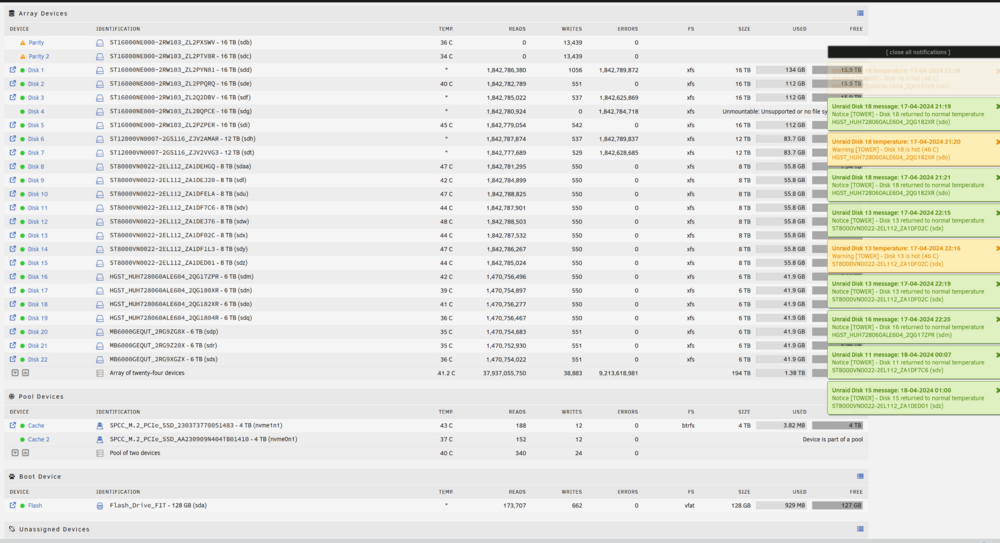
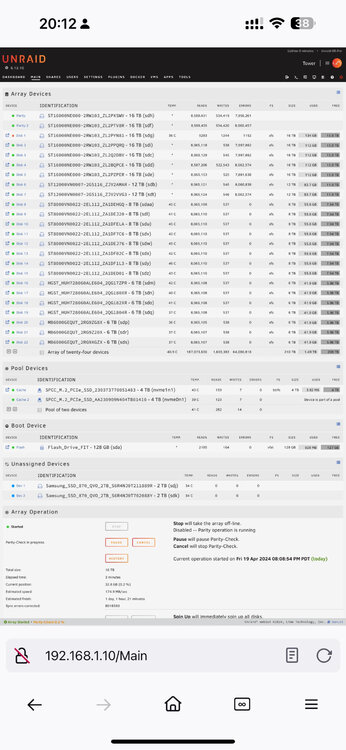
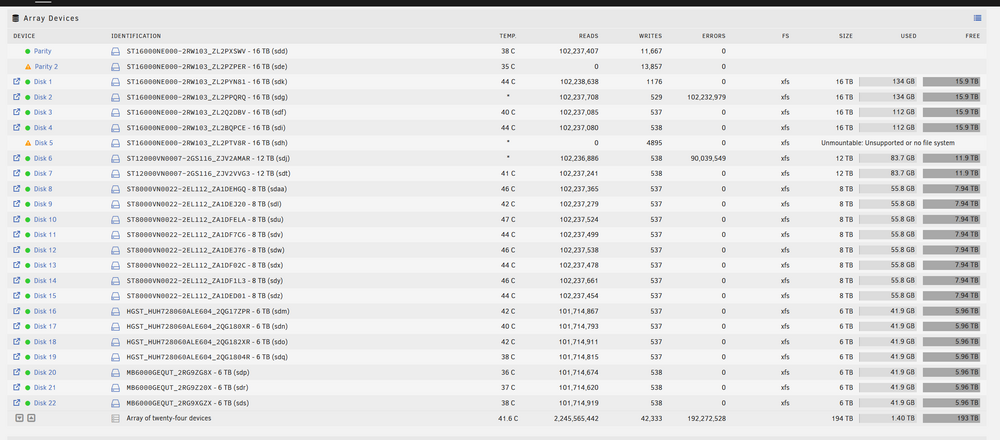
It normally drops out one drive at a time (not always the same drive), but it has happened to up to three drives at the same time. Viz Boot 1, start check: Drive 3 drops out and starts to have errors and stop showing temp and show up in unmapped drives Boot 2, start check: Drive 5 and 1 drops and starts to have errors and stop showing temp and show up in unmapped drives Boot 3: Drive 2 is marked as failed Boot 4, start check: No issues Boot 5, start check: Drives 2,3,5 start to have errors and stop showing temp and show up in unmapped drives
-
It only seems to be the 16 TB and every once in a while, a 12 TB one. 1300w should be more than enough; what is the best way to check on this to rule it in or out? One of the strange things is it seems to happen to the same drives, normally one that is in the protection or first 5. I shuffled the drives to eliminate the backplanes and maybe overload one of them.
-
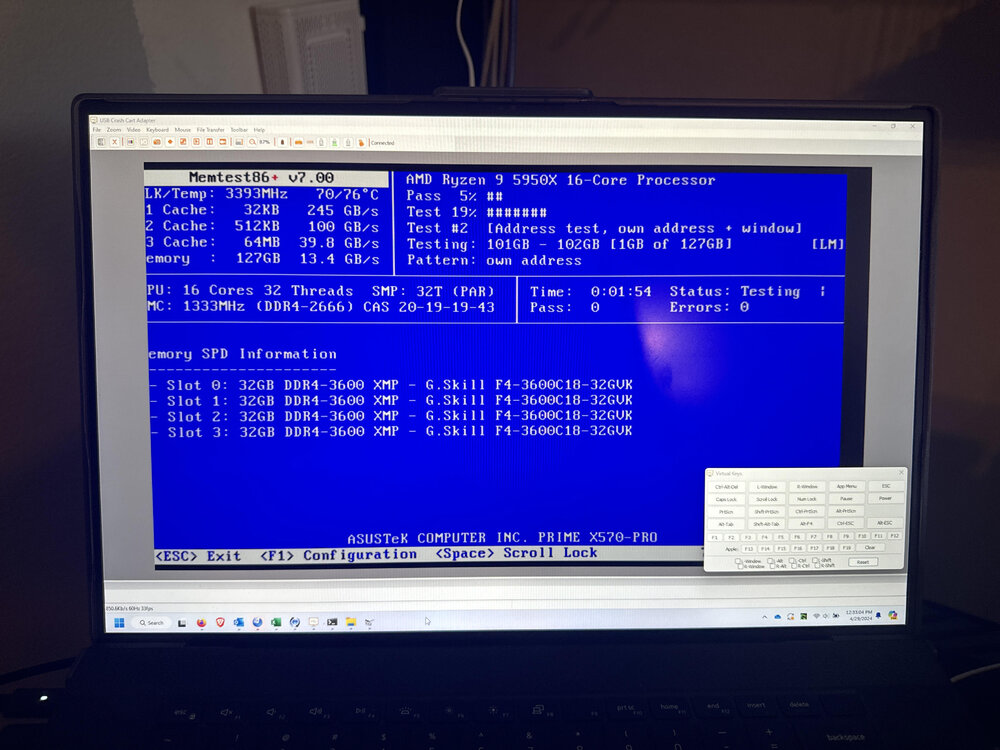
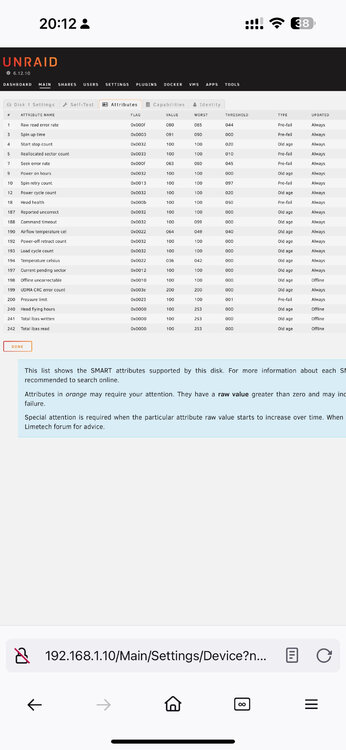
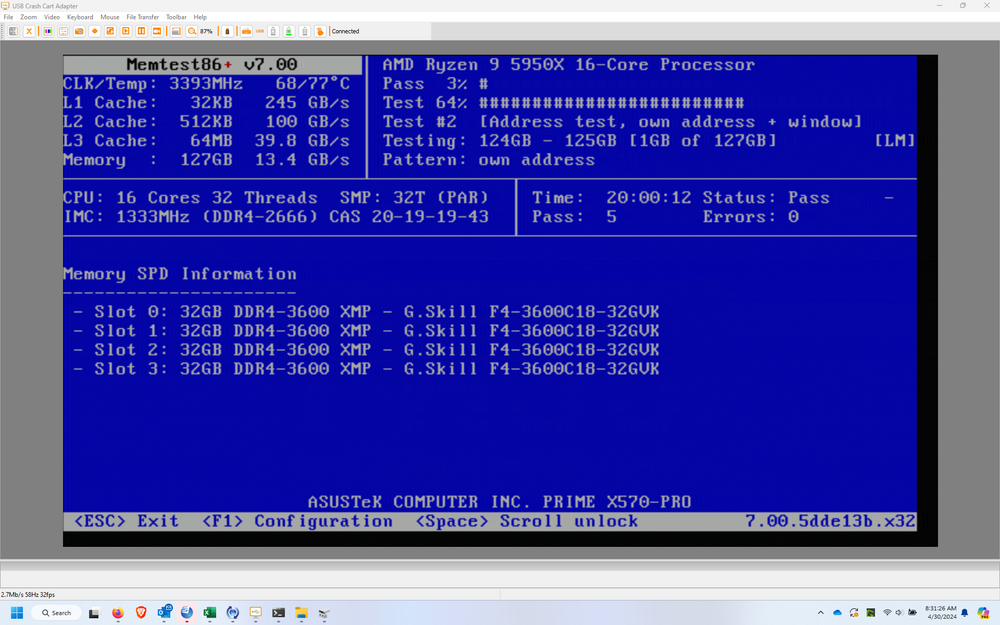
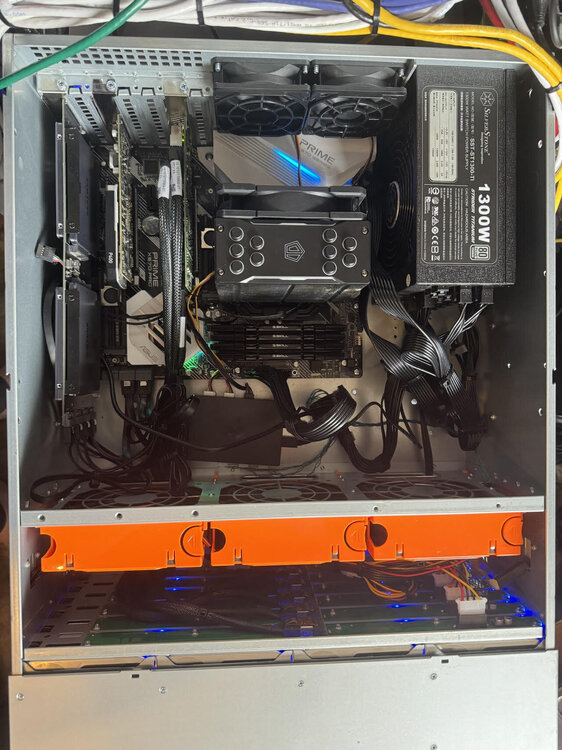
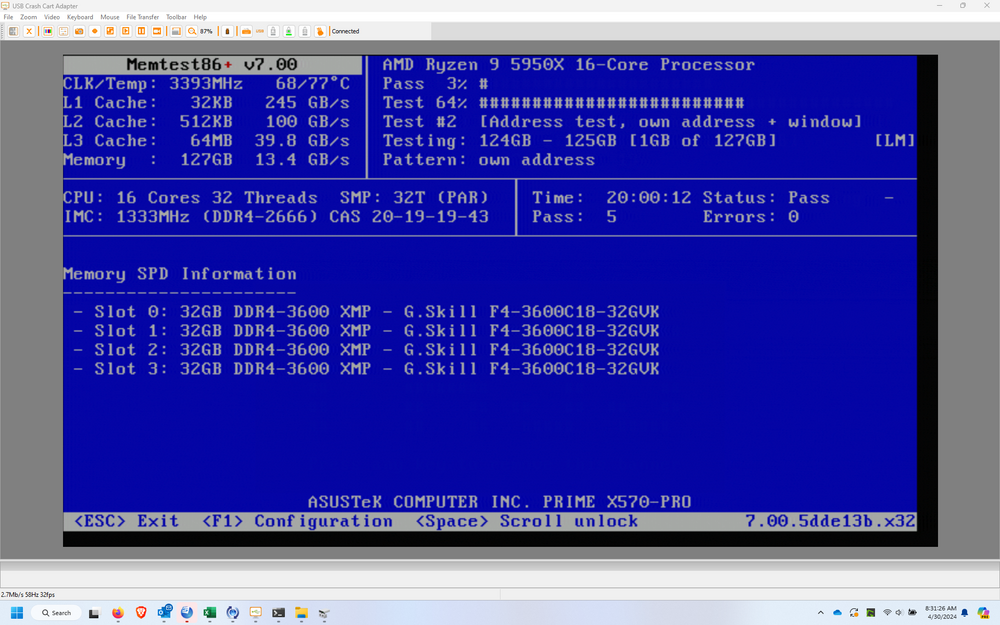
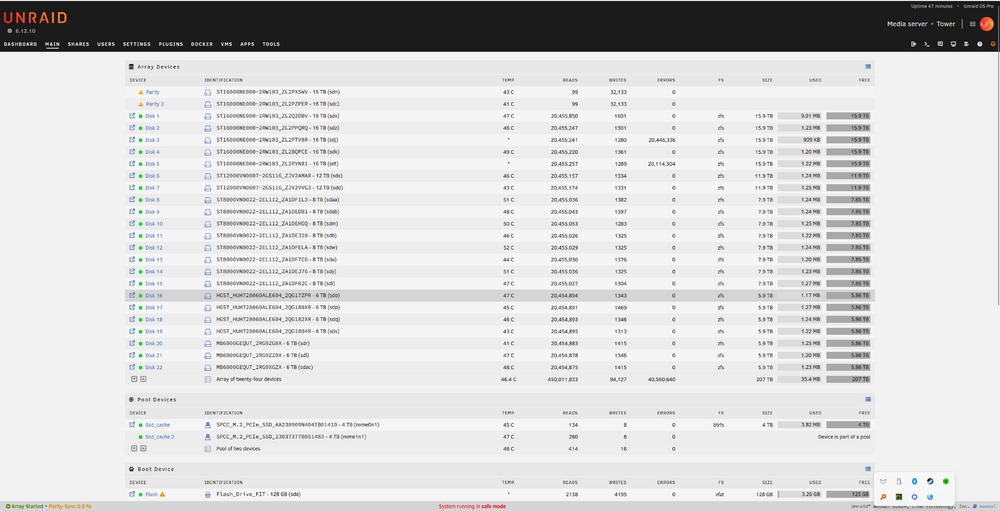
I have been using Unraid for years, and I have upgraded through the years, but this last jump seems to be making me question not only my tech skill and manhood but my sanity as well. System Specs: Parts notes: I have had the motherboard since 2021, the RAM is about a year old, and the CPU is about 6 months old. The 16 Tb drives, Sas Controller, Power supply, Case, SSDs, and NVMe are new. The issues started when I installed the RAM. After about a week, the system would lock up randomly and complain about BTRFS corruption. I decided to move the data to my Synology and start over with a better CPU and a new case. Issues: Rebuild is very slow Disks drop off and return with a new device name/address (Viz SDB becomes SDAC), Errors pop up on the disks, and Smart becomes unresponsive for that disk. (Note it does not seem to be the same drive (always), and it has included drives of other sizes). The issue only seems to happen on parity check/rebuild. Troubleshooting I have completed so far: Initial Hardware Tests PC Doctor Tests: You ran initial hardware diagnostics using PC Doctor to check for any immediate issues. Burn-In Tests: Conducted a burn-in test at a PC shop, which included SMART tests on the drives. All tests passed without errors. Power Supply Upgrade Power Supply Upgrade: Upgraded the power supply to a 1300W unit because the existing one might have been reaching its maximum output, potentially causing instability. CPU and Drive Upgrades CPU Upgrade: Replaced the CPU with a 16-core, 32-thread processor to enhance performance and address potential CPU-related issues. Drive Upgrades: Installed new 16TB drives during a case upgrade. Also moved existing 12TB and 8TB drives from an old Synology system to the new setup. SSD Installation: Added 4 SSDs on a PCI card connected via SATA to the server to expand storage capabilities. Cache NVMe Upgrade: Upgraded the NVMe cache to a 4TB model to increase cache size and performance. Memory Upgrade and Issues RAM Upgrade: Increased RAM from 32GB to 128GB. This upgrade caused issues such as cache corruption and the system becoming unresponsive after 96-130 hours on old system. Further Hardware Troubleshooting PC Shop Inspection: Took the server to a PC shop for a thorough check to ensure no hardware issues were overlooked. SAS Cable Replacement: Swapped out and replaced SAS cables to new backplanes to ensure proper connectivity and eliminate cable faults. Firmware and BIOS Updates: Updated the firmware on the 9305-24i controller and ensured the BIOS was configured to IT mode for optimal performance. Drive Relocation: Moved drives to new bays to see if physical placement was causing issues. External Drive Tests: Tested the drives outside of the server to verify their functionality. CPU and Memory Tests: Tests were conducted on the CPU and memory to rule out any potential faults for over a week. Observations and Investigations Drive Unmounting and Remounting: I noticed that initially, only two drives would unmount and remount, but eventually, all drives on one backplane were affected. Then other backplanes. Random Drive Placement: After moving the server to the PC shop, drives were randomly placed back into the array by size, which could have caused issues. Suspected Cable Issues: It was considered that a single miniSAS-to-SATA cable might be causing problems, especially if the problematic drives shared it. Replaced SAS Cable 1 Controller Considerations: Ordered another 9305-24i controller as some SATA drives directly connected to the motherboard were missing. Randomly placed drives into random bays. SAS backplates separated to different sata rails Replaced USB Stick Fresh load of unraid Happens in safemode and normal mode Changed the Seagate Settings with this guide: I have attached diagnostics from the and screenshots and photos of the system. I am out of ideas... and need advice tower-diagnostics-20240417-1722(1).zip tower-diagnostics-20240420-1617.zip tower-diagnostics-20240728-0930.zip

-
I cleared the config and re setup the array, for some reason the same behavior of a lot of errors even when there is no matching reads or rights

-
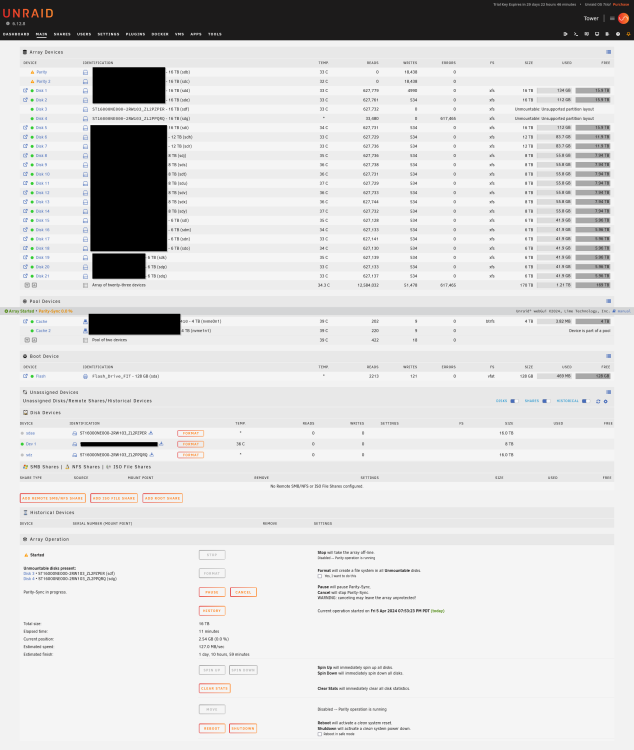
On a new build. I have a strange issue, 2 of my 16tb seagate drives disk 3 and 4 The disks are sdg and sdf then are able to be in the array, but after starting the array they will show up in unassigned devices as sdy and sdz. I am not sure why... any input would be great I attached the screenshot
-
Sadly I have not been able to track down the issue… I wish I had an answer
-
@JorgeB @trurl Strange update - I was having trouble stopping the parity check to check the IP, so I booted into safemode gui and it has been up for over 2 days...
-
I am working on setting up a syslog server via graylog on another unraid box
-
@JorgeB See above
-
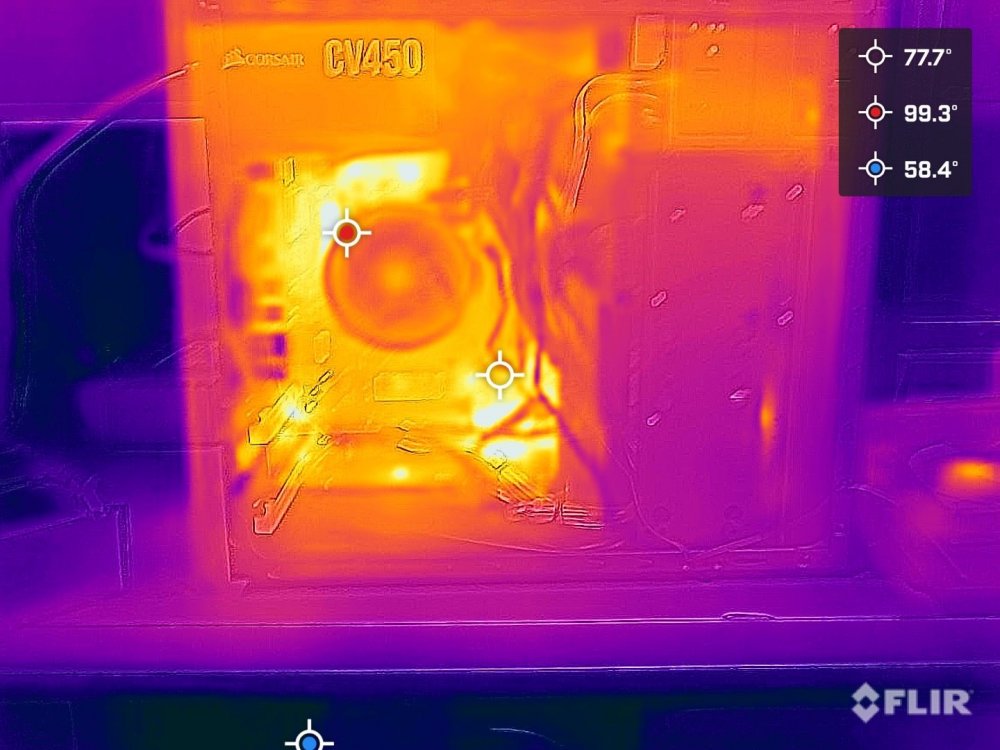
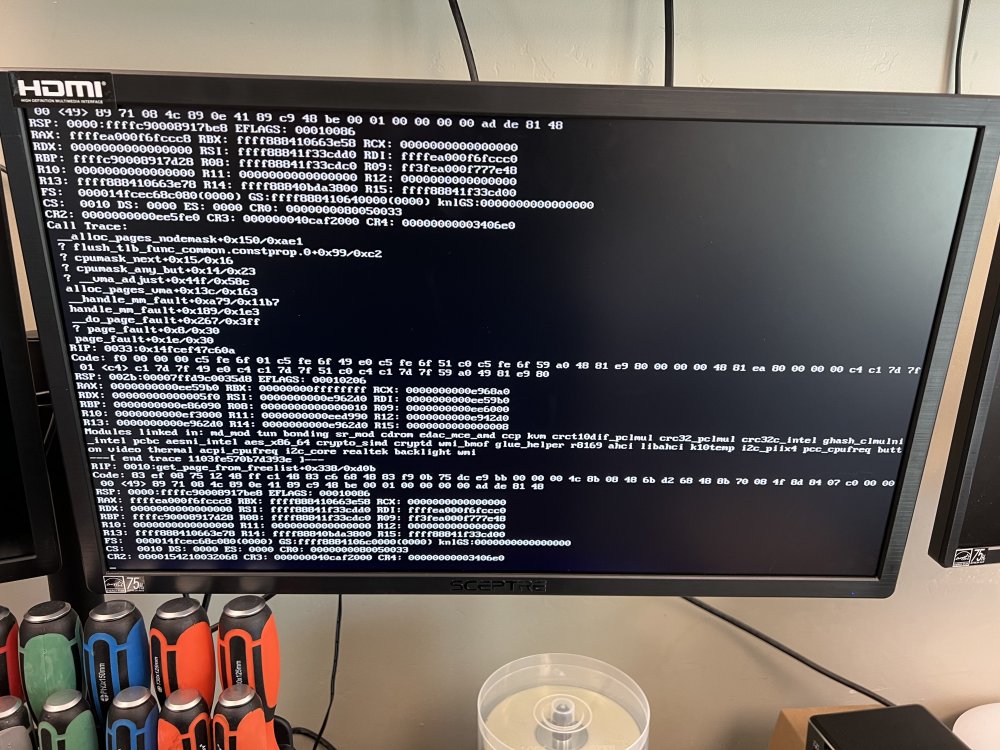
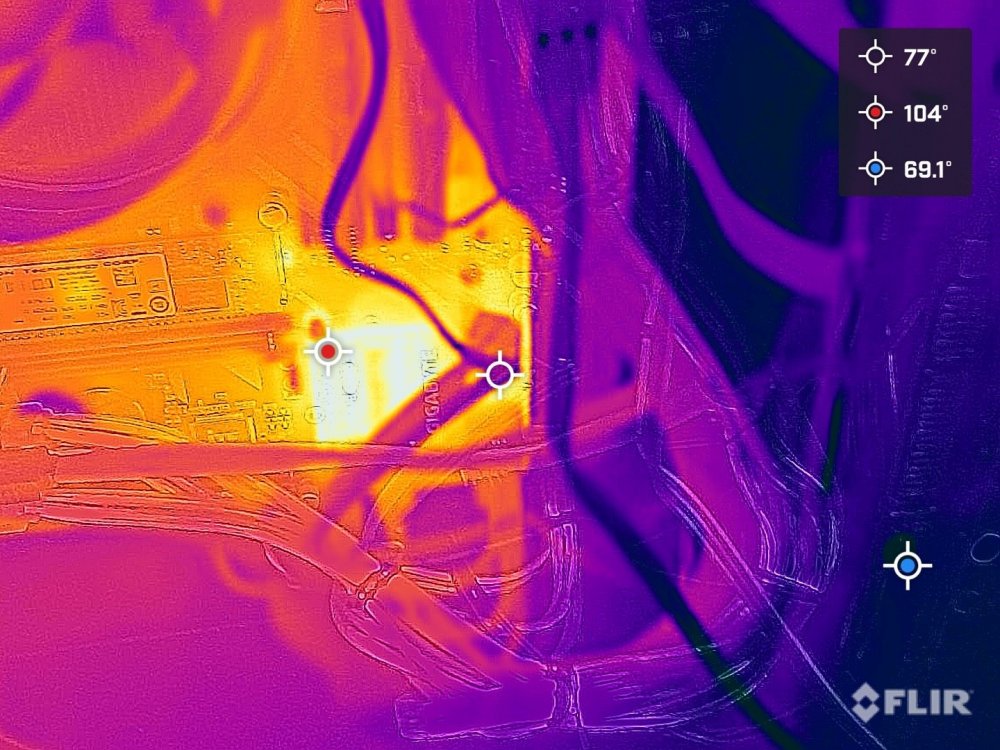
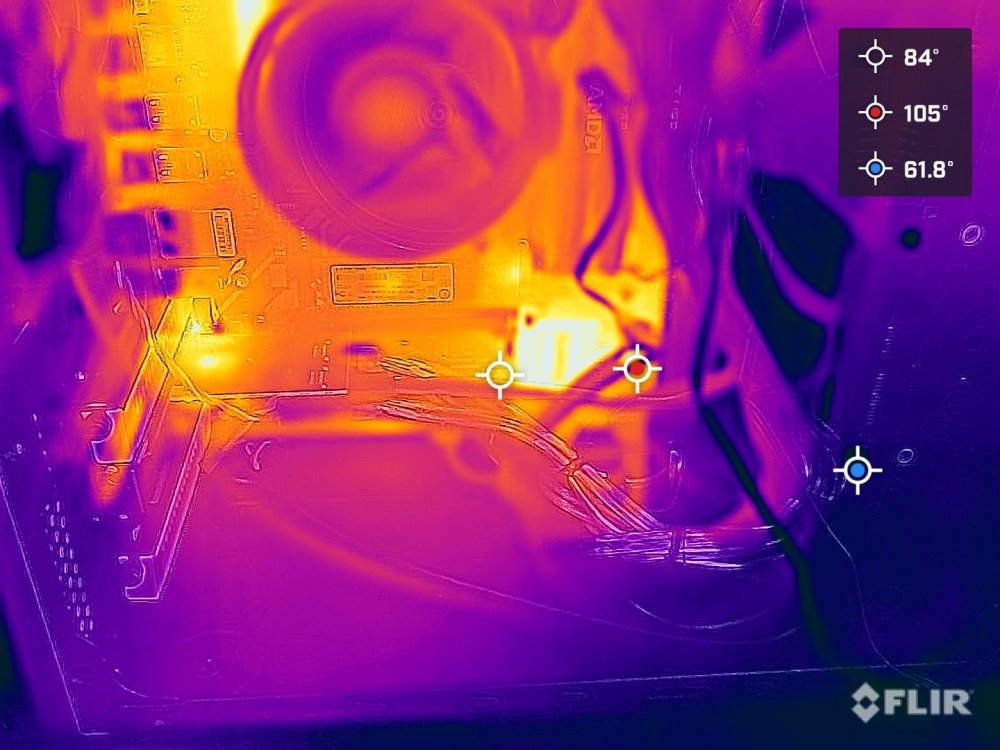
syslog.3 @JorgeBsyslog.zipSyslog file@trurl Please see the link above... That is the syslog file@trurl https://www.dropbox.com/s/2fxqm3nj6o3g5bo/syslog?dl=0 For some reason it is 4+ gb... not sure why@trurl and @JorgeB The unraid server now crashes after 10 minutes...I have made the changes in the Bois and enabled syslog. I have also attached diagnosticstower-diagnostics-20211111-1435.zipI have a Unraid server that I setup at my grandmothers house as an off-site replication ~150 miles. It been there for about a year. It has gone offline a few times. PC Doctor reports everything is fine. I pulled it and brought it back to my shop and left it just powered on for a week and it crashed again. There seems to be a kernel panic on the screen (see attached images). The only thing I can make out on the screen is 'button on video thermal' I have also attached thermal images. Any help would be great, thanks.
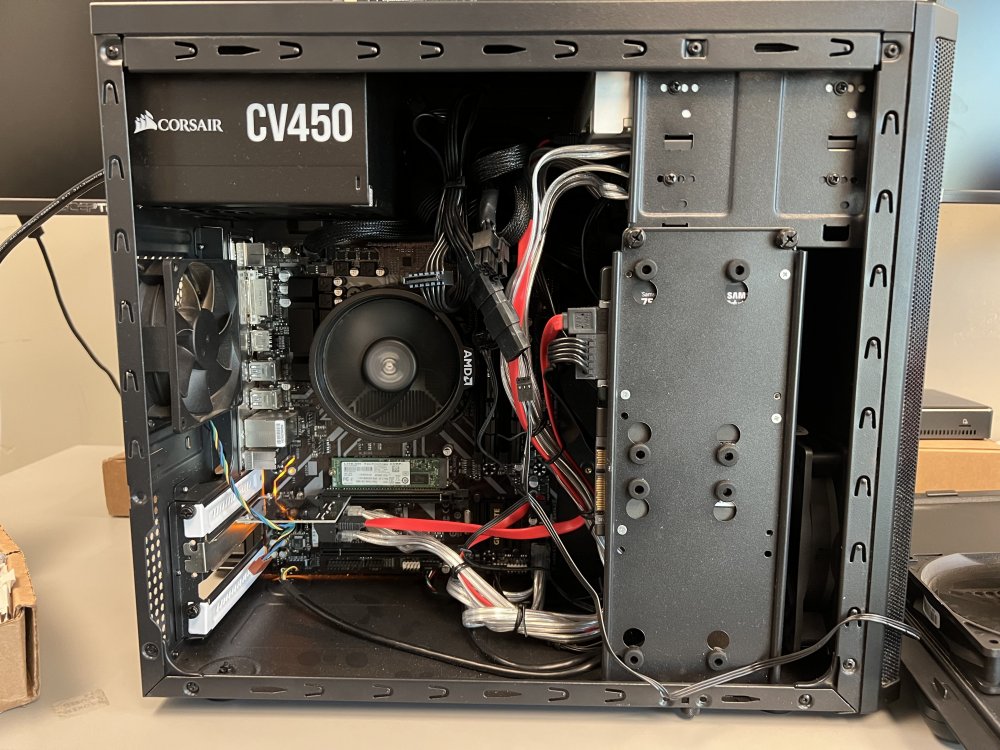
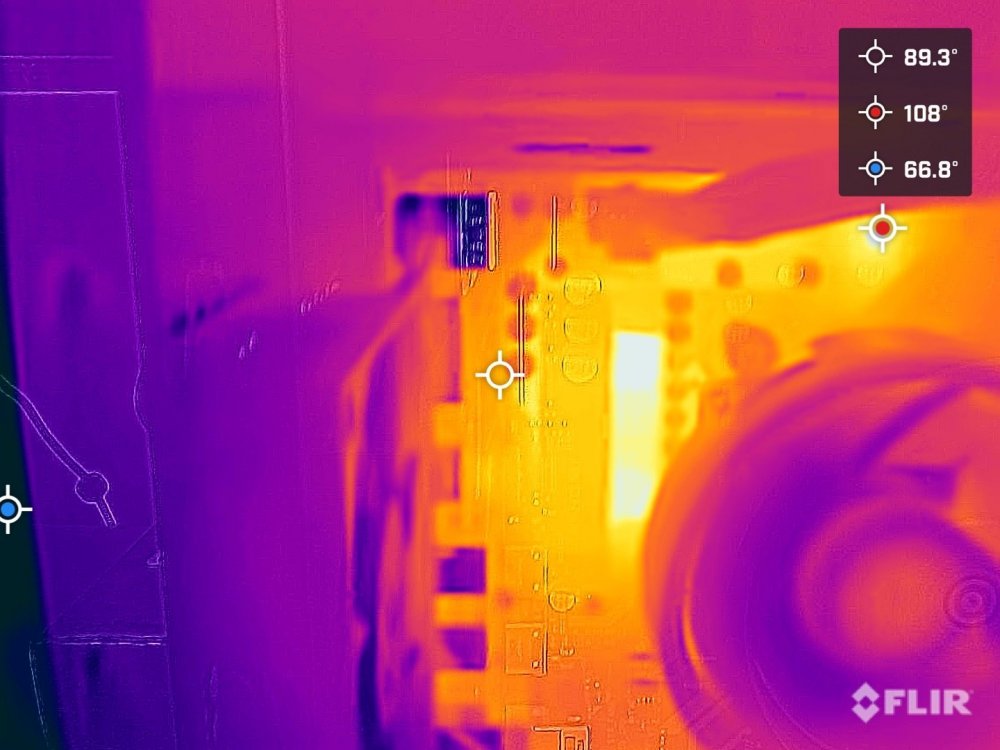
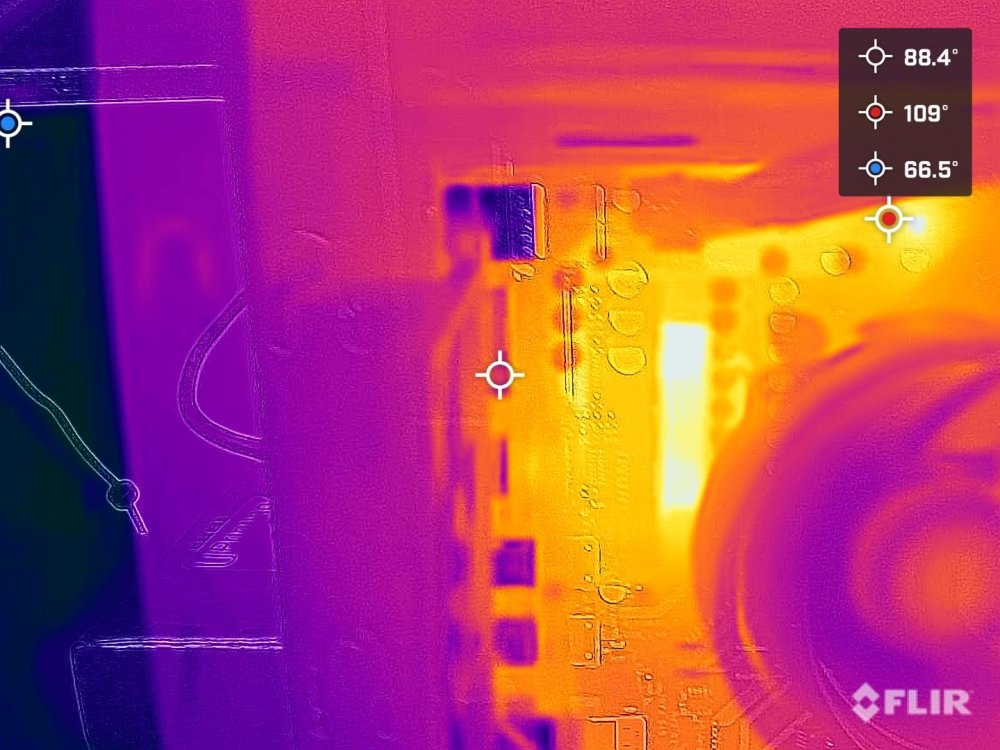
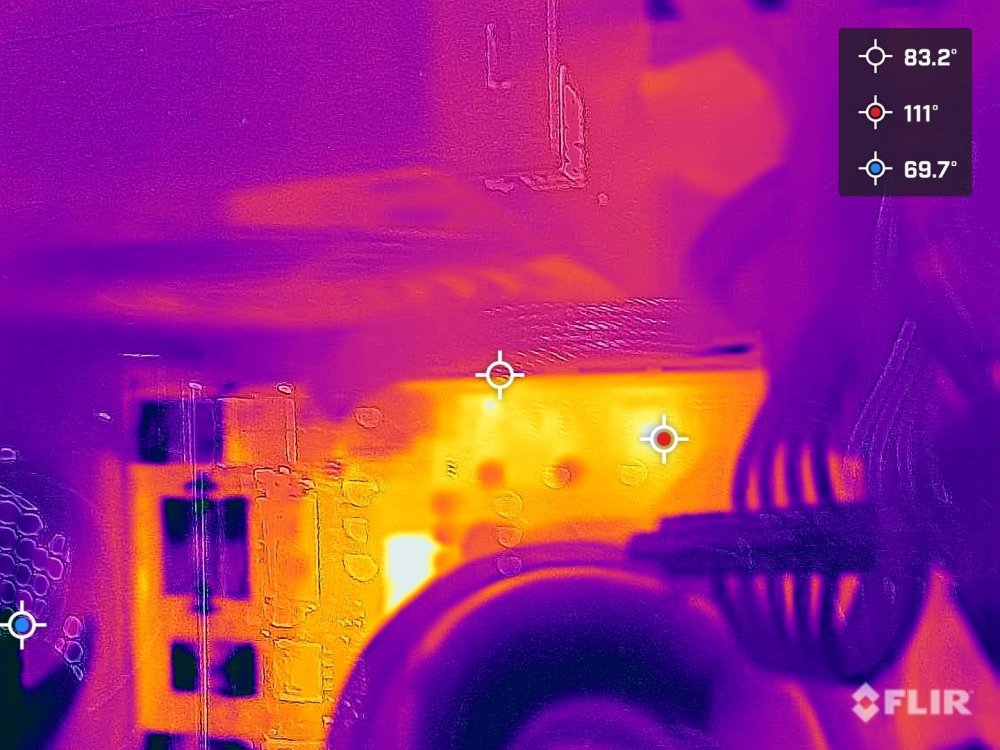
 Nope, The issue has not been so pronounced until tonight... So I googled it tonight and this is one of the top posts... Its kinda sad...Most of the dockers have not been slow, only plex, smb and webgui. Parity checks and the like have been at 90-160mb/s.Moved docker vm to a cache only share still getting high IOwait....I will look into that now.I need some help... I have been having high IOwaits for a few months now. Its driving me up the wall... Specs: Unraid system: Unraid server Pro, version 6.8.3 Model: Custom Motherboard: Supermicro - X8DT6 Processor:Intel® Xeon® CPU E5620 @ 2.40GHz HVM: Enabled IOMMU: Disabled Cache:L1-Cache = 256 kB (max. capacity 256 kB) L2-Cache = 1024 kB (max. capacity 1024 kB) L3-Cache = 12288 kB (max. capacity 12288 kB) Memory: 48 GB (max. installable capacity 384 GB) Network:bond0: fault-tolerance (active-backup), mtu 1500 eth0: 1000Mb/s, full duplex, mtu 1500 Kernel:Linux 4.19.107-Unraid x86_64 OpenSSL:1.1.1d P + Q algorithm:5892 MB/s + 8187 MB/s Steps to fix issues: I have been having a high amount of IOwait issues. I have tried everything that has been the issue for others: Add a second SSD to cache Move Deluge to its own SSD via unmounted drives Switched from Plex to Emby Added a nVidia 1660 Ti for Emby Disabled and removed Dynamix Cache Directories, waited a week and re-added it DiskSpeed docker on all drives Changed the Parity drive to Seagate Ironwolf Pro (second one still in shipping put in a HP Enterprise as temp Parity) Replaced all drives what errors (even ones with 1 error 3 drives) Disabled the specter and meltdown protections Replaced both CPU Coolers with dual noctua fans Added Memory fans to the system, to solve memory heat issues Change to a new case (Fractal design define 7lx) from 24 bay supermicro Added 8 case fans Using 18 - 3.5 drives and 5 - 2.5 drives Removed all 1 TB drives Watched NetData, htop and Glances like a hawk for any signs as to what it causing the issue I am still getting the IOwait errors messages, and the system is very slow. tower2-diagnostics-20200502-2038.zip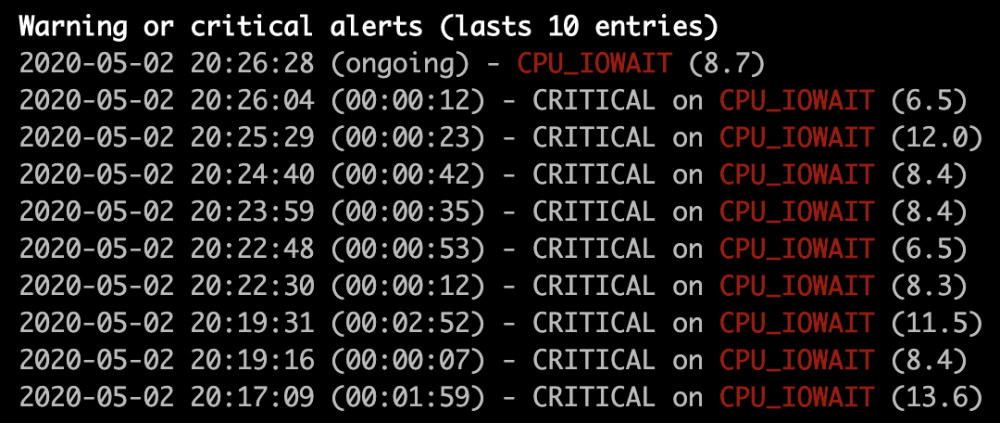


Account
Navigation
Search
Configure browser push notifications
Chrome (Android)
- Tap the lock icon next to the address bar.
- Tap Permissions → Notifications.
- Adjust your preference.
Chrome (Desktop)
- Click the padlock icon in the address bar.
- Select Site settings.
- Find Notifications and adjust your preference.
Safari (iOS 16.4+)
- Ensure the site is installed via Add to Home Screen.
- Open Settings App → Notifications.
- Find your app name and adjust your preference.
Safari (macOS)
- Go to Safari → Preferences.
- Click the Websites tab.
- Select Notifications in the sidebar.
- Find this website and adjust your preference.
Edge (Android)
- Tap the lock icon next to the address bar.
- Tap Permissions.
- Find Notifications and adjust your preference.
Edge (Desktop)
- Click the padlock icon in the address bar.
- Click Permissions for this site.
- Find Notifications and adjust your preference.
Firefox (Android)
- Go to Settings → Site permissions.
- Tap Notifications.
- Find this site in the list and adjust your preference.
Firefox (Desktop)
- Open Firefox Settings.
- Search for Notifications.
- Find this site in the list and adjust your preference.