




Skip to content
View in the app

A better way to browse. Learn more.

Unraid

A full-screen app on your home screen with push notifications, badges and more.

To install this app on iOS and iPadOS
  1. Tap the Share icon in Safari
  2. Scroll the menu and tap Add to Home Screen.
  3. Tap Add in the top-right corner.
To install this app on Android
  1. Tap the 3-dot menu (⋮) in the top-right corner of the browser.
  2. Tap Add to Home screen or Install app.
  3. Confirm by tapping Install.

zinnchen

Members
  • Joined

  • Last visited

  1. Yes, this works! I see adapter0 and adapter1. Installed tvheadend docker container and can see these two modules two. Thank you!! Will plug two cables this evening and hope that the rest will work also.
  2. Now I can see two modules in dvbinfo, but without version.
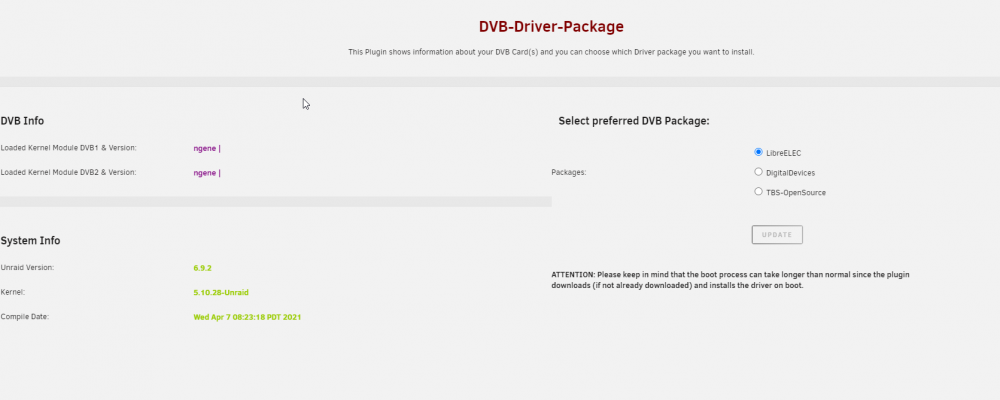
  3. Thanks for very fast reply. I will try libreELEC package and will give a feedback afterwards.
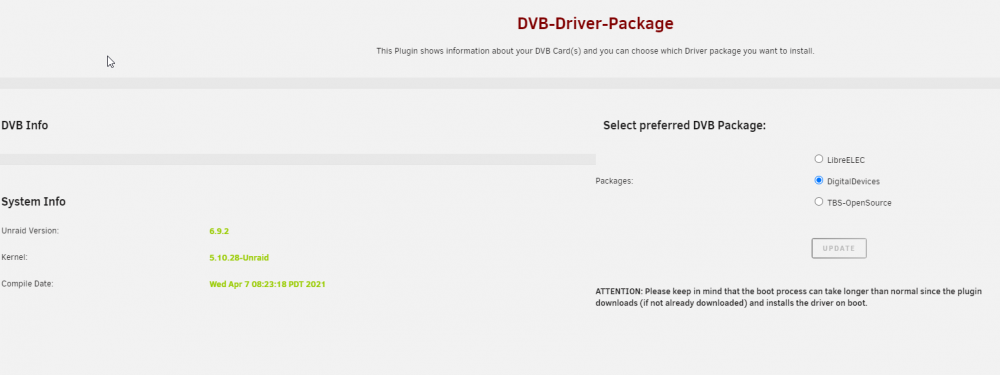
  4. Hi together, I started working with unraid last year and I'm very happy with it. Recently I found my (a bit too) old DVB-S card (DigitalDevices Cine S2) and installed it in my unraid server. After installing the dvb drivers plugin I switched to digital devices driver since it is a DD card, but I can't see anything in dvb info section. Do you have any idea which could be the problem? Thank you in advance. lspci.txt dmesg.txt

Account

Navigation

Search

Search

Configure browser push notifications

Chrome (Android)
  1. Tap the lock icon next to the address bar.
  2. Tap Permissions → Notifications.
  3. Adjust your preference.
Chrome (Desktop)
  1. Click the padlock icon in the address bar.
  2. Select Site settings.
  3. Find Notifications and adjust your preference.