GuardEzio
Members
-
Joined
-
Last visited
-
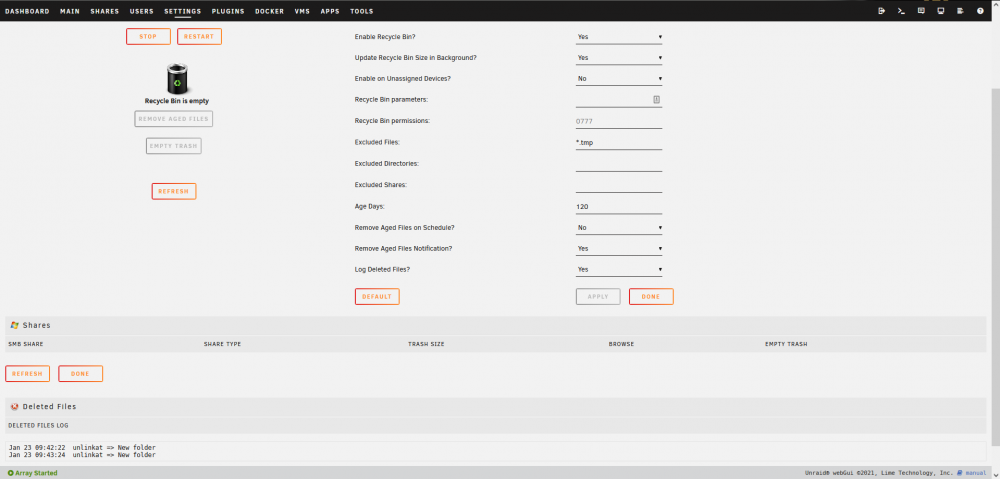
HAIL! I'm getting a similar issue, UnRAID 6.9.2 with the latest update of Recycle Bin installed but .Recycle.Bin isn't appearing when I delete a test file on either of my shares -- though they do appear in the log [screenshot below]. I did, for a brief moment, have one share show up in the SMB shares... but lost it when I reinstalled the plugin in an attempt to get my other share to appear. No idea if it's a bug or me being a dingus, but I'm hitting a brick wall on what it could be at the moment. Current troubleshooting steps: > Stop/Start Array. > Server Reboot. > Uninstall/Reinstall of Plugin. > Multiple folder/file deletes (after each of the above). > Creation of a new share (just incase it was a bug with the pre-existing share). '.Recycle.Bin' still refused to spawn. > Staring into the abyss trying to work out what I could possible be doing wrong here. > Enabling 'Unassigned Devices' -- followed by a test then revert when it didn't help. > Triple cheking settings for Recycle Bin, SMB Shares, and the shares -- all appear to be in order. > Manually ran 'Move' in a hope that it may trigger somthing -- it didn't.