





usurpator
Members
-
Joined
-
Last visited
-
Thanks a bunch, will do so.
-
prometheus-diagnostics-20260727-1621.zip Not sure why my message wasn't send with the zip - anyway: Checked the cables, will replace them tomorrow as I had to order new ones, restarted everything. Attached the diags. Thanks!
-
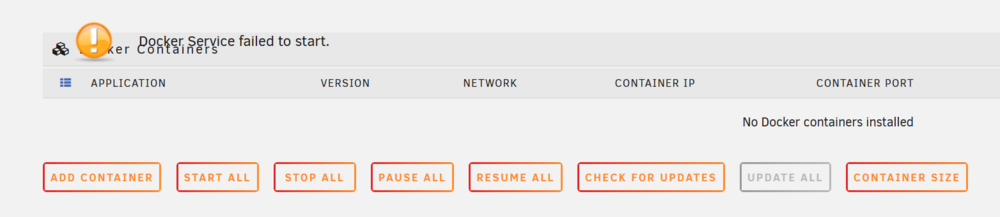
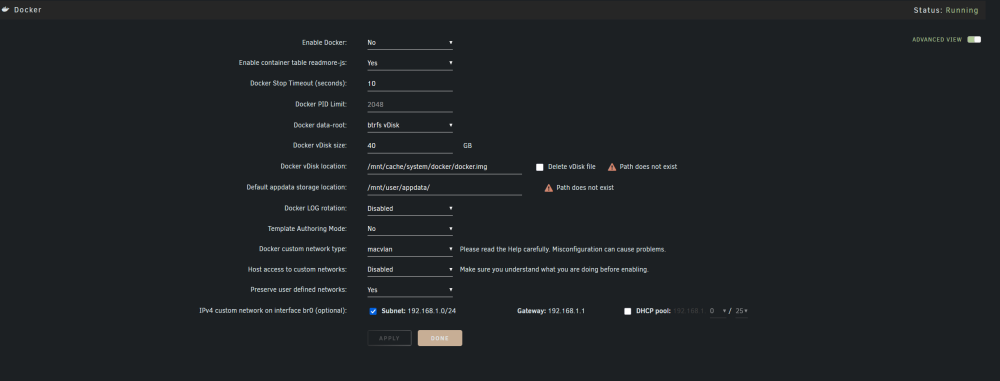
Hi, I am having an issue with my unraid. When on vacation I couldn't reach my dockers anymore and when I came back I discovered that my unraid was giving me the error "Docker Service failed to start" I decided to restart unraid and everything seemed to be solved for 12 hours or so, until i got the same error message again. I decided to stop and restart docker but saw the following error: Not sure what to do, I guess my cache ssd is starting to fail? I disabled docker (even though in this image it says it is still running, which it should not) and downloaded my diagnostics (attached). Any help is appreciated. Thanks a lot! prometheus-diagnostics-20260726-1031.zip
-
Hiya everyone, I just set up a windows 10 VM and everything works fine - except that the mouse stops working out of the blue after some time. Keyboard input is still possible but does not help that much when the mouse stops. The only way to get it working again, is to restart the whole VM. This happens pretty regularly, most often after a couple of minutes. Any idea what that could be? What details could I include in my post to help find a solution? Thanks a lot in advance!
-
This is my first time I've ever done a preclear and I just wanted to check here if the results look ok? Thx in advance! preclear_results_00.txt preclear_results_01.txt

