





Mmdhejx
Members
-
Joined
-
Last visited
-
联系了官方人员,问题已解决,感谢
-
-
放入config目录后,情况没有任何改变
-
阵列中还有不少数据,没设置校验盘,不知道能否保留
-
原来是6.9.2版本,遇到了一些问题,于是将Basic.key文件保存到其他设备,U盘格式化后重新安装6.10.2版,将Basic.key重新放入了根目录,但是仍要求输入key,无法启动阵列,redeem code显示已有key或被黑名单 请问现在该如何操作,谢谢!
-
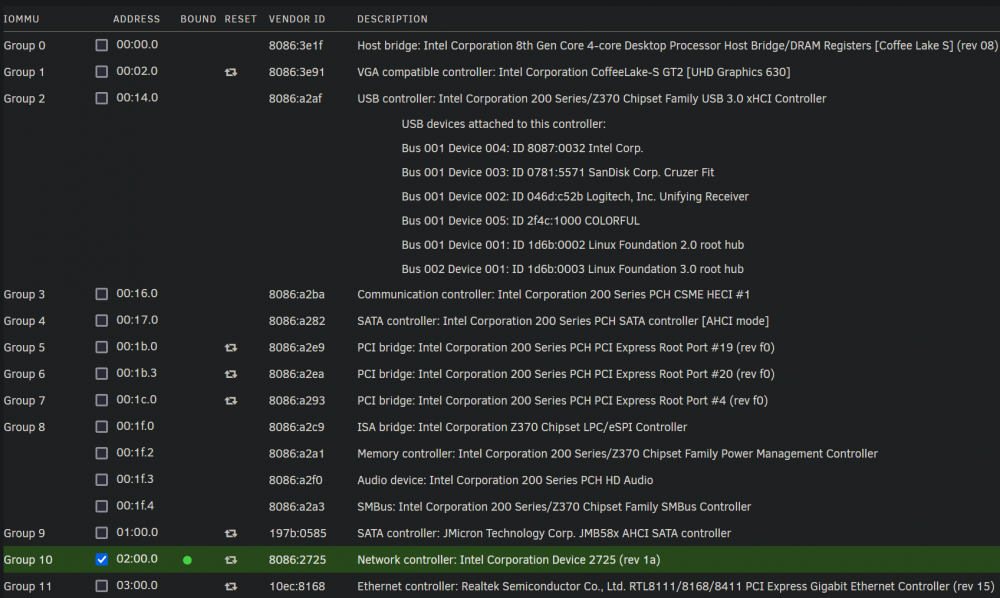
看了spaceinvader的使用VFIO-PCI的直通教程,发现他弄出来了两个独立的USB总线,但我却只有一个。 又爬了几个帖子,才知道原来我的主板只有一个USB控制器,所以导致还是无法实现我想达到的效果。 有人说也许可以通过BIOS设置,我明天会试一下;如果不行,我准备直接购买一个PCIE转USB扩展卡。 除了这个蓝牙问题,我感觉自己的虚拟机设置已经能够完全满足我的需求了。 谢谢你的提示,感激不尽。
-
-
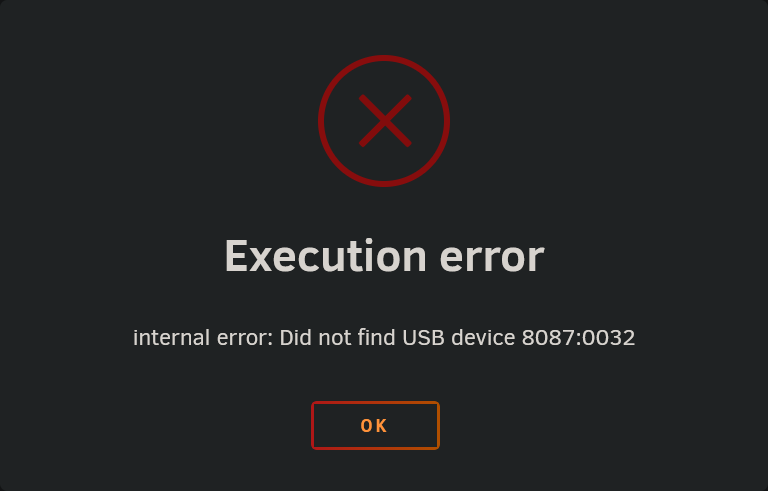
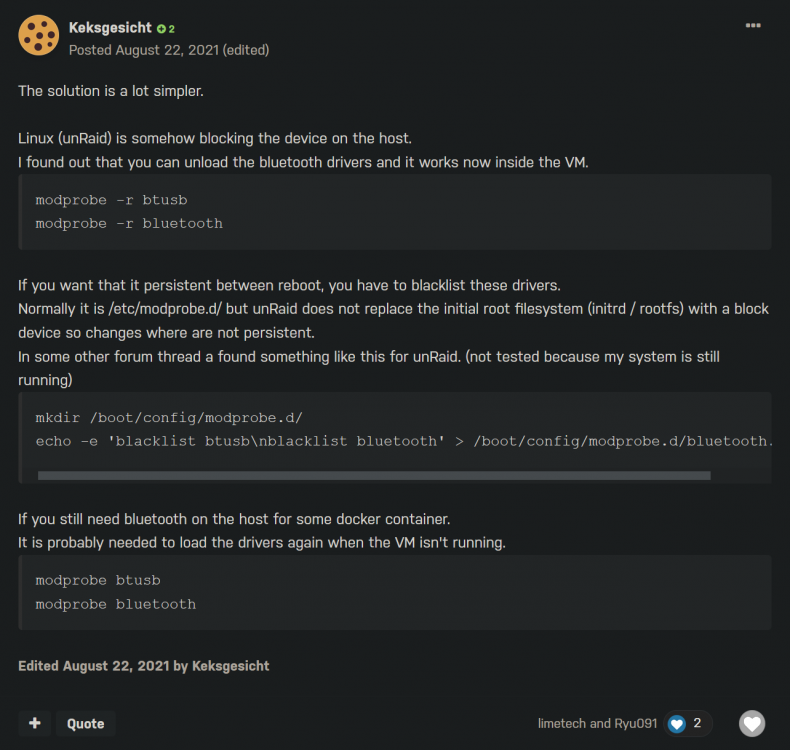
使用的主板自带一个WIFI/BT接口,安装了一张AX210,已经成功直通了WIFI功能。 但是看了几个帖子,都没能搞懂如何直通蓝牙,所以请求各位的帮助,谢谢大家的关注。 VM为Windows 10 以下是我的尝试: 1. 简单搜索后,发现“Intel Corp. (8087:0032)”这个USB设备其实就是AX210的蓝牙: 尝试启动,出现没有找到USB设备的提示: 2. 后来又找到了这个英文帖子的一条回复: [6.10.0-RC1] Onboard Bluetooth no longer able to passthrough to VM 原帖的大概意思是说,需要手动卸下驱动,如果需要unraid重启之后也有效的话,需要把驱动列入黑名单。 于是我尝试在终端输入这两个命令: modprobe -r btusb modprobe -r bluetooth 输入第一条命令没有任何提示,于是输入第二条命令,系统给出错误提示: modprobe: FATAL: Module bluetooth is in use. 考虑到这一步没有任何作用,而且下一步列入黑名单似乎是要修改文件,而我又对Linux极度不熟悉,便没有进行后续操作。 以下是我的PCI设备以及IOMMU分组信息: 如果需要提供其他信息,我会第一时间回复,谢谢。

-
之前看了很多技术贴,按照教程的方法却始终不能实现自己的需求,一时不知所措 于是自己重新捋了一下思路,发现只是单纯地把事情搞复杂了,根本无需太过高阶和复杂的设置 现在我修改了默认的80和443端口,在路由器重新编辑映射,成功在外网用ip和ddns,以https协议访问了webgui,只不过没有设置证书,影响不大 但是http协议依然无法访问,不过只要能访问,已经满足我的需求了 谢谢
-
使用unraid不到一周,仍在试用期内。 本来能通过外网访问webgui,但现在输入ip能解析到xxxxxxx.unraid.net,但是提示连接超时;输入路由器设置的ddns无任何反应 通过外网能正常访问到部署的webdav(输入ip和路由器设置的ddns都行) 检查了路由器端口映射,没有设置错误。 最后一次成功通过外网访问后,添加/删除了一些docker,不知道会不会有一些影响 请问 1. 我该如何操作才能通过外网顺利访问webgui? 2. 如果我把现在的unraid系统U盘格式化重装,如何操作才能不丢失阵列数据? 本人不是纯小白,但是太复杂的技术名词我可能不是很了解,希望能得到比较简洁的答复,期待各位的不吝解答,谢谢!


