





Hemeltine
Members
-
Joined
-
Last visited
-
I understand it won't work on my both computers. ok, thanks for the info.
-
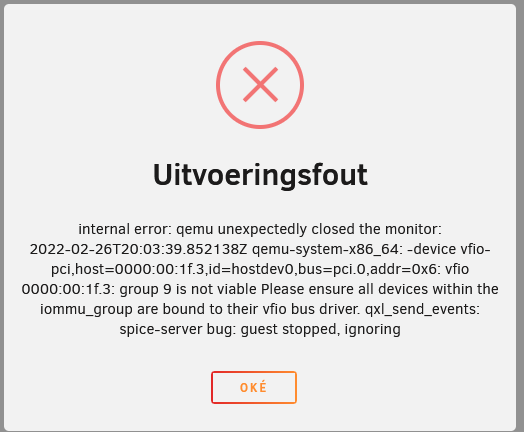
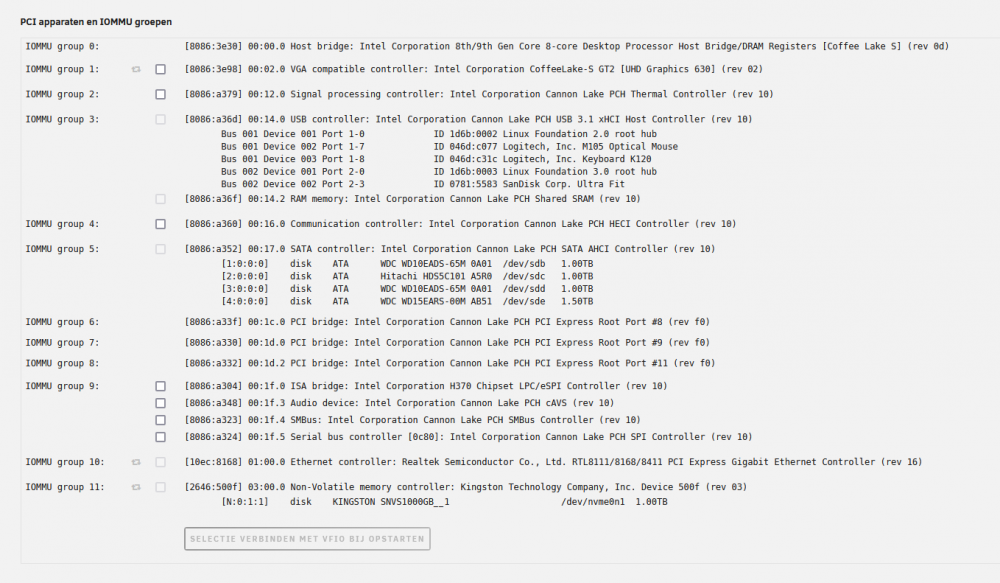
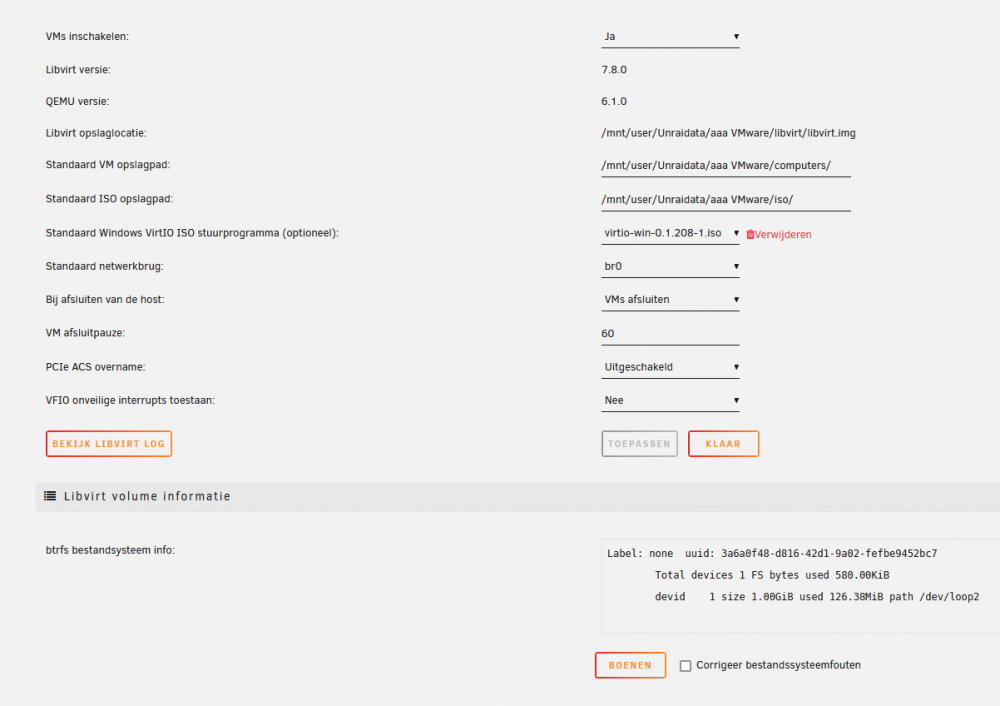
so.. I'm here again. This time with more information: about my keyboard, its form me impossible to give more info. about the hardwere with is not funktioning, i can give this: when i start my vm computer without the sound cart ... the vm windows is starting like normal. when i start my vm with a soundcard from the motherboard. I have a txt from the unraid system. look at the image with the name "unraid foutmelding bij opstarten vm" if i look to the system apparaten in the unraid server i find this. look at image with the name "unraid system apparaten" in the vm magager i found the setup: look athe the image with the name "unraid vm manager" i know you can change settings in the system apparaten. but first you must change aci in overide at unraid vm manager. This is what i know, What can i do more to have a good screen and soundcard?
-
i look at the differend keyboard setup in the vm settings. But the keyboard i want isn't at the menu... (belgian version) At this moment i try it with another computer. i have the same problems and one more: a bad keyboard in the vm computer no sound card in the vm computer and a screen from only 800 x 600 in vm ware
-
Hemeltine joined the community
-
i can't use my keyboard in a good way. the standard is "us keyboard", and i'm a belgian user (keyb be). I need this is when i use the keyboard of the server computer or when i use a virtual machine... I've seen in other tropics solutions that help with older versions of unraid, but not one with the last version of unraid 6.9.2. os there a solution for me?

