




Skip to content
View in the app

A better way to browse. Learn more.

Unraid

A full-screen app on your home screen with push notifications, badges and more.

To install this app on iOS and iPadOS
  1. Tap the Share icon in Safari
  2. Scroll the menu and tap Add to Home Screen.
  3. Tap Add in the top-right corner.
To install this app on Android
  1. Tap the 3-dot menu (⋮) in the top-right corner of the browser.
  2. Tap Add to Home screen or Install app.
  3. Confirm by tapping Install.

peterfxiang

Members
  • Joined

  • Last visited

Everything posted by peterfxiang

  1. thx for answering me this is Alder Lake CPU. no wonder the code 'modprobe i915' didn't work. so all i can do is waiting till the Alder Lake fully supported, right?
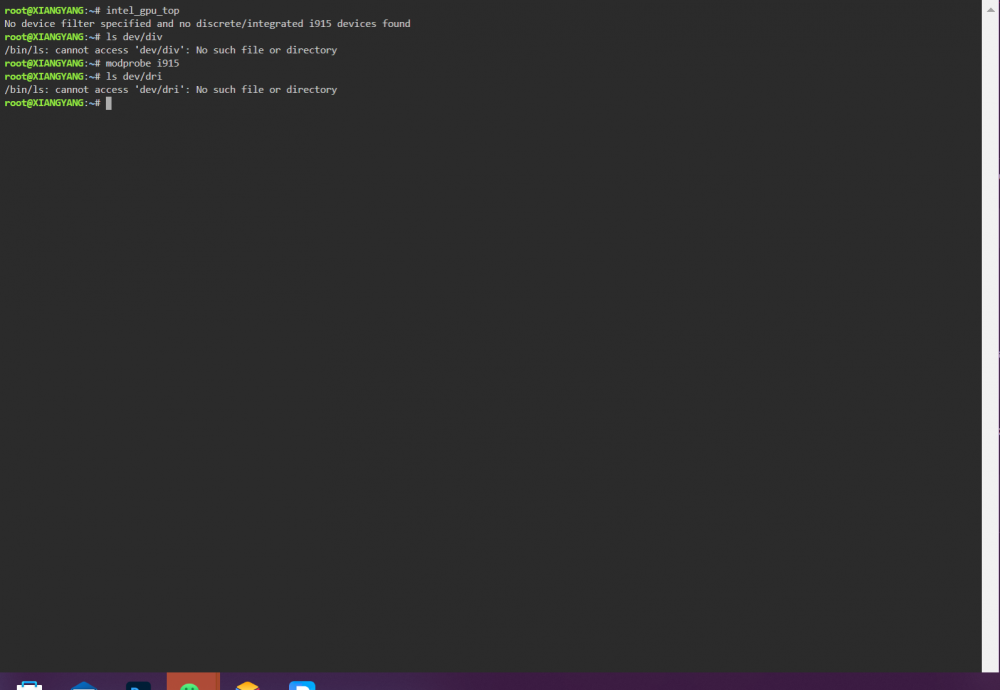
  2. appreciating ur job first but i still got some trouble after i installed the plugin, my igpu still not working typing 'intel_gpu_top' in the terminal , there is ‘No device filter specified and no discrete/integrated i915 devices found’ BTW my cpu is intel pentium g7400

Account

Navigation

Search

Search

Configure browser push notifications

Chrome (Android)
  1. Tap the lock icon next to the address bar.
  2. Tap Permissions → Notifications.
  3. Adjust your preference.
Chrome (Desktop)
  1. Click the padlock icon in the address bar.
  2. Select Site settings.
  3. Find Notifications and adjust your preference.