





JGKahuna
Members
-
Joined
-
Last visited
-
I will try that. Funny that I can access both servers on a Windows 10 Home computer and a Window 10 Pro computer. The one Windows 11 computer can access the Fred server A but not the Stella B server. I think you are right about the credentials and I will try that.
-
These are the two servers diagnostics. Thank you fred-diagnostics-20250216-1940.zip stella-diagnostics-20250216-1941.zip
-
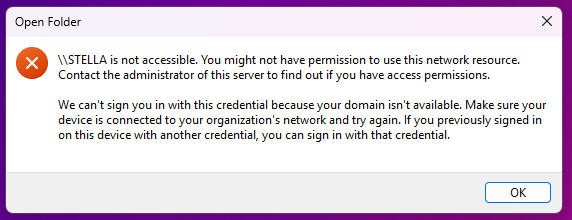
My A server named Fred is able to connect fine from any computer, Server B named Stella is still getting this error message. Here is a screen shot. Any thoughts.
-
I will take a look. I believe it is an issue with the Windows 11 24H2 update. I tried on a Windows 10 computer and it connects fine. I imagine the link above will sort out the issue for me on a windows 11 computer with the new update. My Windows 10 computer is in my workshop where there is no heat, so the Windows 11 is preferable. LOL Thanks for your time.
-
I can see the Unraid dash board and manage the server, but when I go to the B server named Stella it reads "Windows can not access \\Stella" If anyone can help by taking a look at the diagnostics i would appreciate that. John Gessner stella-diagnostics-20250212-2222.zip
-
I tried to stop the array and then I got this message, Array Stopping•Sync filesystems..... It seems hungup. I was not doing anything other than transferring files via my Windows computer. that finished and then Unraid got hungup. Any ideas.? fred-diagnostics-20230511-2118.zip
-
I am getting a warning from unraid about not being able to communicate with github and can not connect to Unraid connect either.
-
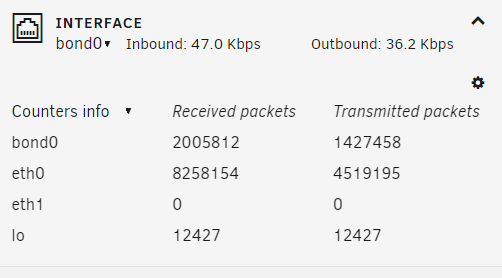
I am trying to set up a peer to peer network from my windows to the ETH1 10 gb port. Eth0 is also 10gb and running to my switch. I set up the ETH1 with a static ip and mapped it to my windows 10gig computer port. So what is UnRaid saying port down still? My idea is to be able to transfer files via Syncthing over the 10gb ports. ETH1 reads "shutdown (inactive)" fred-diagnostics-20230508-1739.zip
-
Again thanks. I had just upgraded my main server to dual cpu board and this one as the backup server for mission critical files. So I am very happy with UnRaid and the community. Have a tremendous day.
-
OK, Thanks. I also was able to change the time and date from within UnRaid and then could boot to the bios. I don't really need to go in there that often. I was just looking for the IPMI IP address and then it became this rabbit hole. LOL. Cheers johngessner.com
-
Ok, Thanks so much for the info. And after changing the date in UEFI, all you have to do is, "EXIT" and it saves the changes automatically?
-
I did try that, but it keep changing back to the current time. How do you save the settings in UEFI shell other than F10?
-
Ok, I changed the clock back to the current time and now it has internet again and the error has gone. Guess if i need to boot into bios I have to predate the system time before 2020, boot into bios and then, reset it once I am back in unraid. Unless there is something else I should be doing.
-
I had to change the date and time because my Super Micro x9SCM-F would not boot into bios. All I got was the AB error and a blue screen, so i put the time to before Dec 31, 2020, rebooted and now its says Trial needs internet. Any thoughts? littlekahuna-diagnostics-20230415-2108.zip
-
I changed the clock time in the bios and now I can not get the motherboard to boot to the BIOS. I get a blue screen with AB in bottom right corner. I have tried to change the time back before Dec 31, 2020 in UEFI but it does not save and F10 does not seem to save the changes so when I try to reboot into bios I get the same blue screen and if I try to boot back to UEFI the clock has changed back to the current EST. I have cleared the CMOS and checked the battery. So not sure what else to do. I had wanted to see what the IPMI IP was in the BIOS and that is where it all started. I have included the diagnostics and the board will run fine and boot to UnRaid, but would really like to get into the bios. If anyone has ideas I would be extremely appreciative. littlekahuna-diagnostics-20230415-1416.zip

