Purewhiteninja
Members
-
Joined
-
Last visited
-
Okay, I will just delete the data from disk01 then and then move is again from the source drive to the correct share path then to avoid any loss of data. Appreciate all the feedback!
-
Okay so I did use the wrong path the, crap. So if I were to move the data from the disk1 path to the user patch would that spread the data out then it would I be better off deleting it and transferring it over again starting fresh?
-
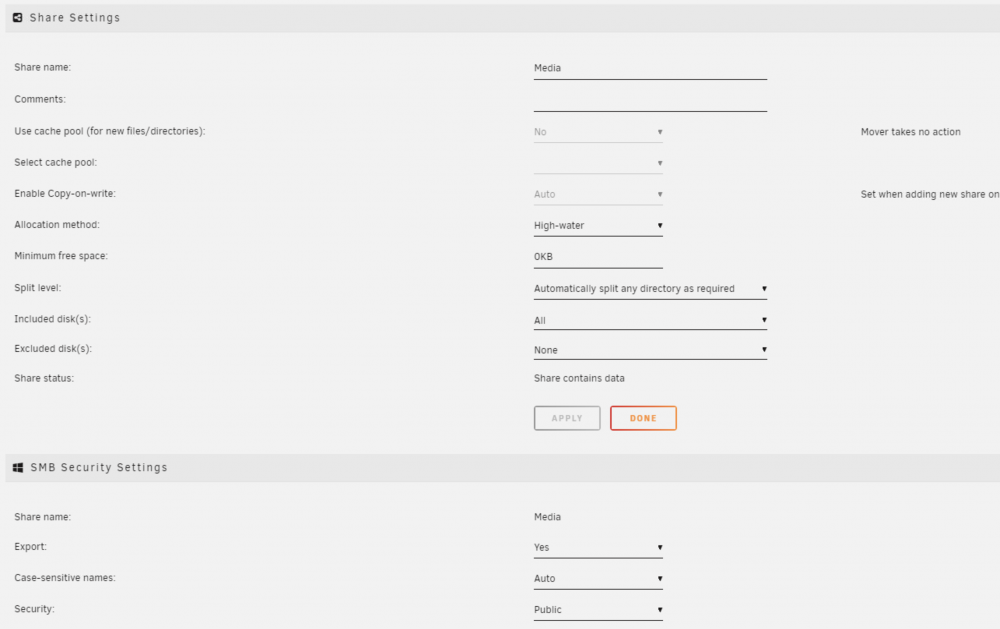
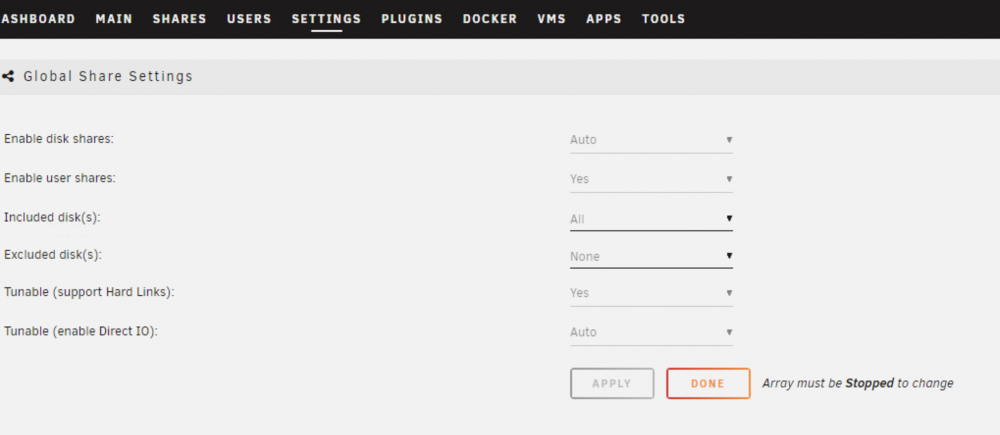
Super Noob to Unraid, so please bare with me. Recently setup unraid with 2x6tb drives to start off with and started to move data to the media share I created. I only see the one drive filling up though. The share is set ti High-Water, and to include all disks, As well as the global share settings. I did notice that if I look at these two paths in Krusader I can see the same data in them as I am moving data from one drive outside of the array into the array. media/disk1/Media media/user/Media The files are visible in Plex on the /mnt/user/Media/ path so I would have thought the data would be across the array instead of just the one disk. Is it because when I moved the data in Krusader from the other dive I used this path media/disk1/Media. Figured since it is on the Media on the user path it would be the same place.