





Jeff Durden
Members
-
Joined
-
Last visited
-
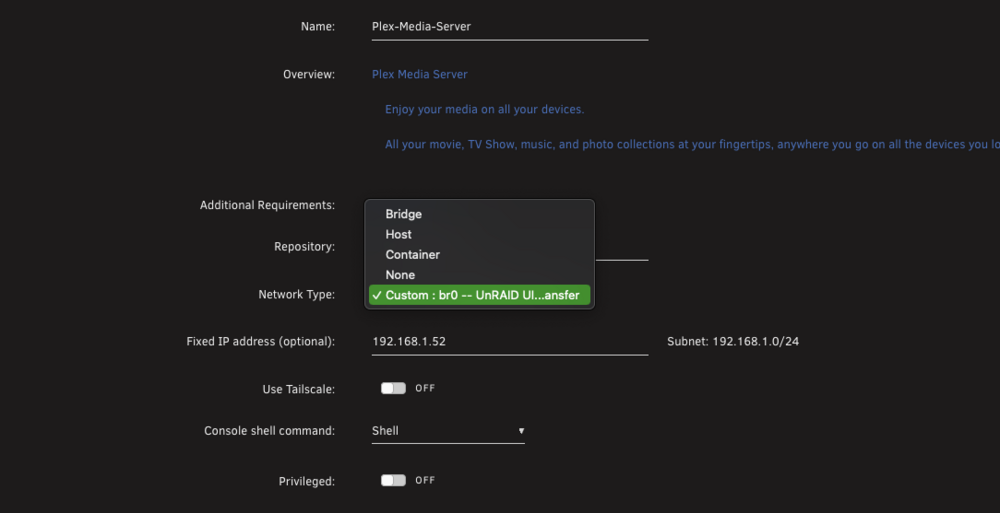
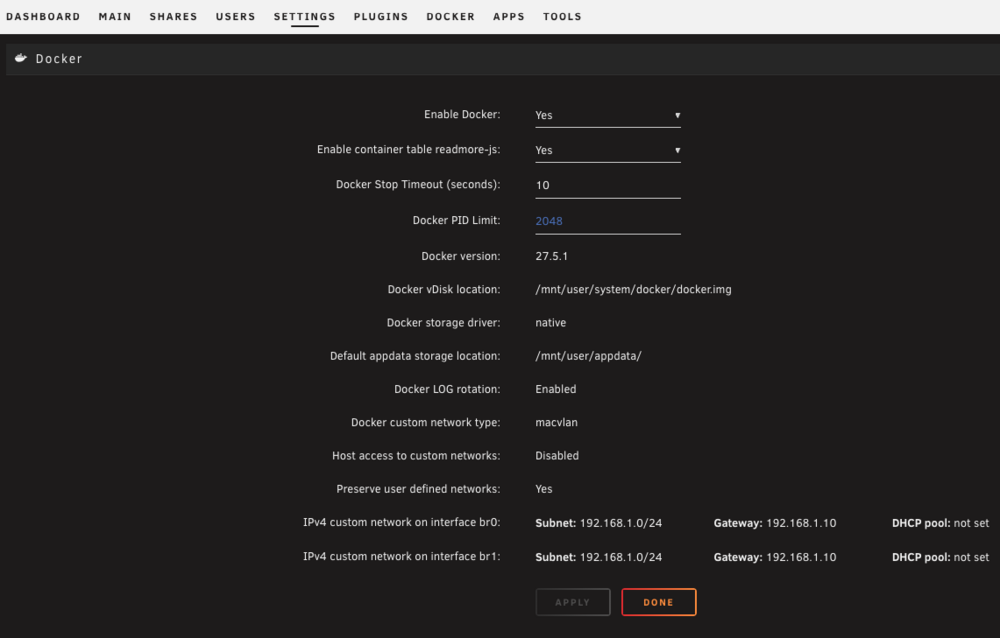
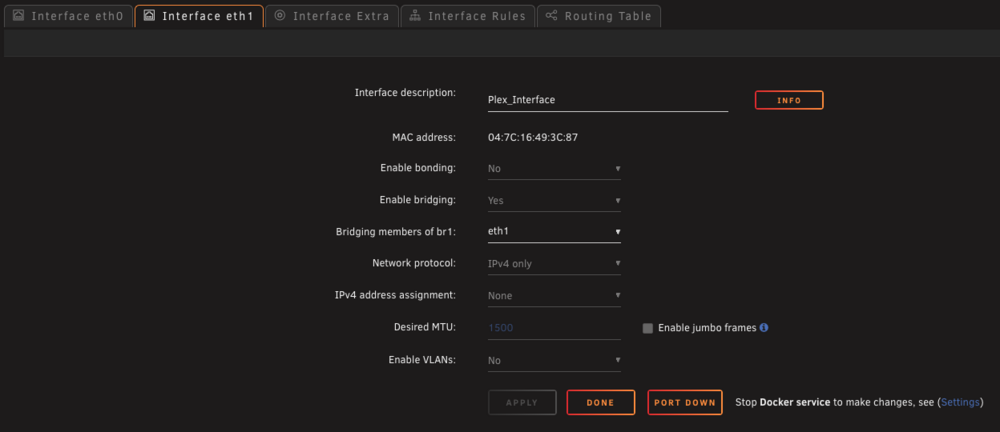
I added a 2nd NIC on my unraid system so that I can have a dedicated network adapter for my Plex Container. I have added the NIC into the system, added the NIC to docker, however from my plex container(or any container) I cannot see the additional network adapter(custom BR). Any idea what I might be missing? (Please see attached screens)
-
This has been resolved.
-
Unable to determine root cause. Diagnostics are attached. durdy-raid-diagnostics-20230825-2103.zip
-
Thank you for the information.
-
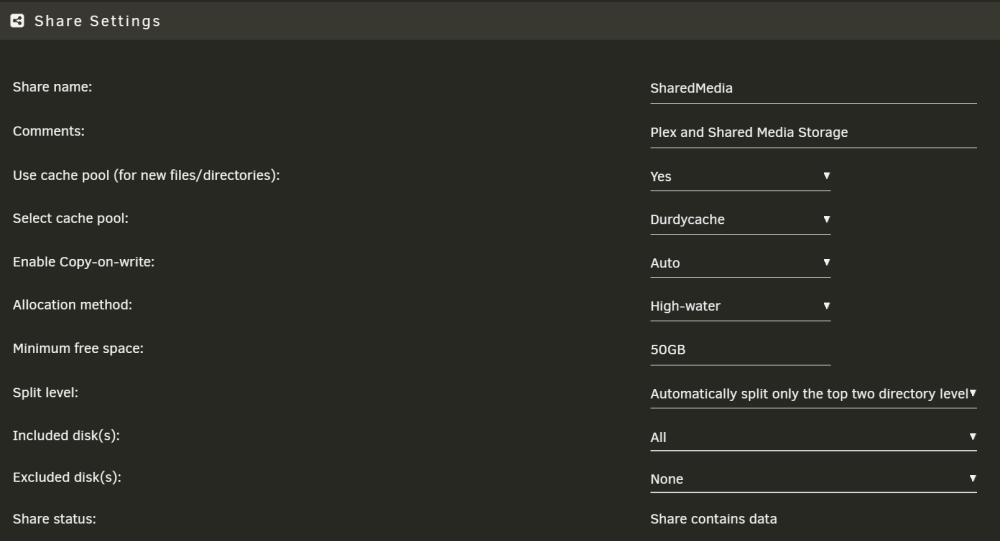
That is very strange. The drive is definitely included in that Share.
-
Diagnostics file attached durdy-raid-diagnostics-20230305-2136.zip
-
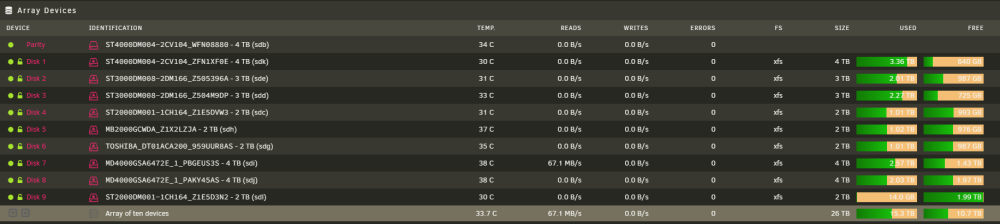
I decided to do away with my redundant cache drives and replace with SSD and add an additional spinning disk to my array. The disk is not being utilized in the array. Base on high water allocation method the disk should be filled to 50% before adding space to drives over 50% correct?
-
Disregard. This has been resolved. Network related issue.
-
I recent upgraded my UnRAID server hardware. No issue with the upgrade. After the upgrade docker apps were working as expected. A few hours later none of the docker apps would load. Gives a generic web page will not load error. Anyone else run into this? I have tried rebuilding apps, disabling/enabling docker and rebooting server.
-
Jeff Durden changed their profile photo
-
Thank you for the quick response. The spilt level setting was my issue.
-
Thank you. Diagnostics are attached. durdy-raid-diagnostics-20220317-1412.zip
-
I have the allocation method set to most-free on my share, however data is still being written to the first disk in the array. Obviously, this disk is does not have the least amount of free space. Also, the issue appears to be intermittent. Seems like a bug. Running unraid version 6.9.2 Any help would be appreciated.


