





Nickb167
Members
-
Joined
-
Last visited
Everything posted by Nickb167
-
Device list is below

-
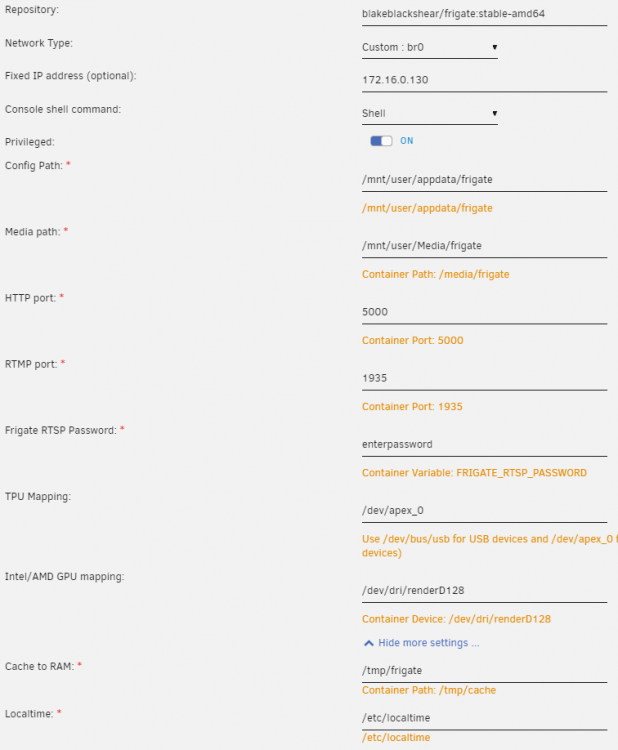
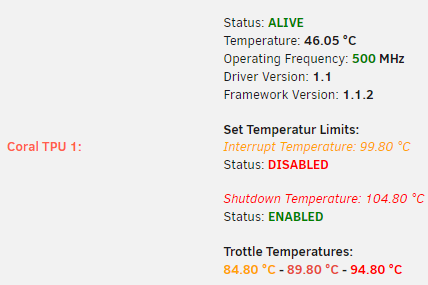
Diagnostics and screenshots are attached. The TPU is Coral M.2 Accelerator B+M key SKU: 114992124. The driver shows what I believe is the correct information in the screenshot. tower-diagnostics-20220402-0752.zip
-
Yep, its visible in the system devices list in its own IOMMU group. Yesterday, I tried swapping M.2 ports and booting up without the card installed with no luck. I'm going to try and get my hands on another one to test, really wish I could get a USB coral at this stage. Are you able to confirm that I don't need to do any setup on the device and can drop it in straight out of the box?
-
I just tried it with a new unraid server. Created array, installed/configured mosquito, installed coral driver, rebooted, installed frigate with minimal config and still getting the same error. Would I be right in assuming I have a failed coral device or a hardware incompatibility. Is there anything i'm missing here? mqtt: host: 172.16.0.13 user: mqtt-user password: "XXXXXXX" cameras: PuppyCam: ffmpeg: inputs: - path: rtsp://puppycam:[email protected]/stream1 roles: - detect - rtmp output_args: record: -f segment -segment_time 10 -segment_format mp4 -reset_timestamps 1 -strftime 1 -c copy -an detect: width: 2304 height: 1296 detectors: coral: type: edgetpu device: pci
-
Hi, Having a fair amount of trouble getting a M.2 Coral working. I have the driver addon from ich777 installed and have set TPU mapping to /dev/apex_0. Not sure where to start on resolving this, but many hours of researching the error and have not found a solution. Just wondering if anyone has any advice on resolving this? [2022-03-25 12:42:54] detector.coral INFO : Starting detection process: 321 [2022-03-25 12:42:54] frigate.edgetpu INFO : Attempting to load TPU as pci [2022-03-25 12:42:54] frigate.edgetpu INFO : TPU found [2022-03-25 12:43:14] frigate.watchdog INFO : Detection appears to be stuck. Restarting detection process... [2022-03-25 12:43:14] root INFO : Waiting for detection process to exit gracefully... [2022-03-25 12:43:44] root INFO : Detection process didnt exit. Force killing... [2022-03-25 12:42:54] detector.coral INFO : Starting detection process: 321 [2022-03-25 12:42:54] frigate.edgetpu INFO : Attempting to load TPU as pci [2022-03-25 12:42:54] frigate.edgetpu INFO : TPU found [2022-03-25 12:43:14] frigate.watchdog INFO : Detection appears to be stuck. Restarting detection process... [2022-03-25 12:43:14] root INFO : Waiting for detection process to exit gracefully... [2022-03-25 12:43:44] root INFO : Detection process didnt exit. Force killing...


