





Coveguy
Members
-
Joined
-
Last visited
-
Thanks for all the input. I figured out what was happening. When mapping the share I misunderstood the que to select "use other credentials", these are the cred's set up as user in unraid. Thanks again you helped me focus.
-
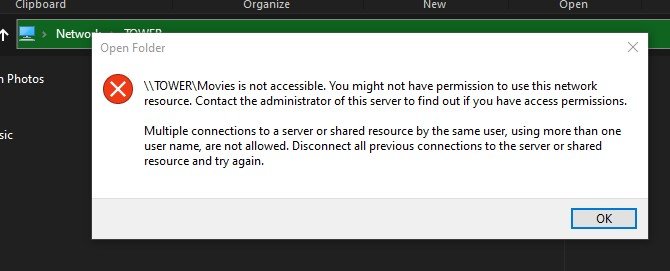
This is the error msg I get when attempting to log in. I get it regardless of logging out of the GUI.
-
Cleared cred's as suggested. Created a new user. Set one share to private (w/ read write permission) another to public. No prob accessing public but any (user)credentials are not accepted.
-
Coveguy joined the community
-
Just installed the latest version (6.9.2). Everything went together well. I created a couple of shares and was able to map to them and open them. Then I created a user account and the shares stopped working. The system wouldn't recognize the user credentials as valid even when the shares were made public. As soon as I deleted the user account everything worked again. Any words of wisdom?
