




Skip to content
View in the app

A better way to browse. Learn more.

Unraid

A full-screen app on your home screen with push notifications, badges and more.

To install this app on iOS and iPadOS
  1. Tap the Share icon in Safari
  2. Scroll the menu and tap Add to Home Screen.
  3. Tap Add in the top-right corner.
To install this app on Android
  1. Tap the 3-dot menu (⋮) in the top-right corner of the browser.
  2. Tap Add to Home screen or Install app.
  3. Confirm by tapping Install.

商覆冥

Members
  • Joined

  • Last visited

Everything posted by 商覆冥

  1. 最新测试,升级6.10rc5,加上一块固态做缓存(缓存模式“是”)之后,qb暂停下载时后台不再读盘,具体是怎么解决的也不太清楚,懒得排除变量了
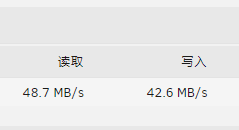
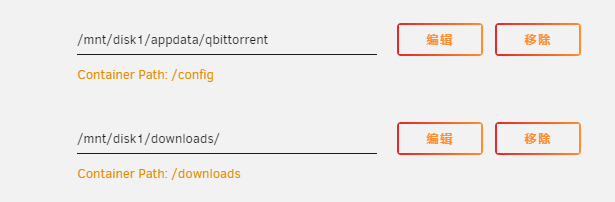
  2. 如题,使用unraid试用版,在qb没有上传的情况下,后台一直读盘,占用大量cpu资源,硬盘卡io导致下载速度不稳定。 有时暂停下载或者下载完成之后,读盘现象还会一直持续,并且cpu保持高占用,我确定这是在qb没有上传的情况下发生的。 手动停止qb容器可以暂停读盘,但再次启动容器时仍会持续读盘。 尝试过更换qbittorrent镜像并没有解决问题,在win10和dsm7.0中使用qbittorrent也没有遇到过这样大量读盘的现象。 大佬们能告诉我怎么解决吗?
Account

Navigation

Search

Search

Configure browser push notifications

Chrome (Android)
  1. Tap the lock icon next to the address bar.
  2. Tap Permissions → Notifications.
  3. Adjust your preference.
Chrome (Desktop)
  1. Click the padlock icon in the address bar.
  2. Select Site settings.
  3. Find Notifications and adjust your preference.