jared2876
Members
-
Joined
-
Last visited
-
For me this did not work at all. Even disabling virtualization just to get UNRAID to boot did not work.
-
I too am having this issue on my dell R710. I updated to 6.10.2 to see if there was a fix and now i get a bzfirmware checksum error. I just ended up going back to 6.9.2 until there is a solution to this. Unless someone has a fix for this i would not recommend updating to 6.10.2
-
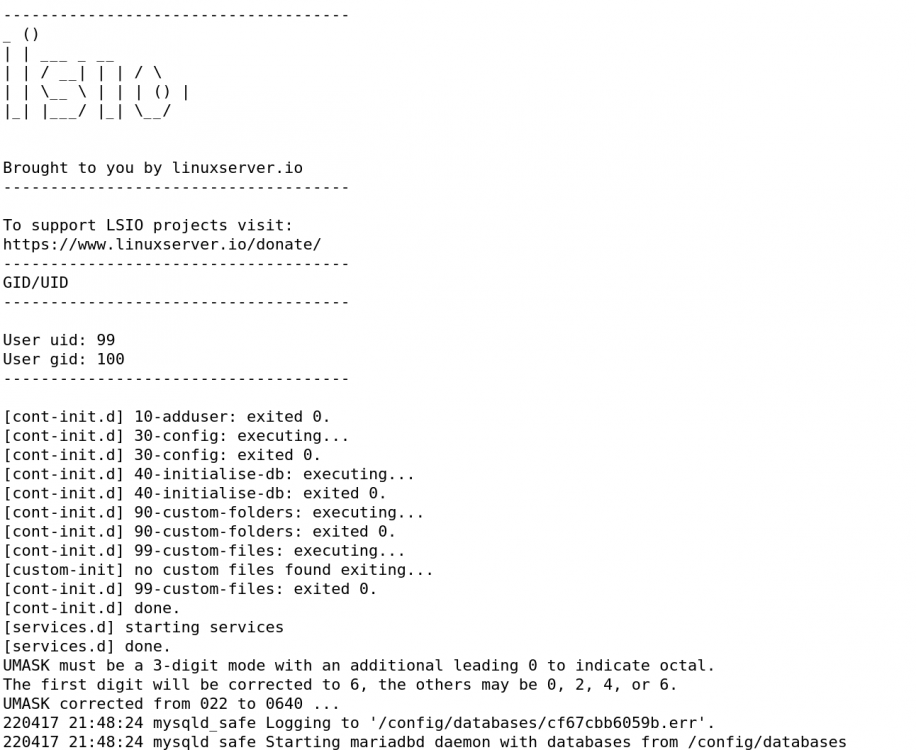
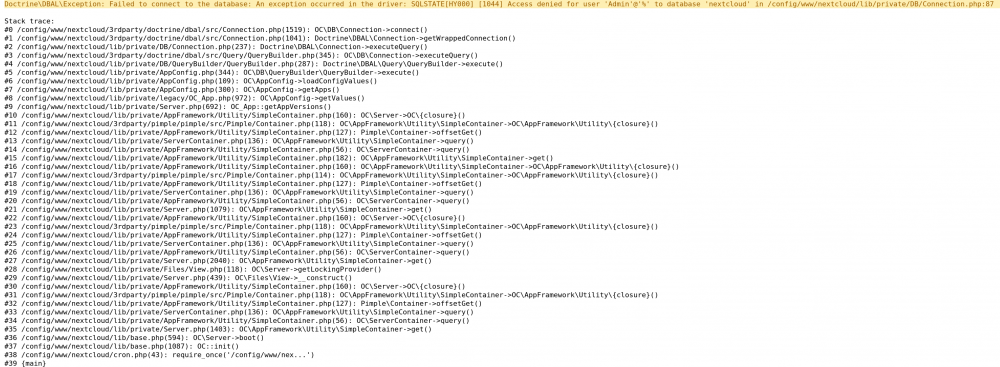
I am new to posting here but i have hit the end of my knowledge here. I have been running UNRAID for a couple years now and ran into this issue. I had to reinstall a backup of my USB drive (not a hardware failure). Upon restarting my machine after the reinstall some of my Docker containers were corrupted for some reason. My nextcloud and mariadb dockers were 2 that were affected. I reinstalled the docker images in hopes that it would just utilize the data there. Unfortunately that is not the case. I now have the following errors on both mariadb and nextcloud and cannot figure where to go from here. If someone could please help me out it would be greatly appreciated.