




Skip to content
View in the app

A better way to browse. Learn more.

Unraid

A full-screen app on your home screen with push notifications, badges and more.

To install this app on iOS and iPadOS
  1. Tap the Share icon in Safari
  2. Scroll the menu and tap Add to Home Screen.
  3. Tap Add in the top-right corner.
To install this app on Android
  1. Tap the 3-dot menu (⋮) in the top-right corner of the browser.
  2. Tap Add to Home screen or Install app.
  3. Confirm by tapping Install.

Kagutschi

Members
  • Joined

  • Last visited

Everything posted by Kagutschi

  1. Yes. But I tried two different drives, which are both working just fine in an USB enclosure under windows 10. Both do not show up under "Main".
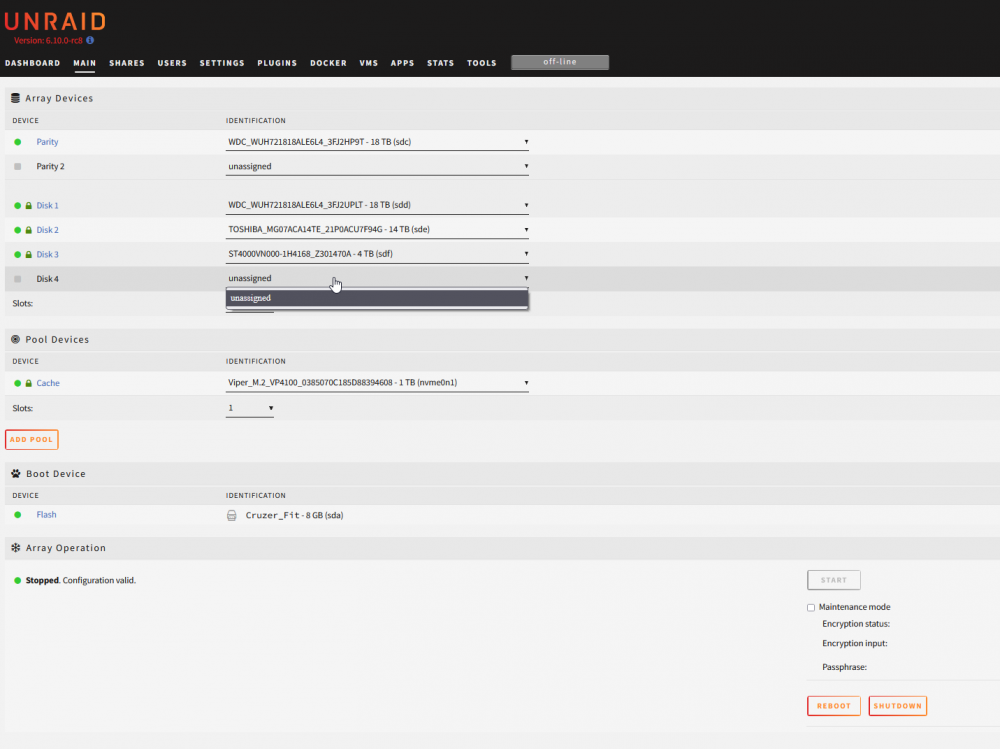
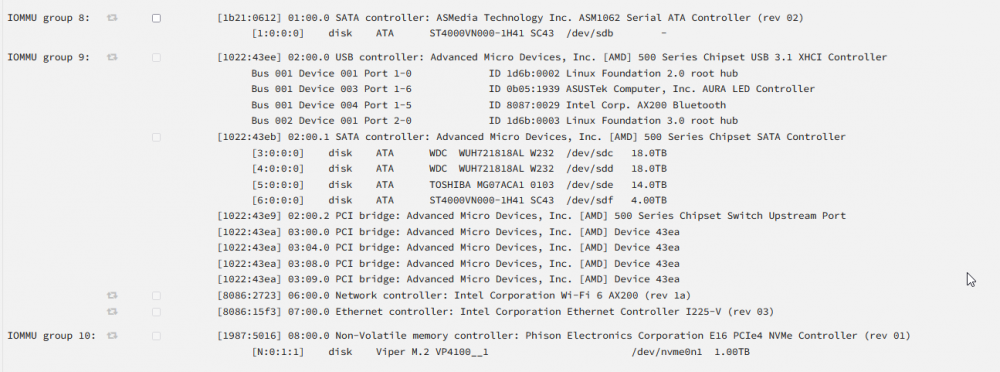
  2. My Mainboard has only 4 Sata III ports, so i bought a generic ASMedia 1061 pci express to sata III controller with 2 ports to connect a single additional hard drive. The controller and the connected hard drive show up in system devices, but the new disk is not showing up under Main. I use Unraid 6.10.0-rc8 with a basic license. The new disk will be the 6th drive. How can I add the new hard drive to the array? tower-diagnostics-20220511-2250.zip
Account

Navigation

Search

Search

Configure browser push notifications

Chrome (Android)
  1. Tap the lock icon next to the address bar.
  2. Tap Permissions → Notifications.
  3. Adjust your preference.
Chrome (Desktop)
  1. Click the padlock icon in the address bar.
  2. Select Site settings.
  3. Find Notifications and adjust your preference.