Fretawekakoep
Members
-
Joined
-
Last visited
-
I am using the 6.9.2 - my DP cable was indeed in the GPU and not the iGPU but after retesting - still no image
-
12600K - i5 32 GB DDD4 3200mhz RAM GTX 1080Ti 2TB NVME 1TB SSD 8TB HDD Should be enough no? Still not a reason why my screen is still black on the server
-
Hi ChatNoir, yes indeed the GUI is available via my MacbookPro and the Tower seems online. I had the assumption that on my host/server PC - I would be able to run a VM to game?
-
I tried a different USB stick and now the installation is moving a bit further, the load screen has disappeared but now I get a black screen and it's not doing anything anymore.. I created the USB via the UNRAID creation tool and also ran the .bat file to make it bootable.
-
Fretawekakoep joined the community
-
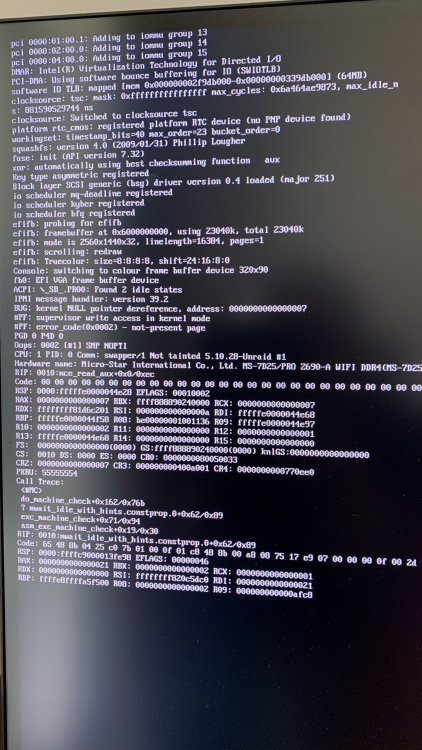
I'm getting an initial loading screen after booting from the USB and selecting the GUI mode. I'm now stuck for about 15 min on a screen that shows a lot of regarding my hardware - I'll try and include a picture. What should I do next? Is something going wrong?