





atakan
Members
-
Joined
-
Last visited
Everything posted by atakan
-
Hab ein deutsches Sprachpaket installiert Also, wenn ich dich nicht falsch verstanden habe.
-
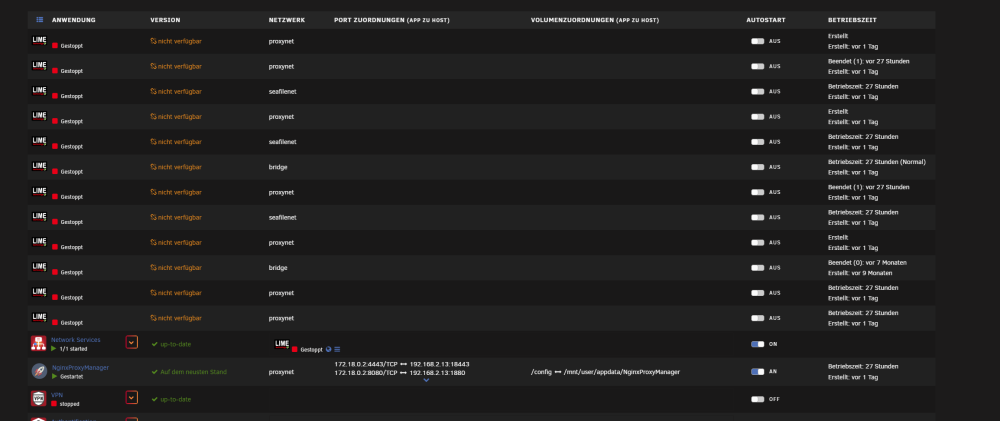
Jetzt ist es ohne einen Neustart passiert, hat da jemand eine Erklärung?
-
Ich habe jetzt einen Cache hinzugefügt, nun scheint es zu klappen, ich werde das mal weiter beobachten.
-
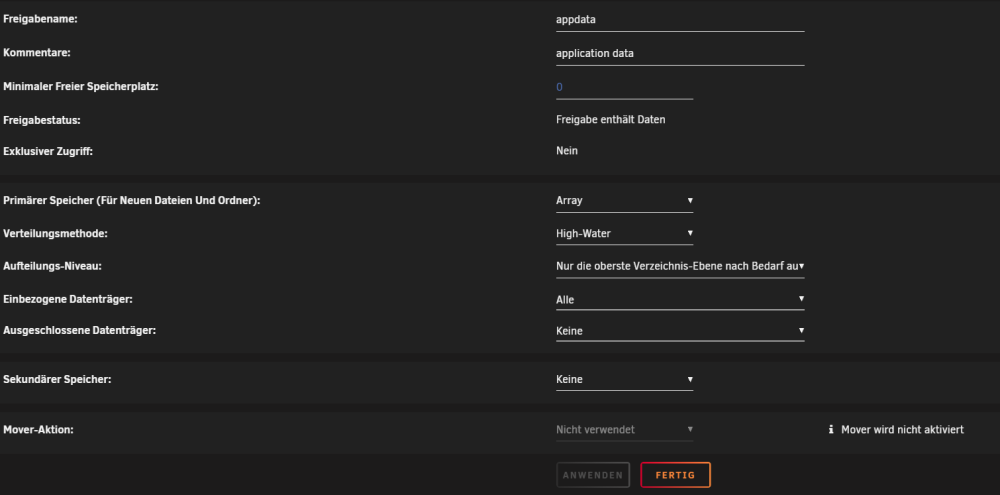
/cache habe ich nicht konfiguriert appdata:
-
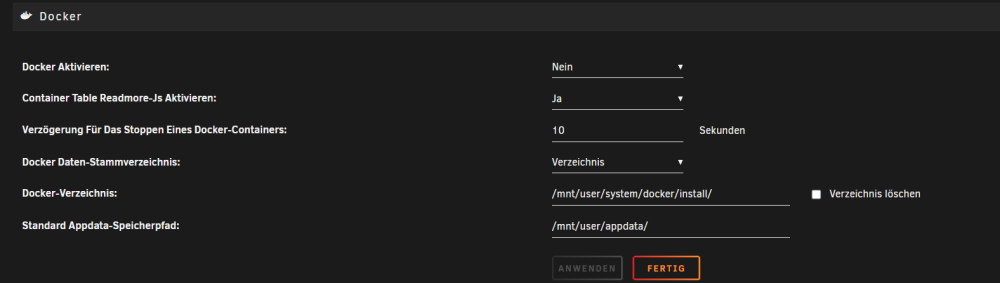
Da wo ich es angeben kann, ist immer /mnt/user/appdata/ angegeben
-
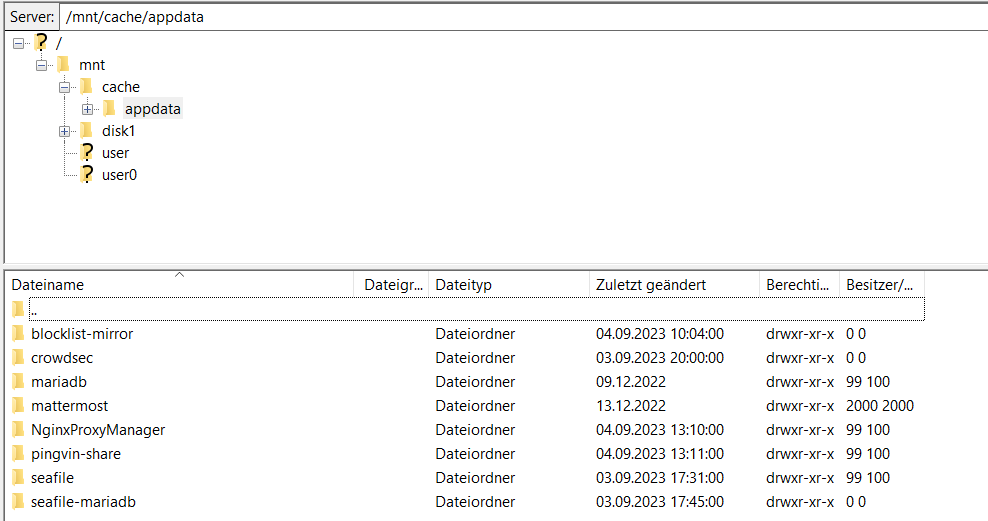
Anscheinend werden trotzdem Daten von Docker dort abgelegt, aber wie kann ich das unterbinden?
-
Nein, sie verweisen auf user. Ich habe folgende Config:
-
How i can fix that? Invalid folder cache contained within /mntGenerally speaking, most times when other folders get created within /mnt it is a result of an improperly configured application. This error may or may not cause issues for you More Information unraid-server-diagnostics-20230904-1010.zip
-
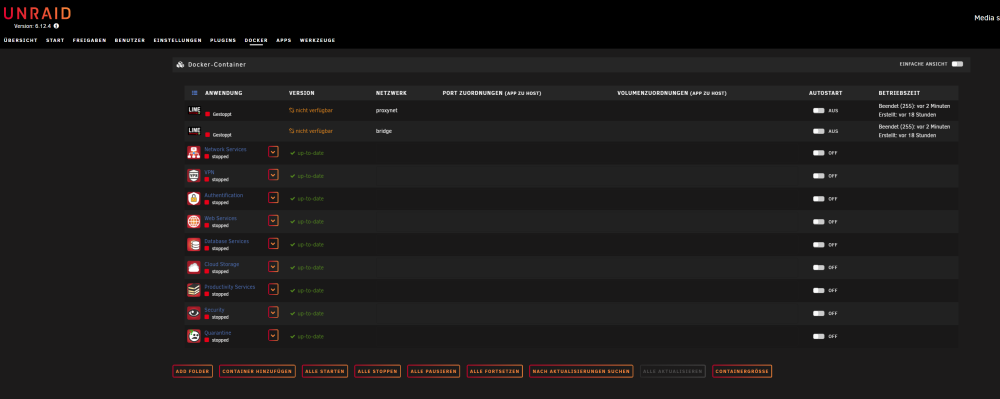
Hallo, ich hab das Problem, dass nach jedem Neustart alle Docker verschwinden und nur noch leere Container übrig bleiben. Unraid Version 6.12.4 Ich nutze Unraid unter Proxmox, falls dies etwas ausmacht. Das Plugin CA FIX COMMON PROBLEMS gibt mir folgende Fehlermeldung aus, ob es daran liegen könnte? Invalid folder cache contained within /mntGenerally speaking, most times when other folders get created within /mnt it is a result of an improperly configured application. This error may or may not cause issues for you More Information Grüße
-
hello after each restart I have to remove all docker and reinstall because otherwise they no longer start it always comes the error message bad parameter what can this be? My VM runs without problems. I have also tried to start the docker in the safemod unfortunately without success the diagnostic file I have created when the safemod was on. unraidserver-diagnostics-20220819-1112.zip
-
-
in safemod it is not the case it is said it is due to a plugin?
-
-
Both errors are still there unraidserver-diagnostics-20220721-1722.zip
-
hey here is the diagnosis file unraidserver-diagnostics-20220721-1317.zip
-
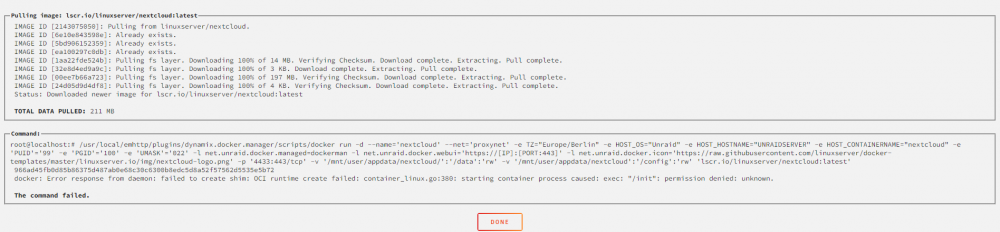
hi, i have made my array with two disks one (with the instructions of unraid) now comes this error message before startup after starting docker start the docker after a reinstall but with some docker comes this error I hope you can help me

-
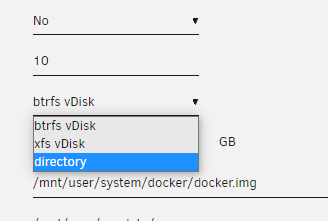
Hi, can I somehow extract the vDisk so that I can select the option directory ? thank you for your help
-
with me the installation does not work can someone help me Config: https://ibb.co/ZcQsM4w Log: ErrorWarningSystemArrayLogin /app/bundle/programs/server/node_modules/fibers/future.js:313 throw(ex); ^ MongoServerSelectionError: connect EHOSTUNREACH 192.168.2.13:27017 at Timeout._onTimeout (/app/bundle/programs/server/npm/node_modules/meteor/npm-mongo/node_modules/mongodb/lib/core/sdam/topology.js:437:30) at listOnTimeout (internal/timers.js:557:17) at processTimers (internal/timers.js:500:7) { reason: TopologyDescription { type: 'Single', setName: null, maxSetVersion: null, maxElectionId: null, servers: Map(1) { '192.168.2.13:27017' => ServerDescription { address: '192.168.2.13:27017', error: Error: connect EHOSTUNREACH 192.168.2.13:27017 at TCPConnectWrap.afterConnect [as oncomplete] (net.js:1159:16) { name: 'MongoNetworkError' }, roundTripTime: -1, lastUpdateTime: 76443631, lastWriteDate: null, opTime: null, type: 'Unknown', topologyVersion: undefined, minWireVersion: 0, maxWireVersion: 0, hosts: [], passives: [], arbiters: [], tags: [] } }, stale: false, compatible: true, compatibilityError: null, logicalSessionTimeoutMinutes: null, heartbeatFrequencyMS: 10000, localThresholdMS: 15, commonWireVersion: null } }


