





ncoolidg
Members
-
Joined
-
Last visited
-
I'm just putting a troubleshooting tip here in case someone encounters the same issue I did. If you're using Active Directory with SMB and for some reason you cannot reach the AD anymore (in my case, I changed the DNS server so it could not be reached), Dynamix will be stuck loading infinitely until the AD is reachable again.
-
I can't say for sure, but I will say once I switched to disk shares I get an average of 120MB/s with normal file transfers.
-
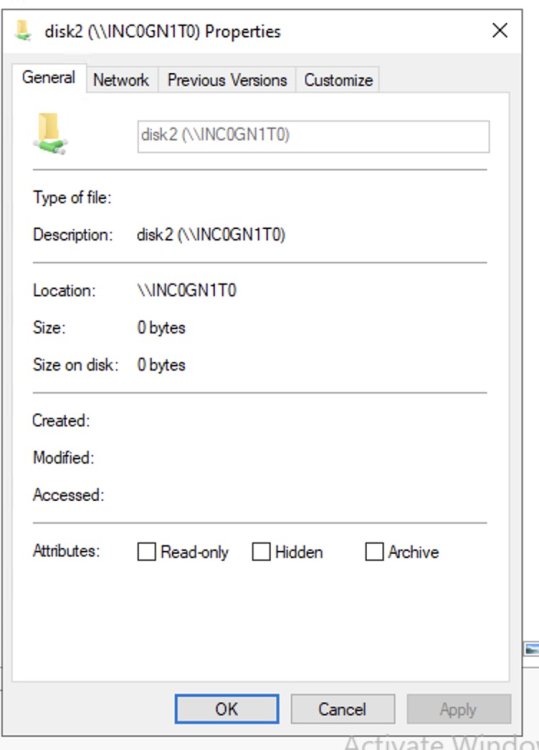
Hello. I have successfully joined my domain and set "initial owner" and "initial group" to the account I use to manage my AD. However, the security tab is not there for my share. I made sure the account I use is in fact in "Enterprise Admins". Any advice is appreciated!

-
ncoolidg changed their profile photo
-
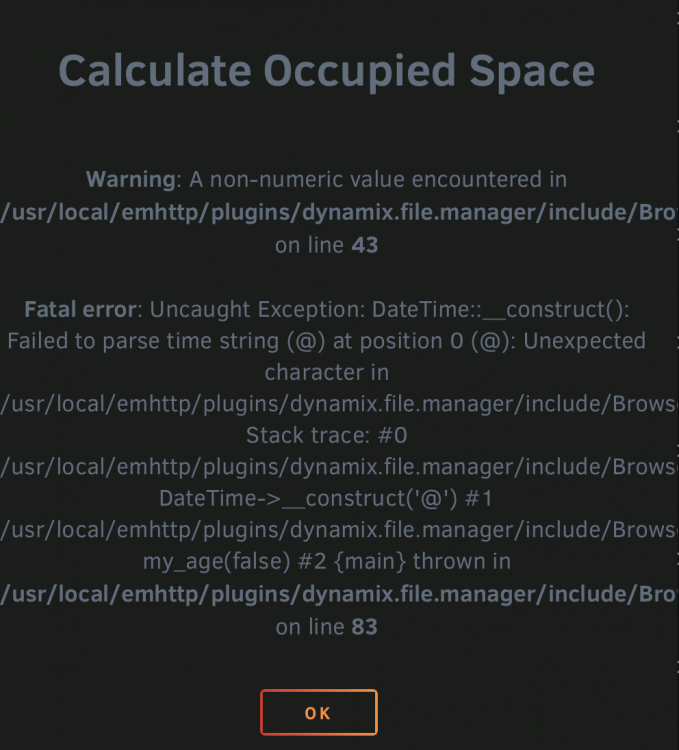
Has anyone encountered this before? It happens when I try to calculate the size of files. I have already tried reinstalling the plugin and rebooting the server with the same results.
-
I ended up figuring out the solution. I disabled user shares and enabled only disk shares. This increased the throughput to 20-50 items/sec. I was also using an SSD so it's just a problem with user shares in Unraid in general. Less overhead is needed with disk shares.
-
I do not understand why I cannot copy multiple files via SMB. I tested one large file: 150MB/s I tested 100 small files: 10 files/sec (about 1-3MB/s) Can someone tell me why this is happening? I did see other posts on here about this issue but no clear answer yet... This is unusable like this. I tried multiple systems too both running Windows and macOS so its not an OS problem.


