





standbymeintothewild
Members
-
Joined
-
Last visited
-
I just fixed my own problem with this container, hope it helps
-
kiwix-serve docker container - Just for documentation I had a bunch of downloaded .zim files. When I created the docker container I deleted the Download parameter an removed the *.zim parameter for Post Arguments. I also changed the Appdata folder to a the location i have all .zim files. kiwix-serve container was not running, to get it to run I created a libarary file that was missing (xml file suppose to be in appdata location after what I understood) To create a library file Open Unraid terminal navigate to the correct folder, remember it needs to be reachable from the container (I used the same folder as in the Appdata) touch library_zim.xml This is just a dummy file for now to get the container to run change the post arguments for the container (the last one is the important one) --monitorLibrary --skipInvalid --library /data/library_zim.xml or what ever location you placed the new file (two first ones is just for some versatility) After this the container started To add exsisting .zim files i added them via the container console kiwix-manage /data/library_zim.xml add /data/superuser.com_en_all.en.zim I needed to do this for all the .zim files. Documentation used https://wiki.kiwix.org/wiki/Kiwix-manage https://kiwix-tools.readthedocs.io/en/latest/kiwix-serve.html#cli-arg-library-file-path [at]me for any feedback
-
I just got this problem. Was hitting my nextcloud instance. My nextcloud was in a custom network, moved all necessary services to "host" network, re-aimed my hostnames to this instance. The bug you linked looks like it have been there for a while, they even found a older variant of the same bug.
-
I have had sudden uptick in unstability with my tunnel and nextcloud last 24-36 hours. Any others see this? The behavior is Timing out and somthing that remind me as "wakeup" behavior, (answering on the third call) I have not changed anything that I am aware of
-
Yes, had it set to false. But removing it solved my problem, thank you
-
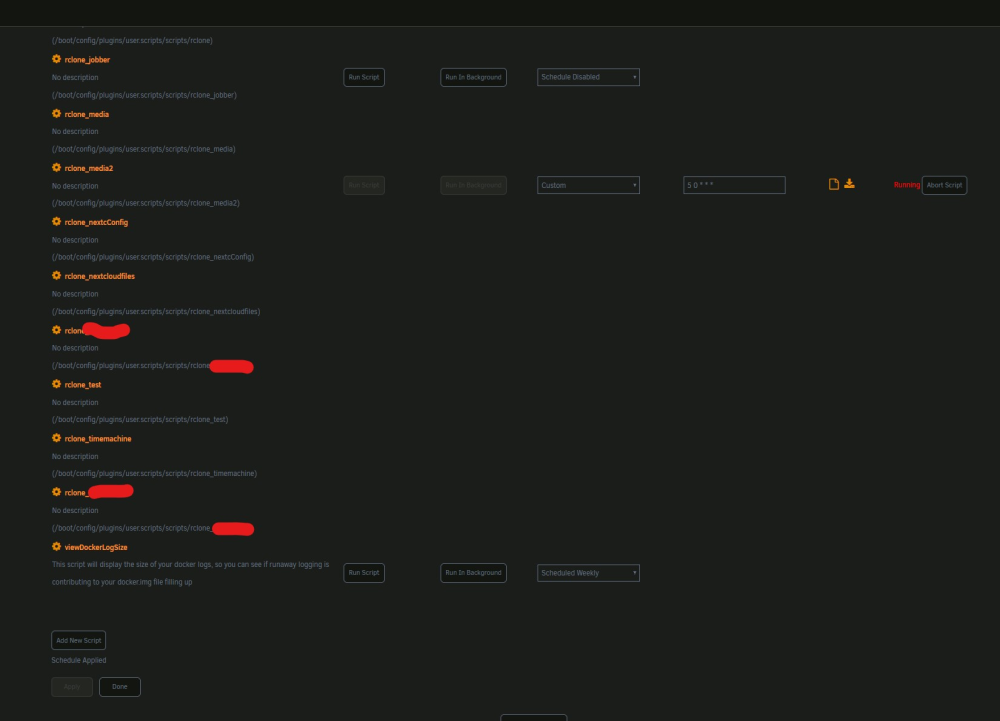
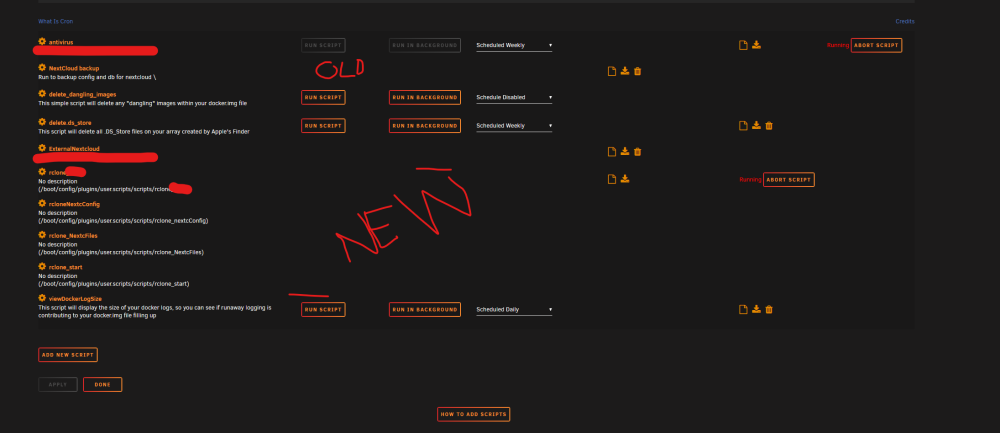
Seeing this behaviour on a different instance of unraid. Ha less scripts there, and it had just messed with the custom cron. But when i add new scripts i loose the timecontrols. Any help?
-
Hi, just noticed that all my custom cron scheduling is gone, is this a know issue with a known solution? All scripts with blank space next to it should have a cron statment. And then i refreshed the "_media2" script also lost its settings.
-
Yes, this is what mysqldump can do simple example docker exec mariadb /usr/bin/mysqldump --user=root --password=******** {{dbname}} > /mnt/user/data/mariadb_backup/dump.sql This post over shows how to set up a backup that goes daily or whenever you decide that the script is run. I use a similar script for all my databases.
-
I'm also using Nginx Proxy manager. I had a look at my config file. 'overwrite.cli.url' => 'https://nextcloud.MYDOMAIN.XYZ', 'overwritehost' => 'nextcloud.MYDOMAIN.XYZ', 'overwriteprotocol' => 'https', 'overwritehost', 'overwriteprotocol' is not in my config, and overwrite.cli.url is set to host ip like 'overwrite.cli.url' => 'https://192.168.9.187:444', my Nginx Proxy manager is pointing to the "https" ip of my nextcloud container and i use the settings under SSL to force https.
-
Hi, I have not seen anyone else show how to use mysqldump to generate database backups similar to https://docs.nextcloud.com/server/latest/admin_manual/maintenance/backup.html So this is the script I smashed together to make my backups (using User Scripts by Squid) that I run every day Recap what is does The script sets nextcloud in maintenance mode first Then the backup run (note that I use the utf8mb4 setting) | I compress it a bit (this could be better) and add a timestamp to the file. There is printed a successful or not statement to the terminal/log Nextcloud is taken out of maintenance Then I keep the 7 newest files and delete any older ones in my case keep the last 7 days. (this is due to not bloat my remote backup) It produces an error message here but it works. The dedicated backup user have these privileges “SELECT, SHOW VIEW, TRIGGER, PROCESS, LOCK TABLES” for the db. I can’t remember where I found the overview of what was necessary. You could use the root user, just don’t, that user is too valuable. To create a dedicated backup user Open the mariadb terminal mysql -uroot -p enter your root password run the user create command under. You need to change all {{}} content CREATE USER '{{Dedicated Backup user}}'@'%' IDENTIFIED by '{{password}}'; GRANT SELECT, PROCESS, LOCK TABLES, TRIGGER, SHOW VIEW ON *.* TO '{{Dedicated Backup user}}'@'%'; This user have access to all DBs on your mariadb instance but can't grant privilege, delete or update content I hope this is helpful and do you have any feedback let me know. #!/bin/bash #description=Run to backup db for nextcloud #foregroundOnly=false #backgroundOnly=false #arrayStarted=true #turn on maintenacemode docker exec nextcloud occ maintenance:mode --on #Backup and compression of db docker exec MariaDB /usr/bin/mysqldump --single-transaction --default-character-set=utf8mb4 --user={{Dedicated Backup user}} --password={{password}} nextcloud | gzip > /mnt/user/{{full path to backup}}/nextcloudDB/nextcloud-sqlbkp_`date +"%Y%m%d"`.gz if [ "$?" -eq 0 ] then echo "Mysqldump executed successfully" else echo "Mysqldump encountered a problem" fi #turn off maintenacemode docker exec nextcloud occ maintenance:mode --off #Keep the 7 newest files, delete the oldest cd /mnt/user/{{full path to backup}}/nextcloudDB && ls -tp | grep -v '/$' | tail -n +8 | tr '\n' '\0' | xargs -0 rm -- --------------------------------------------------------------------- RESTORE So my caching drive died, and I needed to recreate my db for nextcloud This is the steps I used, together with this guide. https://docs.nextcloud.com/server/latest/admin_manual/maintenance/restore.html First use the same db creation commands as first time (note that I use the utf8mb4 setting), if you lost your full mariadb install like me you have lost the user accounts as well write this is in the mariadb terminal mysql -uroot -p CREATE DATABASE IF NOT EXISTS nextcloud CHARACTER SET utf8mb4 COLLATE utf8mb4_general_ci; CREATE USER 'nextcloud' IDENTIFIED by 'password'; GRANT ALL PRIVILEGES ON nextcloud.* to 'nextcloud' IDENTIFIED BY 'password'; Find your latesed db backup-file and decompressed it from main terminal gzip -d /path/to/file/nextcloud-sqlbkp_20220601.gz write this command to restore from dump in mariadb terminal (but not logged into MariaDb commandline, Ctrl+c to logout) make sure that your file is reachable from your mariadb docker container mysql --user root --password nextcloud < /path/to/file/nextcloud-sqlbkp_20220601 you will get promted for a password. "nextcloud" above is the database name of target db. It will take som time to restore, and your db is back 😄 Be aware that you need a backup of your config files and data also, I do not understand it good enough to write about it here, but I had backups.


