





brittishsnow
Members
-
Joined
-
Last visited
-
I just finished extensive testing with varying cables and drives and for some reason only 1 drive can be detected on each backplane and it if multiple drives are connected it is the second one. Any idea why only 1 drive per cable off of the HBA? it should be in IT mode but maybe it isn’t? all drives power up and I made sure molex power is supplied to all backplanes
-
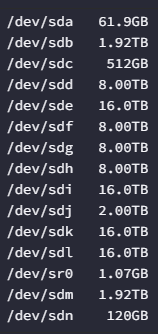
Hi there, I am working on a new system and not all the drives are showing up. I am using a LSI 24i in IT mode and only some of the drives show up. I uploaded the diagnostics to this. Also if it helps the case I am using is this one SilverStone Technology RM43-320-RS 4U 20-Bay. It has SAS backplanes so I am using 8647 to 8647 cables from the HBA. Thanks in advance tower-diagnostics-20240713-1950.zip
-
Thanks that premise worked. Going into safe mode and trying a different browser did the trick for me. Much appreciated
-
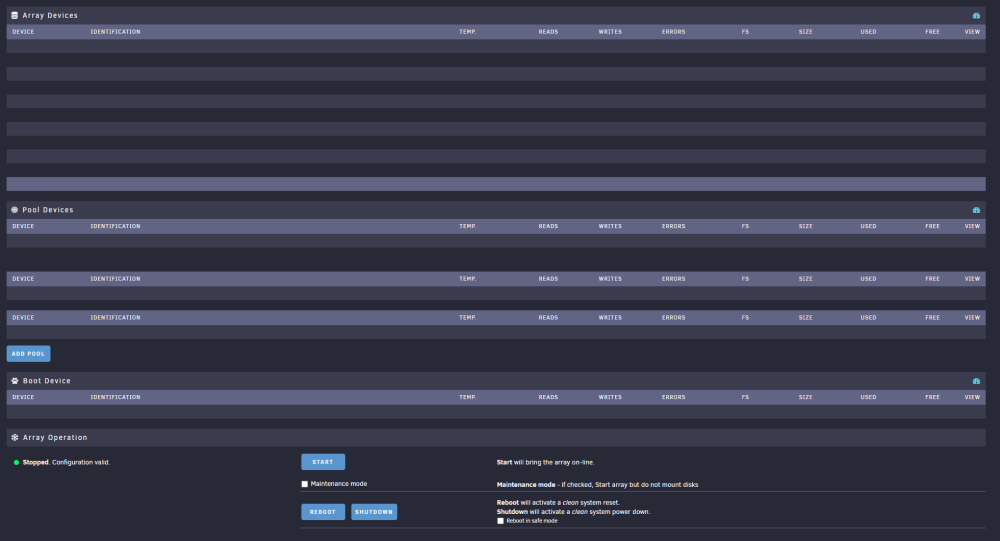
After restarting the drives wont show up but they show up in the bios and in the list of hardware devices but nowhere else. I have tried to boot into safe mode as well but that didn't work either. Any ideas? I am currently trying to download the diagnostics log but it is taking a very long time. The drives show up under system devices as well but nowhere else. Any help is appreciated
-
The ability to mix and match different sized disks was the main selling feature for me that sold me for using Unraid. I was interested for the past few years and finally set up my server a few months ago. Couldn't be any happier with the results


