





Mathy
Members
-
Joined
-
Last visited
Everything posted by Mathy
-
Yep. This url also works and the error is not present. I get the error when using my domain (bound to public ip) and accesing my server from outside of my local network. Each request first goes to NginxProxyManager and from their it gets redirected to the Unraid dashboard. This url ist not listed in "ALLOWED_ORIGINS".
-
I get it. When using, for example, a local ip instead of my hostname the error disappears as you say. Thank you once more for your help!
-
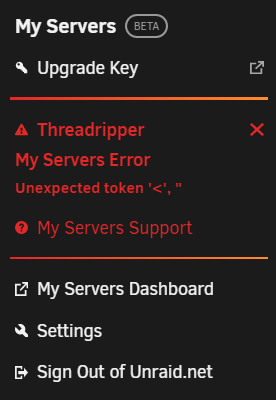
Yep. That was the fix for me (Atleast for the backups). Huge thanks! I can now sleep well knowing that everything is backed up. (I modified this file a while back because i was trying to make the ssh connections to my server much more limited. My bad 😅) There still seems to be the problem with the "My Servers" tab thou. I have restarted the api but it persists.
-
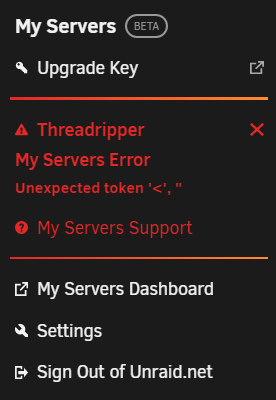
@ljm42 When running ssh -T -v [email protected] I get the following: @krh1009 I also have tried your solution but unfortunatly in my case it did not help. After login out and back in and using unraid-api restart the terminal does not spit out any errors Stopping 1 unraid-api process(es)... Process(es) stopped! Starting [email protected] When looking in the "My Servers" plugin it is stuck in a restarting loop and after sometime it timeouts. Clicking on the error makes it try again without any luck.
-
I'm also having the same issue. (Unraid 10.11.4) I tried investigating the problem a little deeper and was able to find out that te issue might have something to do with a invalid ssh key. Unraid ist trying, in the background, to establish a ssh connection to their backup server but it gets prevented because of an invalid public ssh key. Therefore the 'permission denied' error.
