





Scuba_Steve
Members
-
Joined
-
Last visited
Everything posted by Scuba_Steve
-
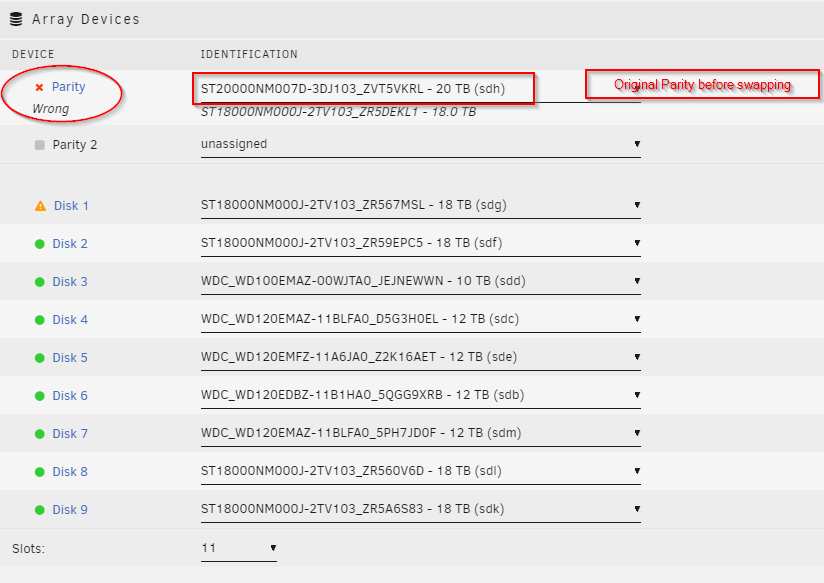
Are these the proper settings after installing the 20TB hdd for parity? I selected All for Preserve current assignments.
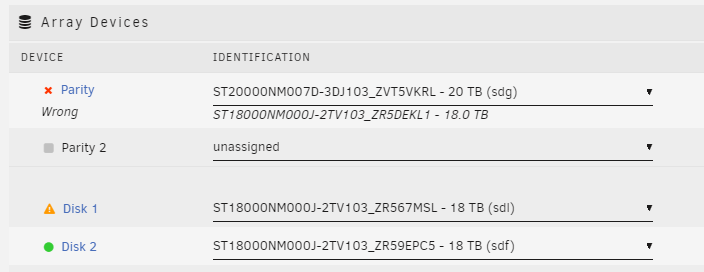
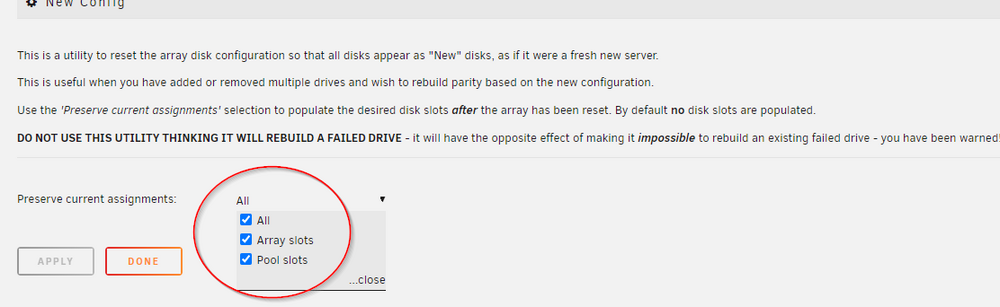
-
With the New Config, I need to connect my 20TB hdd back into my array?
-
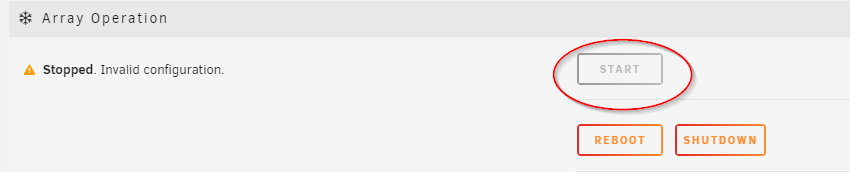
How can I proceed to use my 20TB parity to emulate. When I connect it, the option to start the array is greyed out and I am not able to start the array.
-
I was advised in a different thread I could swap parity from 20TB to an 18TB for parity since 18TB is the largest drive in my array
-
I was asking if I could copy the data from disk 1 to a spare disk. Since disk 1 is unmountable.
-
Seems like only parity drive that is mountable is the 18TB drive, but disk 1 will not mount. Can I copy the files from disk 1 and format and try to mount?
-
My 20TB hdd was the original parity before I swapped it to the 18TB hdd, that is when I started having the issues. My array would not start anymore. Will I lose a lot of data from disk 1?
-
@JorgeB How do I proceed with creating a new Config/Trust parity. I don't want to mess anything up. I am assuming I should use the 18TB that is currently in my system. Thank you
-
What is my next step to getting my array back online?
-
I am not sure why. If you look at my previous screenshots in this thread that is the same parity and disk 1 I have been having issue not able to start.
-
@JorgeB I am not trying to rebuild disk 1. I am trying to get my array back online and working.
-
I checked all the cables on all disks both SATA and power cables. I have reverted back to my 18TB parity drive along with Disk 1 (18TB) Posting diags without starting the array. Please advise how I can proceed. Thank you. uss-enterprise-diagnostics-20240826-1957.zip
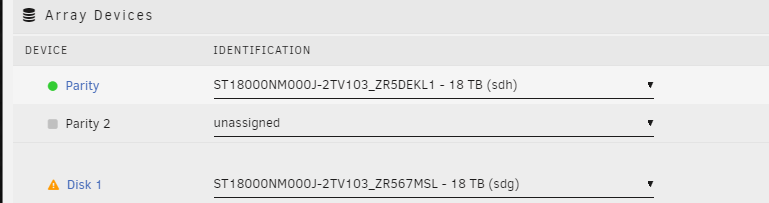
-
I have checked all the cables and verified the cable are snug and only have 4 drives per splitter. I connected the 18TB parity drive back too. I have not started the array and attached my diags. uss-enterprise-diagnostics-20240825-1339.zip
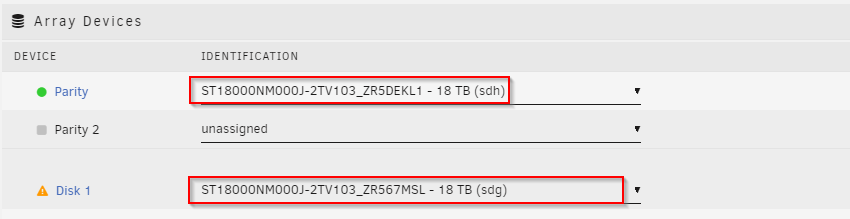
-
I swapped my parity back to the original 20TB drive. Should I try and start the array? It will not allow me to start the array.
-
I am trying to get my array back online without any errors. My unRAID server was running great until I down sized my 20TB parity drive for a 18TB drive. When I swapped the drive, something happened and my 18TB parity drive did not rebuild properly since it only took less than an hours. Thank you.
-
@JorgeB Here is the output from running xfs_repair -v /dev/sdg1. uss-enterprise-diagnostics-20240824-1342.zip
.thumb.png.ee95e736d17cee96da1cf42ea8add9f0.png)
-
Please treat me like a newbie, I haven't had to do anything since unRAID has been rock solid until I swapped my parity drive. Since then it has been a nightmare. How do I proceed with a Config/Trust parity? Yes, I have power splitter cables.
-
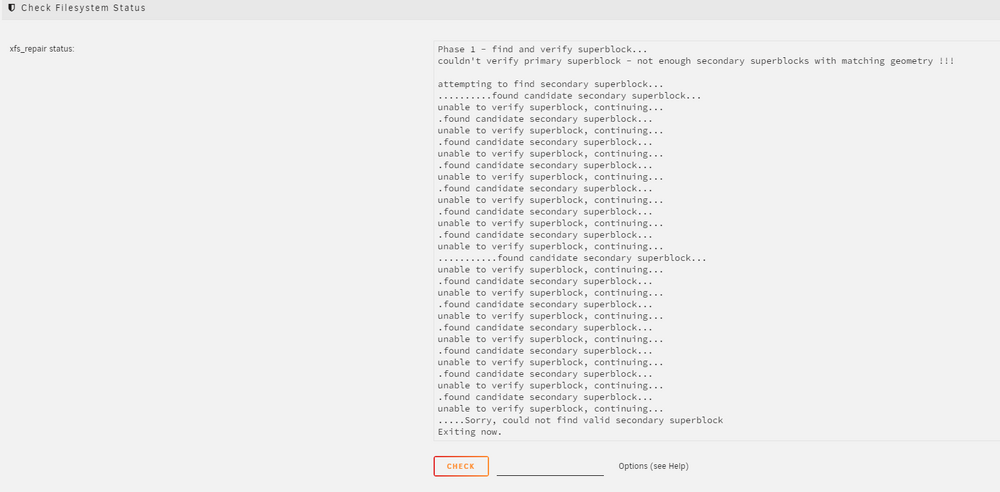
I rebooted and ran XFS Repair from GUI again without any parameters. Here is the output. uss-enterprise-diagnostics-20240823-2007.zip
-
First screenshot has nothing. I ran it without any switches. The 2nd screenshot is showing after I selected Check with any parameters. I keep getting different xfs repair outputs.
-
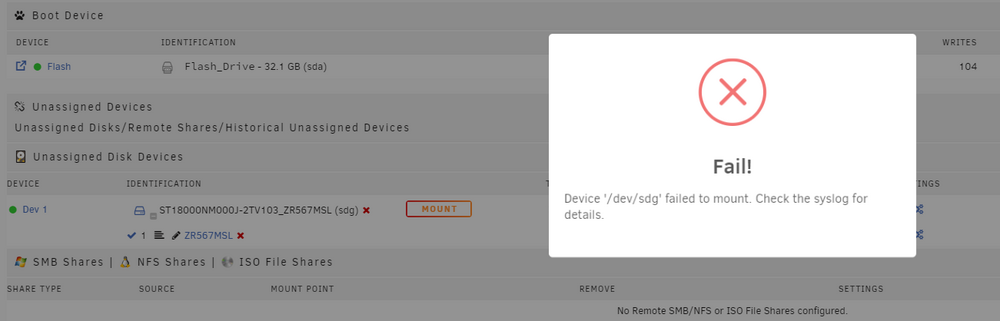
It will not mount using UD.uss-enterprise-diagnostics-20240823-1926.zip
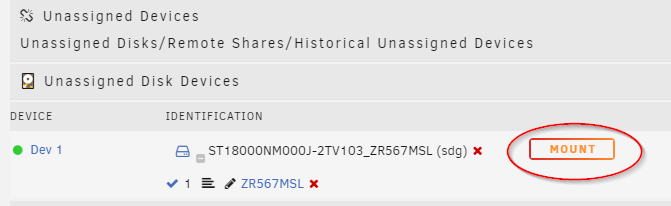
 @itimpi I ran it in the GUI without -n@itimpi I did not run a xfs repair using CLI command /dev/sdg1 I can try it tonight.I have a question. I think my parity drive did not rebuild properly since it only took less then 1hr and it is 18TB. Why can I not put the original 20TB parity drive back?I will post diags from disk 1 tonight when I get home. Thank you.

.png.d4afbdb7d83cdfde4517cf7e152083d2.png)


