





YUPAN
Members
-
Joined
-
Last visited
-
so happy to hear this can be solved, changing those share names is hard for me, thank you very much for looking into my troubles!😺
-
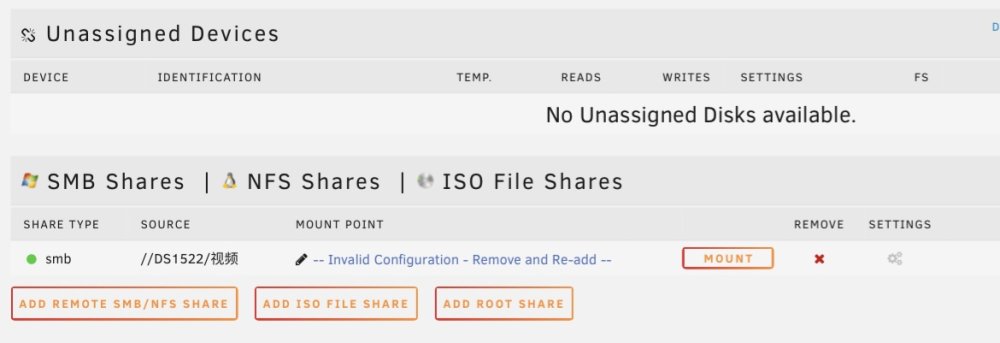
after the new update I can add SMB share with chinese file name sucessfully, but got the mounting point showing “invalid configuration etc.” and was unable to mount, and nothing happens changing the mounting point to other names or the legacy mounting point in the UD setting sorry if it was my problem with settingsunraid-diagnostics-20230807-1237.zip
-
unraid-diagnostics-20230807-0914.zip i enabled debug log in the UD setting, and repeated the process of adding a SMB share(both english and chinese named shares), chinese smb failed, then I do the Diagnostics, not sure if i am dong it right
-
UD cannot mount remote SMB shares named with chinese characters, in the system log it says "share cannot be blank", can anyone help please
