ETO Nahlin
Members
-
Joined
-
Last visited
-
So I successfully recovered the appdata information and my docker containers reappeared with all information for the Plex installation intact! Lost some media files that were on the cache but that's not so important. Just got to remove the nvme from the cache pool and replace with another drive then shall be where I want to be. Thanks to @JorgeB and @itimpi for the assistance. Much appreciated! 😁🍻 For anyone reading this in the future with the same issue... I used the following thread to install and use ddrescue - https://forums.unraid.net/topic/46802-faq-for-unraid-v6/page/2/#comment-525075
-
Thanks for the suggestion! I am running it currently and 10% rescued so far, fingers crossed for the rest of it.
-
Thanks for the information. I unfortunately did not have the backup plugin installed prior to the failure. I have now installed it. Do you know if it will still be possible to attempt a recovery if I remove the drive from the cache pool in order to format a new one and get the pool operational again in the meantime?
-
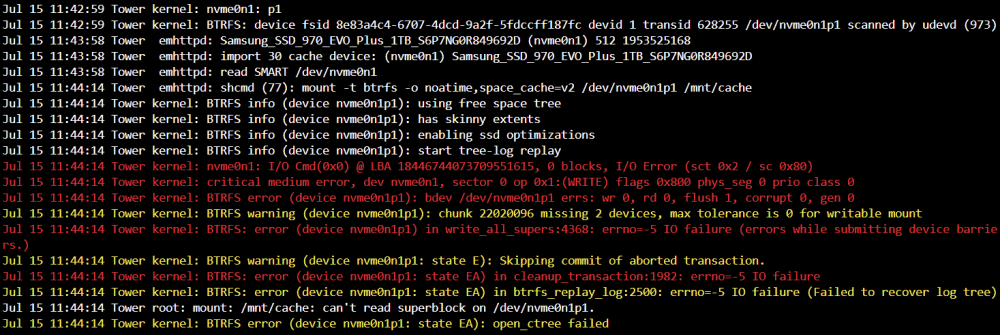
Hi, I have a failed ssd cache drive that unfortunately had my docker containers on... unintentionally! I am hoping that someone knows of a way to recover the data from the drive so I can transfer it to a new one. The disk log has the following information: Diagnostic file attached the post too. Here's hoping there is a way to recover the data 🤞 tower-diagnostics-20230727-1138.zip