





nchartiot
Members
-
Joined
-
Last visited
-
I assume there's not much that can be done in this case, then? Also, is it fine to leave the cache drive with those errors? Thanks!
-
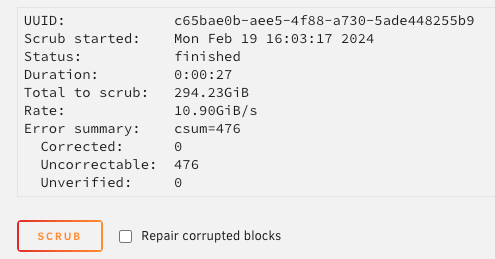
@JorgeB I did some extended testing throughout the weekend and the system was pretty stable with either ram sticks, but starts to be unstable when using both (although I did see docker crash once using a single stick). Is there a correlation with what itimpi mentioned about the memory controller being overloaded, maybe? Did I just win myself a 16gb ddr5 paperweight? (the memory is running at 4800MHz if that influences anything) On another note, should I also worry about these errors on my cache drive? Thanks again for all the help!
-
@JorgeB @itimpi Any ideas what might be happening? syslog gives me a "not enough memory" error Feb 13 21:30:30 Hyrule kernel: __vm_enough_memory: pid: 8197, comm: docker, no enough memory for the allocation Feb 13 21:30:32 Hyrule kernel: __vm_enough_memory: pid: 8268, comm: smartctl_type, no enough memory for the allocation Feb 13 21:30:32 Hyrule kernel: smartctl_type[8268]: segfault at 21000165ba70 ip 00001551fcad888e sp 00007ffc45a6ba00 error 4 in ld-2.37.so[1551fcad0000+27000] likely on CPU 18 (core 34, socket 0) Feb 13 21:30:32 Hyrule kernel: Code: ea 89 d1 48 89 c2 48 d3 ea 0f b6 4c 24 18 48 d3 e8 48 21 c2 83 e2 01 0f 85 17 02 00 00 48 83 c5 01 4c 39 d5 0f 83 e2 02 00 00 <49> 8b 04 ee 48 8b 58 28 4c 39 c3 74 e6 45 85 c9 74 09 f6 83 34 03 Feb 13 21:42:34 Hyrule kernel: disk_load[9228]: segfault at 4400000058 ip 00000000004540c2 sp 00007ffc49bb6990 error 4 in bash[426000+c5000] likely on CPU 10 (core 20, socket 0) While docker just throws a segfault unexpected fault address 0x0 fatal error: fault [signal SIGSEGV: segmentation violation code=0x80 addr=0x0 pc=0x46b41f] goroutine 137610 [running]: runtime.throw({0x1b557ab?, 0x0?}) /usr/local/go/src/runtime/panic.go:1047 +0x5f fp=0xc000721a90 sp=0xc000721a60 pc=0x439bbf runtime.sigpanic() /usr/local/go/src/runtime/signal_unix.go:842 +0x2c5 fp=0xc000721ae0 sp=0xc000721a90 pc=0x450425 aeshashbody() With a long enough uptime things start to get weird (large downloads error out, the system goes into read-only mode, docker service crashes etc). Since I'm writing everything (both appdata and downloads) to cache, is there a possibility of a bad cache drive? (it's nvme, so I can't run SMART tests). RAM seems to be fine since I cleaned it up, and I don't see what else it can be. Can I just remove one of the cache drives from the pool and still use the pool? 🤔 That'd give me a quick way of testing this
-
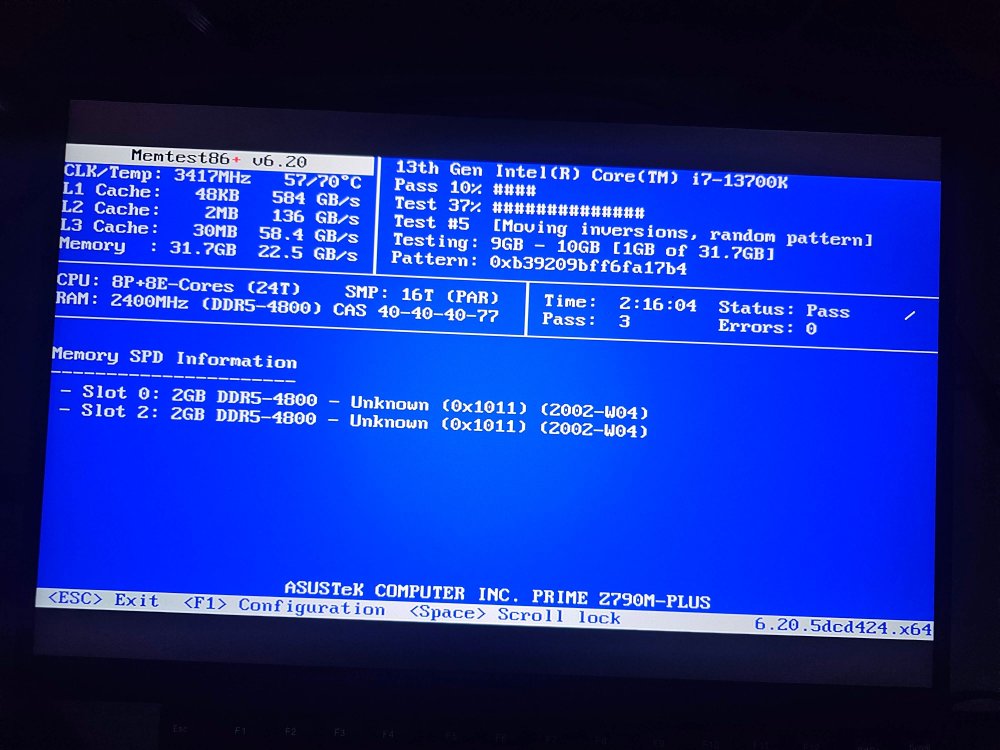
Ok so a couple of things happened: I cleaned up my ram sticks / slots and it seems to be passing on memtest now. I'll still do a longer 24hr+ test, but at least I'm hopeful that this is no longer the issue The system is overall much more stable, but it still crashes. More specifically, docker seems to make everything crash. I nuked appdata / system from cache just to make sure I didn't have any corruption there. It seems to be crashing when plex is analyzing my media library to generate preview thumbs, any chance that might be it? Attaching one of my recent syslogs here. Thanks again for the help! hyrule-diagnostics-20240214-1345.zip hyrule-diagnostics-20240213-2227.zip
-
Yep, that makes sense. I'm running a full set of tests, both individually and together. My suspicion is actually the motherboard slots, because they were failing individually on those slots, but changing them (so far) yielded no errors. I'll keep this thread open for a while longer in case something else happens, but I'm 99% sure the problems I was having were due to xmp + faulty ram.
-
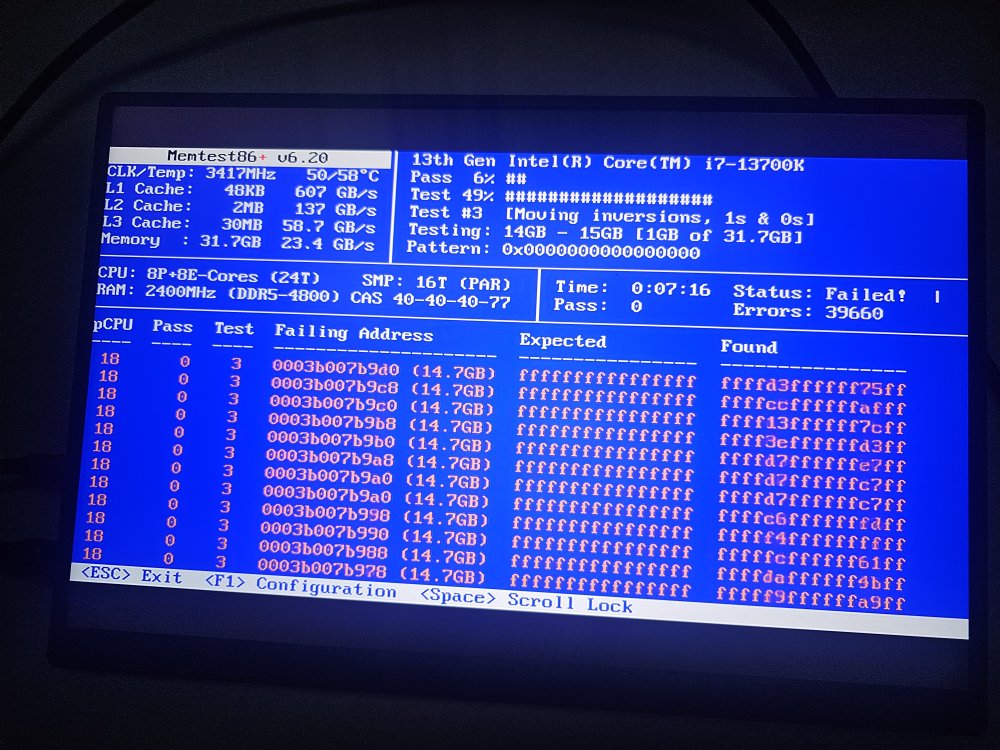
@JorgeB I guess that settles the root cause? Been running for 8 min and all I see is red
-
Ok so I've been trying to make it crash since yesterday, and (thankfully?) it hasn't happened since. My guess is that disabling XMP fixed the stability issues. What is still occasionally happening is corrupt data on the cache drive, which could be faulty RAM, so I'll still run memtest just to be sure, then come back with results here.
-
I'll be back home in about 4hrs, then I'll post the results, thanks!
-
Disclaimer: I have my fair share of linux / hardware / unraid knowledge, but I'm by no means an expert. Hey all! I've been running my unraid server for almost 3 years now with absolutely no problems (i7 6700, 6 drives, no cache). I think I've never seen a crash once with this setup. Recently I decided to upgrade everything: new case, new hardware (i7 13700k, asus z790 prime, 2x16gb ddr5 6400 ram, 2x2tb nvme gen4 SSDs for cache, 750w gold psu). This is when the problems started happening: Docker was completely corrupted upon booting. I tried a bunch of things until I just gave up and decided to nuke docker img and start from scratch (I had to do this at least 5 times, and I also switched to a docker folder instead of img). I also nuked the appdata, system and domains shares and recreated them just on the cache drives when starting over. I'm still in the process of rebuilding all containers, and some still crash occasionally, but then I'm unsure if it's docker crashing or the whole OS. I've seen sonarr, for example, corrupt its db multiple times, but then it also just fixes itself. Unraid OS is very unstable. It crashes if I do anything that requires a minimum amount of computing (scanning plex library, moving large files around, doing a parity check, etc). I also randomly get problems with connecting to unraid.net, and other things like invoking the mover (it just sits there not doing anything). It could be related to hardware, although I'm not sure that it is (at least not the PSU, since it doesn't shut down when the crashes happen). I've been at it for at least 4 days now and I've exhausted all my options, so I decided to come here and ask for help. Diagnostics are attached. Thanks a bunch in advance! hyrule-diagnostics-20240212-1014.zip

