Southy
Members
-
Joined
-
Last visited
Everything posted by Southy
-
Thanks - that appears to have worked.

-
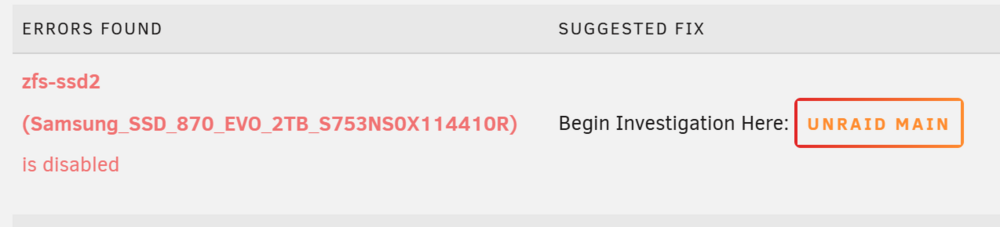
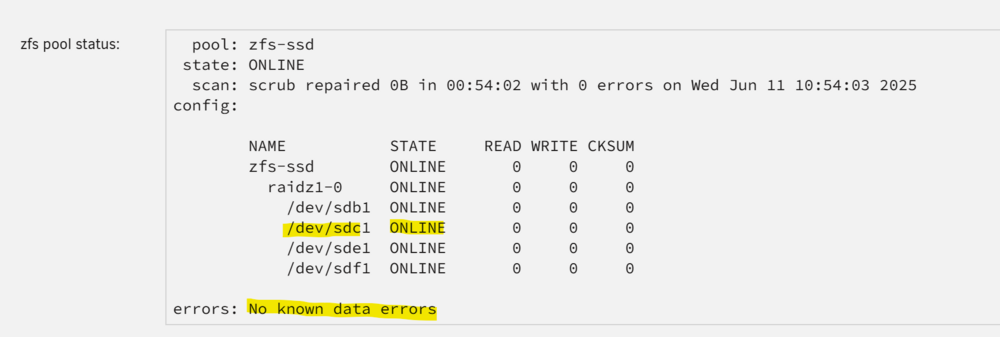
I have had a 4 disk zfs cache setup for a while and I encourntered an issue with a cable on one disk. The cable is now fixed, the cache re-silvered but the unraid UI lists a blue square next to the disk ('new device'): Fix common problem plugin reports the disk is 'disabled': The pool status appears to be okay (it has been running like this for a couple of weeks without issue) I have tried stopping/starting the array to see if it would rebuild the disk. Even tried stopping, unallocating disk, starting, stopping, re-allocating disk and starting the array again. Everything is working fine except for what is reported in the Unraid UI or fix common problems plugin. Any ideas on how to rectify? Full diagnostics attached in case it helps. vault-diagnostics-20250613-1416.zip

-
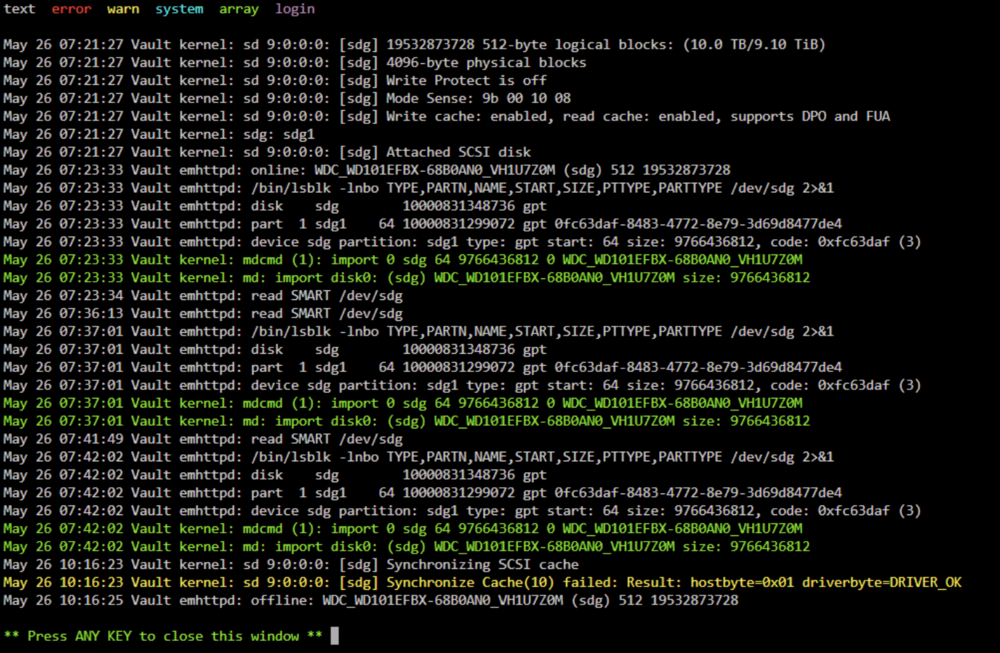
Hi, In the last week, I have had muiltiple disks that started having errors, but SMART tests and pre-clears are not identifiying issues. It started last week when I add an old hard drive to the array (that was fine on pre-clear and SMART). I assumed it was just an issue with an old drive (circa ~7-9yrs old) so removed it and then added a warm spare into its place. Same issue occured on the 'spare' (parity didnt findih rebuild, device disbaled and emulated) so purchased a new drive and this worked fine (in the same bay and cables as the first drive that had issues) and parity was re-synced around Fri/Sat and then Sunday the Parity drive recorded issues. The issues appear to occur when Mover is running (9am daily), but this is about all that writes to the Array (the rest are ZFS cache pools). Below is an example from today after restarted the server and then attempting to rebuild parity. Keen to understand what might be at play. Alert message: Parity disk - WDC_WD101EFBX-68B0AN0_VH1U7Z0M (sdg) (errors 1024) Disk Log info has "synchronise cache(10) failed" and then the drive is diabled. To check it was not a one-off error I restarted the server, removed the disk and then re-added it back to start a parity rebuild and it hit the same error. Full diagnostics and (short) SMART report attached. I have swaped the old 'parity' drive with the 'spare' drive that had issues last week - I have put in a new bay with different cables to see if that could be at play. I am also running an extend SMART test on the old parity drive now its unassigned. vault-diagnostics-20250526-1026.zip WDC_WD101EFBX-68B0AN0_VH1U7Z0M-20250526-1221.txt