Grok
Members
-
Joined
-
Last visited
-
It is impossible to have multiple export rules for NFS shares currently. NFS exports are separated by spaces which Unraid web UI is currently removing when hitting the apply button. You can work around this by manually editing /etc/exports and then running exportfs -arv.
-
Allowing websockets and updating Nginx Proxy Manager did help with this issue. Thank you.
-
Yes and it doesn't help. It is also happening only when accessing the UI through reverse proxy. When accessing directly, using IP, works fine.
-
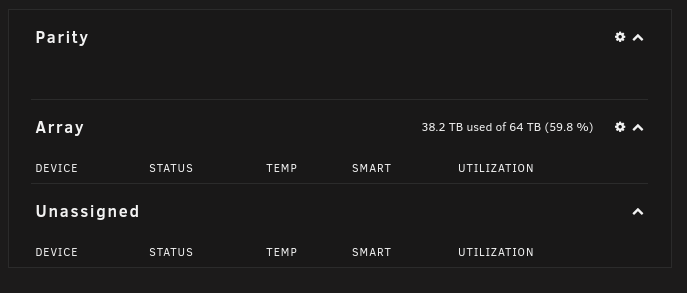
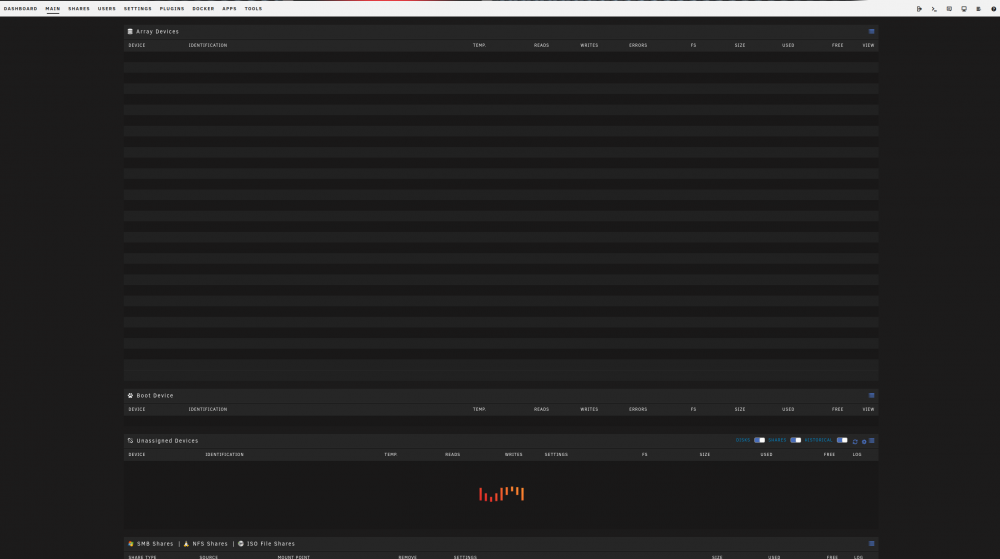
Hello. After updating to 6.10.3 from 6.9.2 both Main and Dashboard are at least partially broken and look like as visible on the attached screenshots. Has anyone else experienced this problem and knows how to fix it? It's kind of annoying as this is only a visual problem. Array itself works properly.