minibuck
Members
-
Joined
-
Last visited
Everything posted by minibuck
-
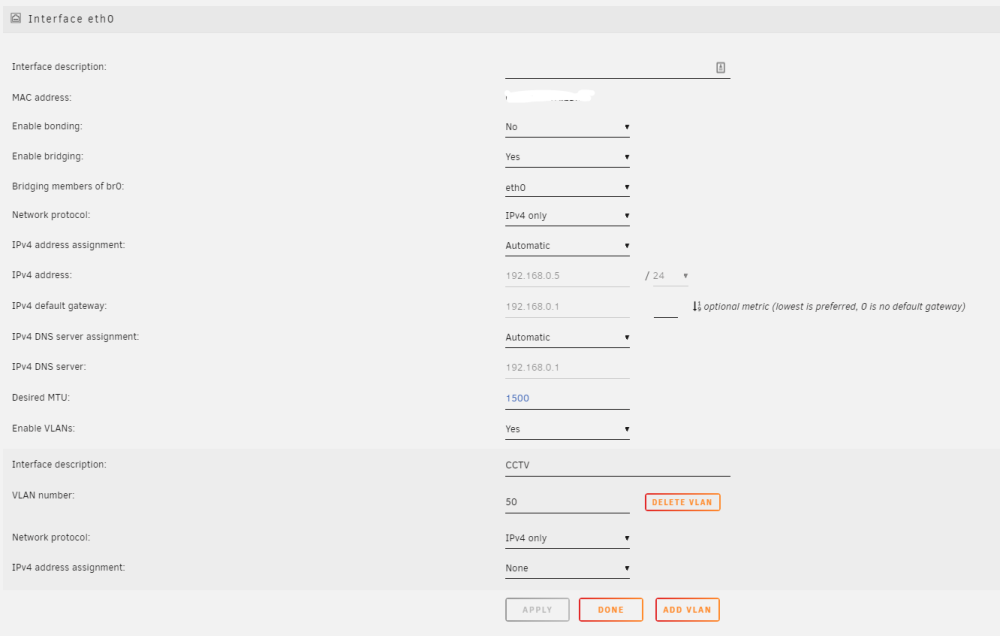
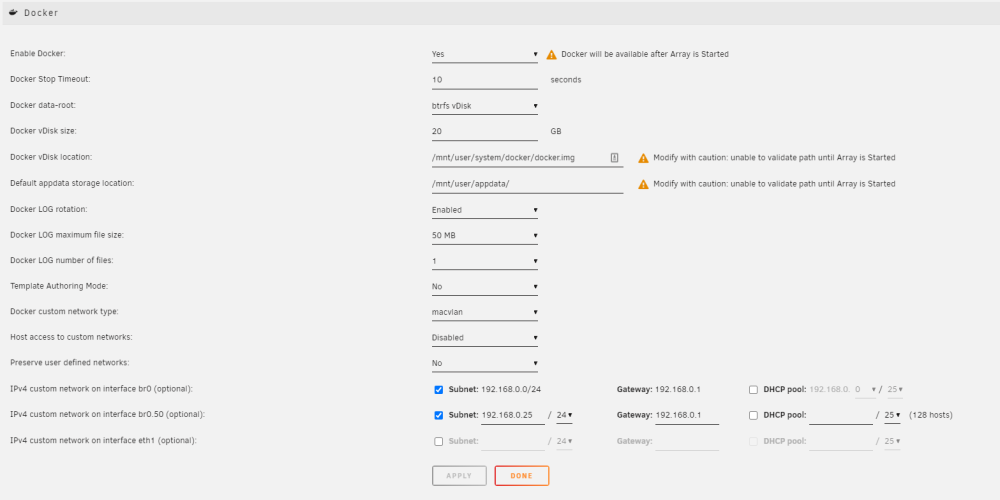
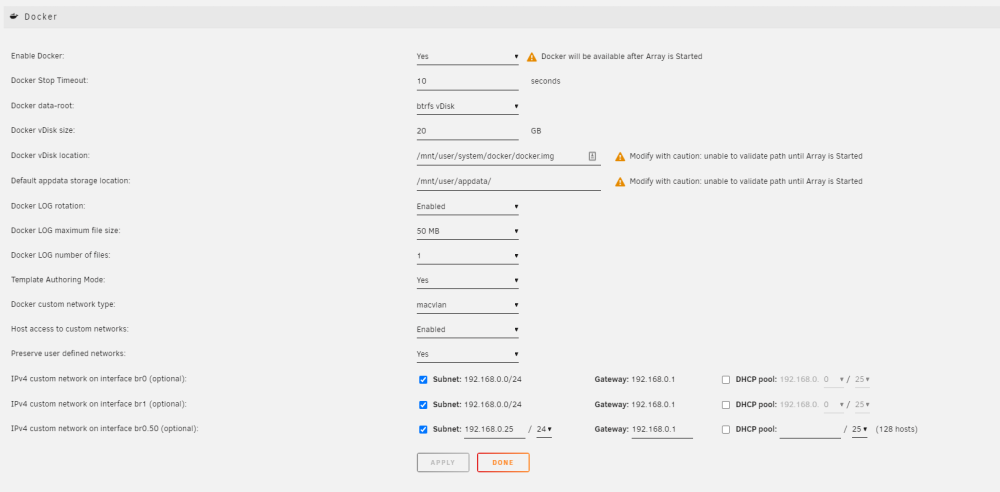
oh sorry this not my area of expertise what I was actually trying to do was pass a vlan to the docker but when i couldn’t get it to work i was just seeing if a i could get it to pass my second Nic to the docker but that’s not working ever I’m actually trying to pass a vlan (br0.50)
-
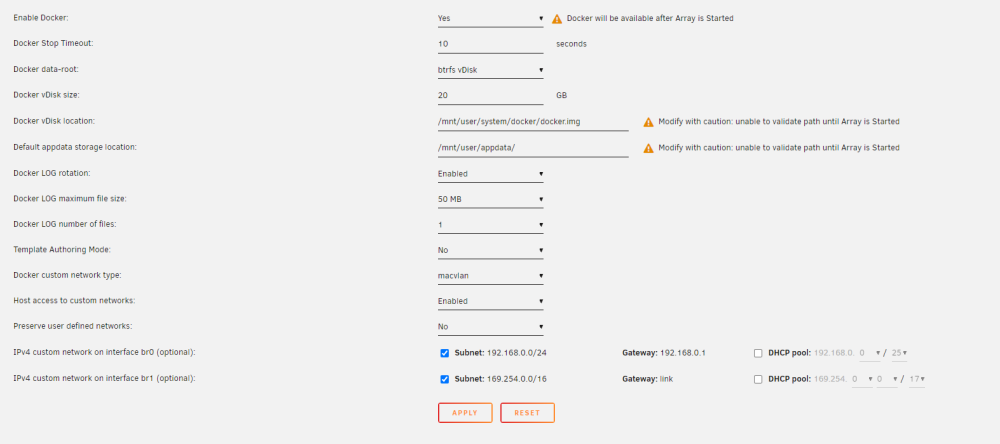
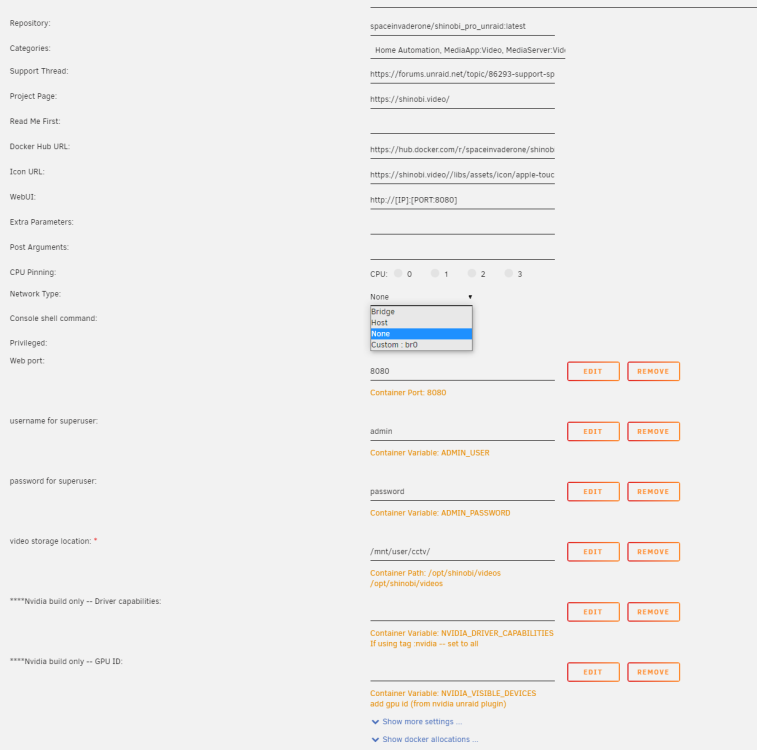
I’m trying to pass (br1) network interface to a docker container and it nots showing up no matter what I do thanks
-
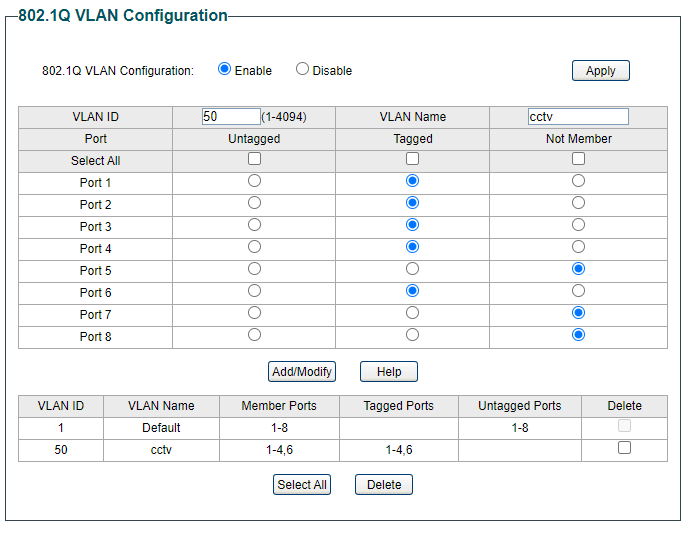
hi sorry don’t really understand what you mean if this helps ports 1-4 have my cctv cameras on port 5 has the connection to rest of network and port 6 has the connection to the unraid nas my poe swish has this info IP Address 192.168.0.25 Subnet Mask 255.255.255.0 Default Gateway 192.168.0.1 thanks
-
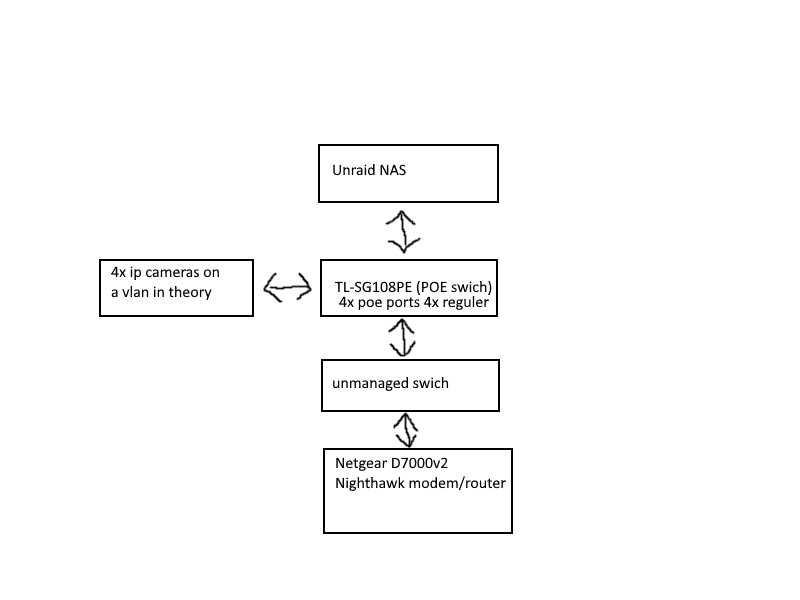
So I’ve been partially following Spaceinvader One guid to setting up cctv cameras with Shinobi on unraid and I’ve got to the point were I’m trying to assign the vlan with my cameras are on to the Shinobi docker it doesn’t show up on there list of device and I’ve tried messing with it for a few hours and got know where so I’ve come for help ill try give you as much info as possible but to be honest not my area of expertise so its also possible its something dumb thanks Network setup