hoflande
Members
-
Joined
Everything posted by hoflande
-
solved it iv'e never had a bad pcie port cause local access only but it did replaced mother board and solved problem pcie 8x 2 port 10gb network card now works for local and vpn access
-
Cant access one of my unraid servers on the same subnet from behind the firewall through wiregaurd vpn setup on udm pro
-
ok i had vm running everything looks fine other than that right. thank you so very much all of you for all the help.
-
tower-diagnostics-20230105-1104.zip
-
StartedStop will take the array off-line. Disabled -- Parity operation is running Parity-Check in progress. Pause will pause Parity-Check. Cancel will stop Parity-Check. Current operation started on Wed 04 Jan 2023 06:28:30 PM PST (yesterday) Total size:8 TB Elapsed time:13 hours, 50 minutes Current position:2.76 TB (34.5 %) Estimated speed:35.2 MB/sec Estimated finish:1 day, 17 hours, 21 minutes Sync errors corrected:0 it i guess is fluctuating
-
ok so i replaced all power and sata cables again and its doing a party check started off at speeds of 190mbps and after 12hours its down to 12mbps is this normal? by the way it would disable multiple drives 2 hours or less in so i believe i had a batch of bad cables. i have not updated sba card because i haven't had enough time to do all research so i don't brick it like before
-
i think it might be a bad batch of sas cables do guys have a high quality brand you can recommend
-
yeah i forgot underline is link cant find the right firmware for my LSI 9300-16i 16-Port and the one i did find isn't new its from 2019
-
Is there a way to do that in unraid. The last time i firmware upgrade on lsi card i bricked it somehow it won't boot anymore is there a utility or bookable software to do it any guides would be helpful as this card is expensive.
-
both but same hba card
-
replaced cables still having issues with drive 6 and 8 tower-diagnostics-20221220-0528.zip
-
Here it is thanks tower-diagnostics-20221212-1714.zip
-
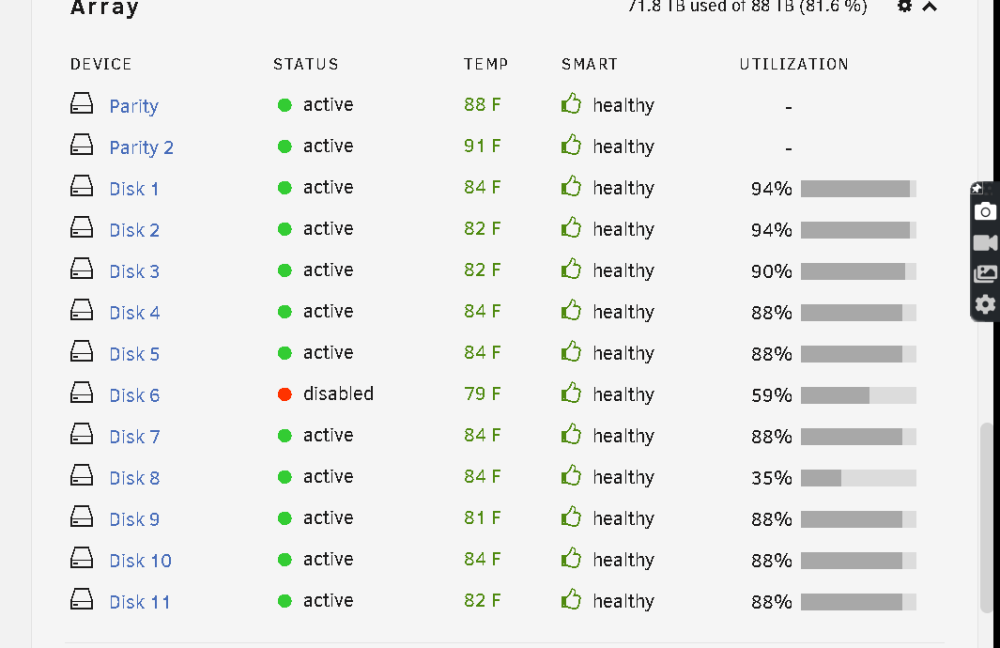
so checked filesystem lost some data not worried about that. and everything was fine then i did party check and now drive 6 is disabled so not sure what changed maybe i have a bad cable or a bad hba card here is smart log for drive 6 thanks for the help tower-smart-20221211-1922.zip
-
thanks didn't realize diagnostics was a link. here is 7zip file i removed mover log. tower-diagnostics-20221210-2230.7z
-
how and in what location
-
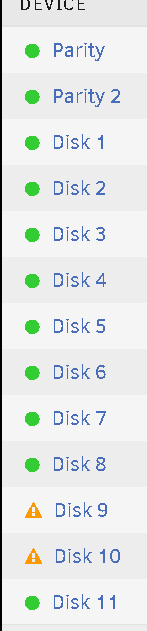
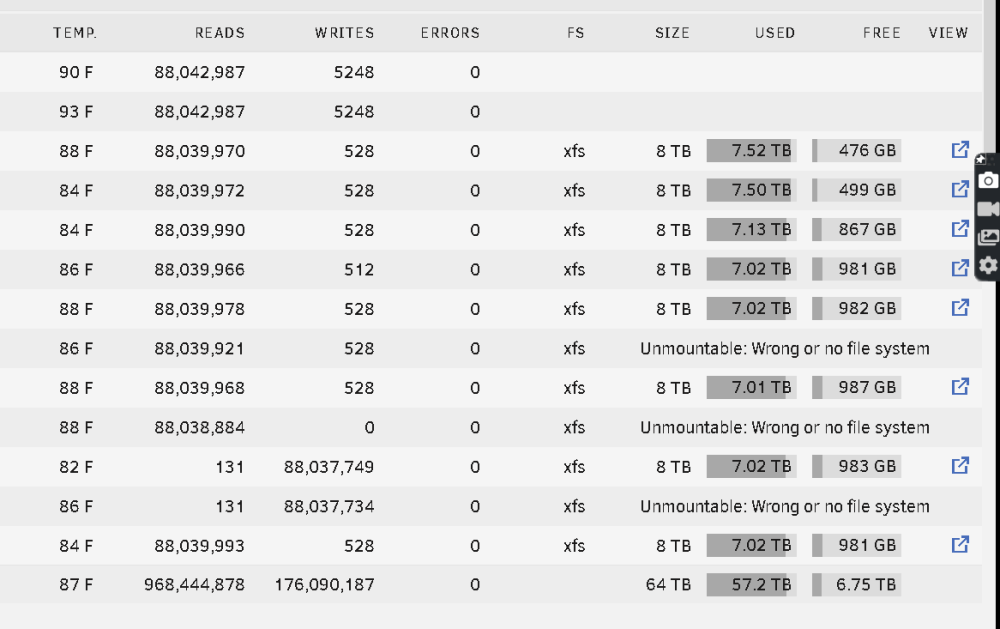
had a nvme ssd short out on mother board. so i removed it so now i start up computer everything works except for three drives 6 8 10 now i rebuild 6 and 8 thinking its a issue with the power failure then getting a bunch of read errors from all three drives i think hba may have gotten bad cable or shorted out not sure how to figure out which one it is so i plugged those three drives into the mother board and now only drive ten is having issues so i replaced drive 10 but now all three drives are uncountable how should i proceed