





HaxForNox
Members
-
Joined
-
Last visited
Everything posted by HaxForNox
-
I got the comfyui-manager properly loading after settings "Enable Mager_Legacy_UI" To true. so besides the git repo changing its allll good
-
I think the issue is Comfy hasn't completed the migration to the new GitHub page yet. The https://github.com/comfy-org/ComfyUI only has version v0.1.1113 which is comfy 0.3.2 or so while the https://github.com/comfyanonymous/ComfyUI has 0.7.0, i had to install an older version of yours (docker pull mmartial/comfyui-nvidia-docker:ubuntu24_cuda13.1-20251228) before the GIT change to actually get Comfy working. Granted for some reason Comfyui-Manager refuses to actually load properly and only shows me the custom nodes network and none of the update options. The latest version properly loads Comfyui-manager but updating only gets you to ccomfyui 3.2 due to the git change making it unusable
-
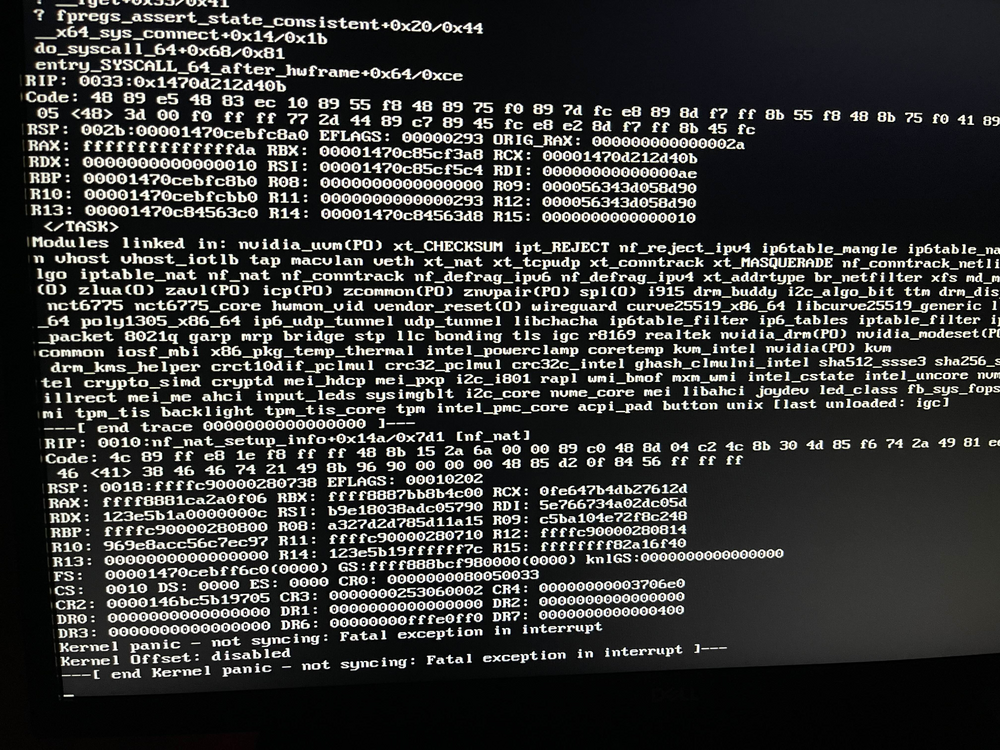
Kernal panics have gone away after disabling docker custom networks and macvlan
-
i found another post you had on kernal panics and disabled macvlans and custom networks in docker as well.
-
woke up to this after i slapped a monitor on it, will turn on syslog server now,
-
I started getting some kernal panics and im just not smart enough to parse through the logs to know whats what. attached is the tower diag right after the panic. tower-diagnostics-20240627-2330.zip
