






zfrenchy
Members
-
Joined
-
Last visited
-
The disk, connected with the USB adapter, do not show up in Windows Disk Management
-
I replace all my 4TB HDD with 10TB HDD, now I want to sale the 4TB 2 years old on Ebay. How can I clear / safe the old HDD under windows before selling ? I have an SATA-2-USB3 adapter, but I cannot see the drive under W11 to format it. Is it safe to sale without doing anything to the HDD ? Parity or array drive ? Will the buyer going to have problem to install under Windows, or under Unraid ?
-
moving is done, but still cannot post the Diagnostic, taking to much time to make it. Can I do something for speed up the Diagnostic to make ?
-
I am using Unbalance now, seems to move files from cache.
-
I am back ! little recap: - still cannot have the Diagnostic file - Shared folders are back - Cache drive is full - Mover not moving anything The ONLY question: How I move/delete/make space in my Cache drive without potentially lost any files ?
-
found it, I disabled cache to some Shared folder ... enabling ... move ...
-
UNRAID rebooted, Shared Folders are back, but the cache still full. But I cannot run Mover, when clicked, the page jump up, nothing else.
-
ok, wll doafter formula one gp
-
it will not be worst ... dosn't it ? Do you think a reboot will restore the shared folders ?
-
Do UNRAID making backup somewhere that I can use to restore my Shared Folders ?
-
My questions still without answers: - Should I stopped the Array before loosing something else ? - Is it possible to restore the shared folders I lost ? - Cache drive still 100% full, may be the reason diagnostic take so long ?
-
the diagnostic still running, what is going on ? how can I stop it ? then may be run it with less data to record ?
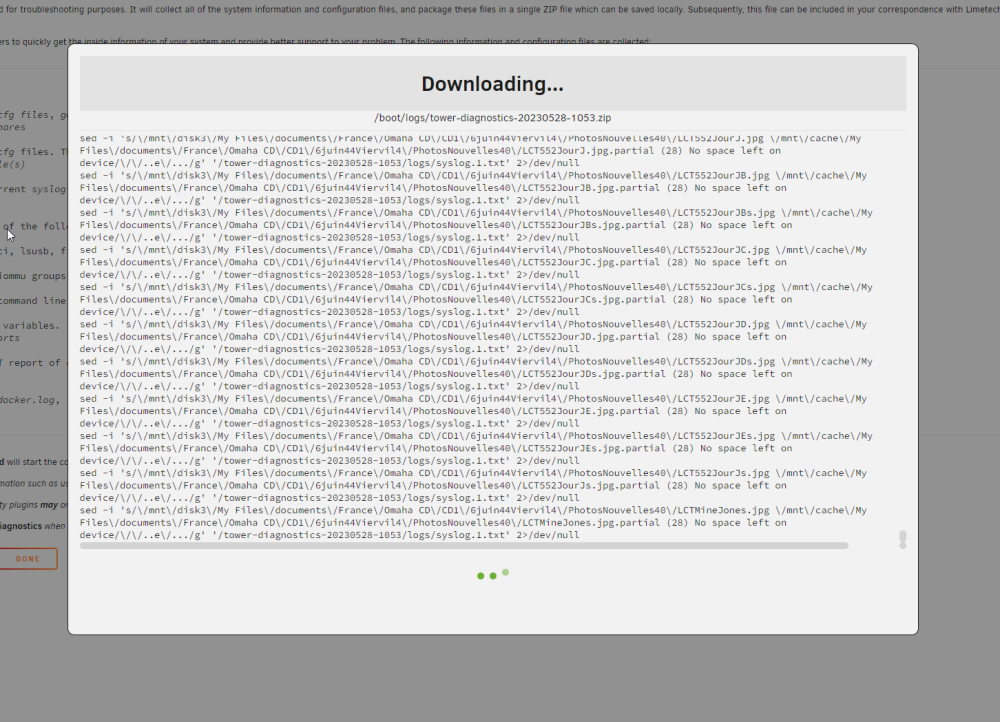 diagnostic still running, but it is not freeze, I see txt scrollings ... still running, no freeze, 1 hourMover just stopped, I now have the option to stop the array, should I do it ? diagnostic still running.


