Joffrey
Members
-
Joined
-
Last visited
-
Thank you. Indeed I just read that other brands would be better than this cheap Kingston. I will move the VM to the main HDD array and see how It goes, but ultimately will probably have to replace the SSD drive. Have a good sunday
-
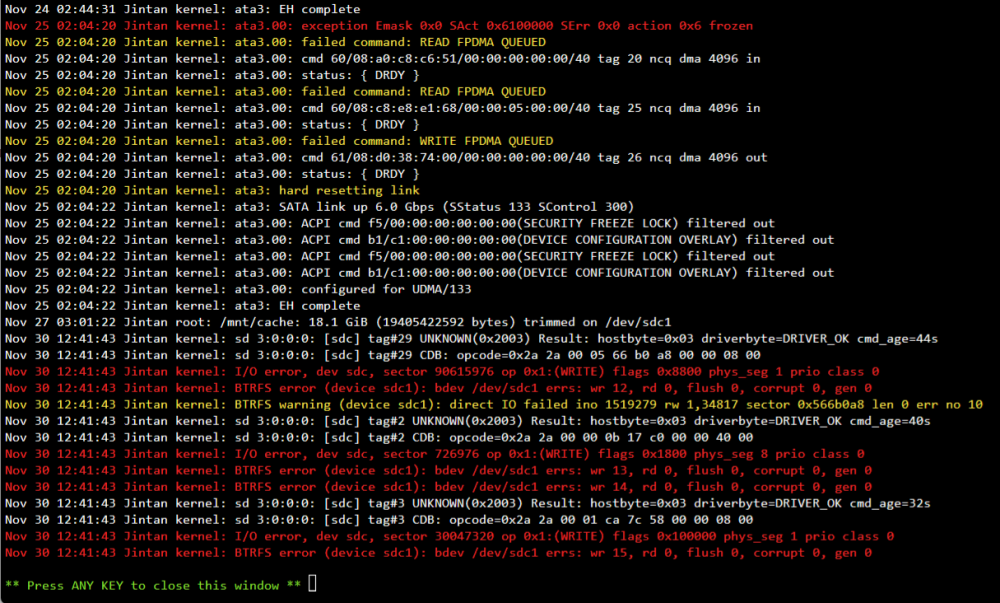
Hi everyone, I need your help to pinpoint the source of I/O errors that I'm getting on my SSD cache drive every few days/weeks. Context : I noticed that sometimes my Home Assistant VM (whose virtual disk is stored on the cache drive) would become almost unusable and I had no choice other than a force stop of the VM and restart. I then noticed these logs provided by Unraid : The SSD is only two years old. Is there a way to know if I am facing an hardware of software issue here ? I ran an SMART extended self-test and a BTRFS scrub, they completed without errors. I also attached a SMART report to this post. Unraid version : 6.11.2 Model : Kingston A400 120Gb Thanks by advance ! KINGSTON_SA400S37120G_50026B77838BA115-20221203-1824.txt