





Ben9
Members
-
Joined
-
Last visited
Everything posted by Ben9
-
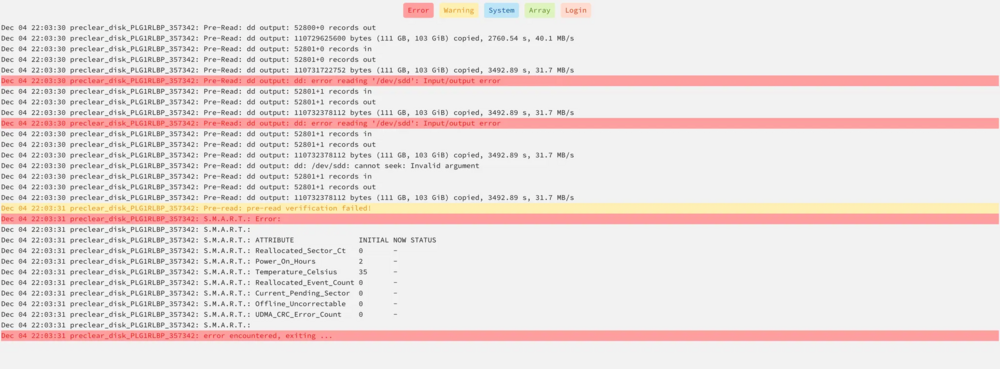
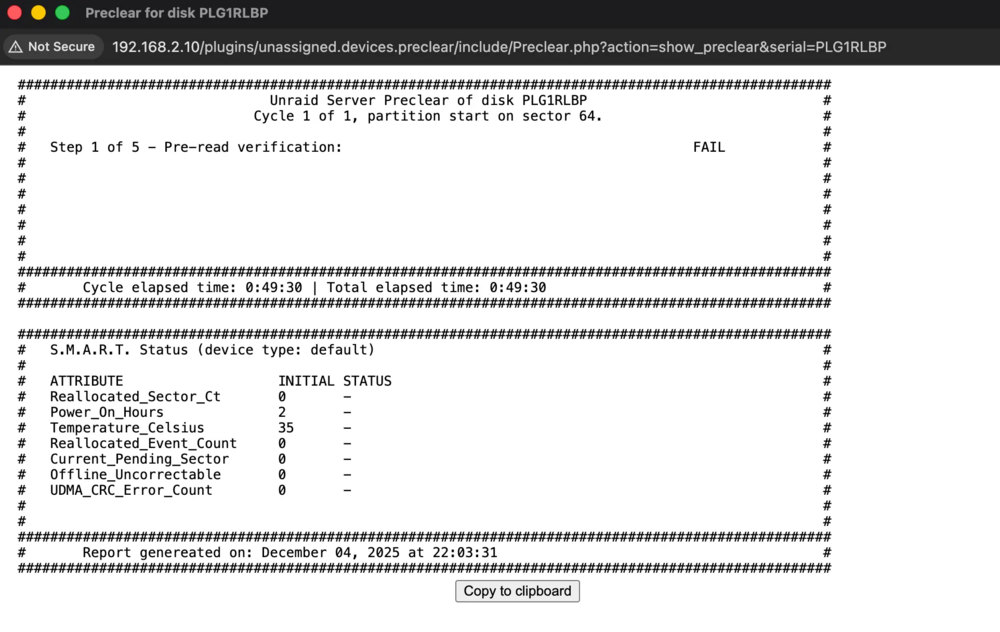
Hi there! I recently purchased a new 14 TB WD Red Pro hard drive, but I’m having trouble performing a Pre-Read check. It’s strange that It failed immediately. I’ve tried restarting my PC, changing the SATA port, but the issue persists after three attempts. I’m curious to know if you think my drive is failing or if there’s something else going on. (I’ve never formatted my drive before.) Thanks for your help! (sdd) tower-diagnostics-20251205-2304.zip tower-diagnostics-20251205-2304.zip
-
Awesome!
-
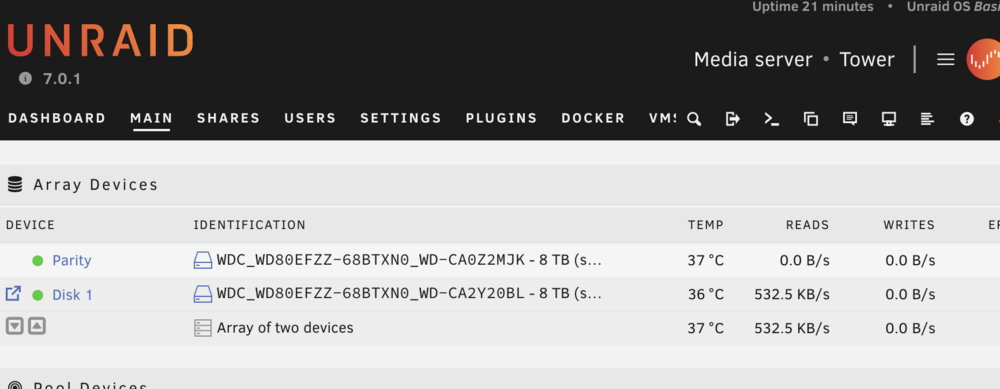
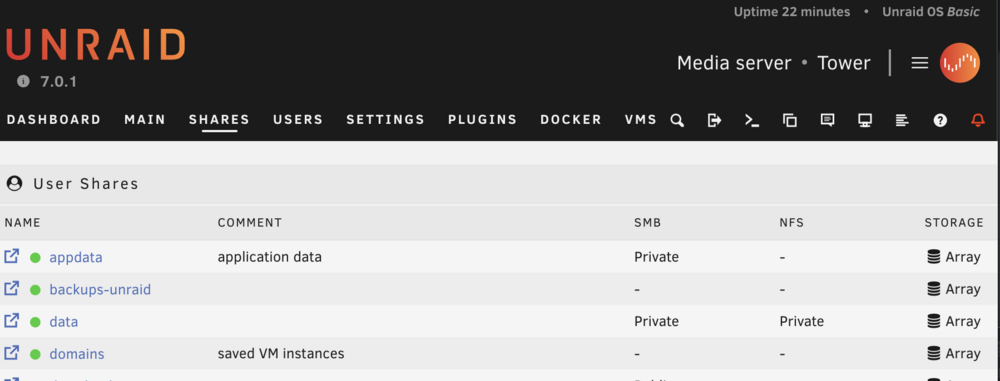
Just an update—I can confirm that after rebuilding Disk 1 and updating to version 7.0.1, my shares are working properly. Thanks!
-
Version 6.12.10, thanks
-
Indeed, after downgrading, my Shares Tab is working again. I’ll proceed with rebuilding Disk 1.
-
Yes, I have two new 8TB drives and was wondering if I should add a third (just for movies, for example) in a pool to avoid write I/O to the parity drive/array. Or would it be better to just buy an SSD as a cache and not worry about it? I also considered using the array without parity for movies since it’s easily expandable while keeping a ZFS pool for important data with redundancy. However, I read that ZFS doesn’t allow drives to spin down, which makes me hesitant. Anyway, this is a bit off-topic for this thread 😅, but thanks for looking into my issue!
-
I didn’t take the time to address it after receiving my warranty replacements from WD 😅. I’ve been debating how to separate important data with redundancy from data I don’t mind losing, especially now that we have ZFS pools in this update. Do you think I should downgrade before rebuilding?
-
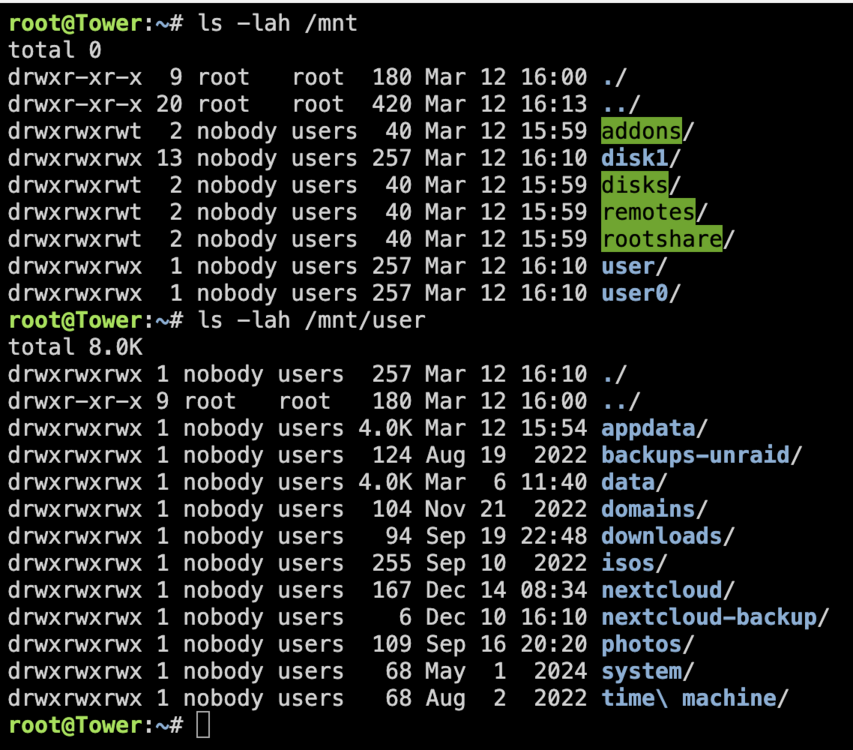
I get this :
-
Thanks for the reply. Indeed, Fix Common Problems detected this issue, which I have since fixed. However, after rebooting, the problem in the Shares Tab persists tower-diagnostics-20250312-1913.zip
-
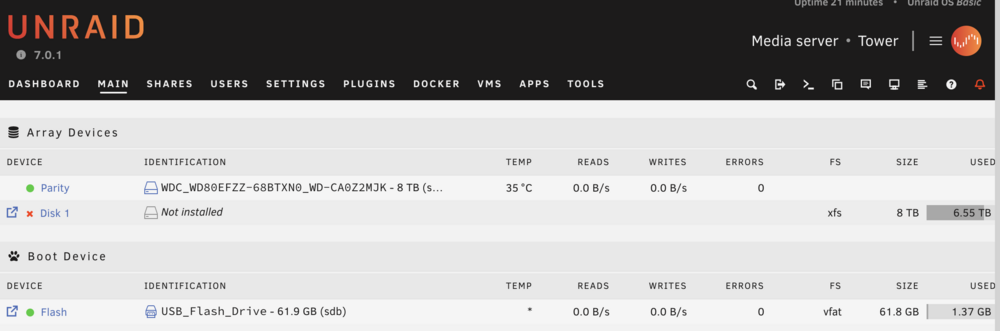
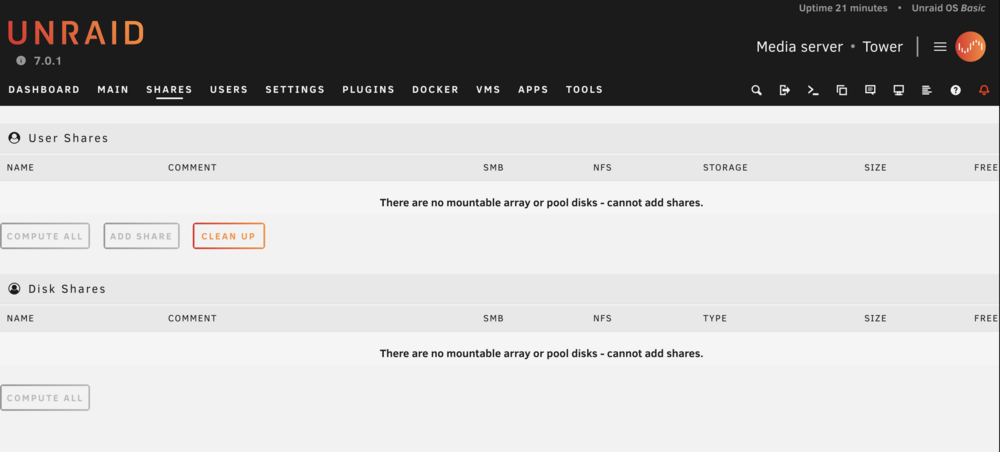
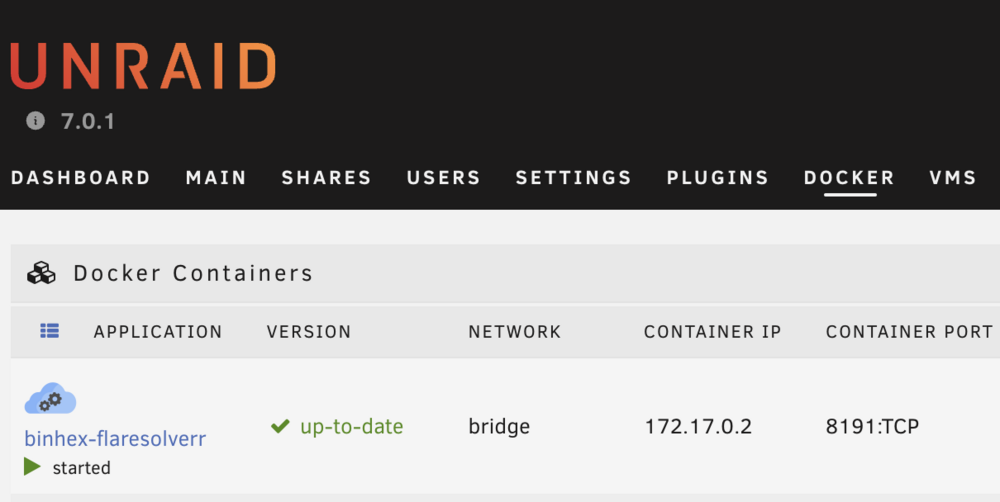
Hi, After upgrading to Unraid 7.0.1, I encountered an issue in my Shares Tab where the message "There are no mountable array or pool disks – cannot add shares" is displayed. The strange thing is that my Docker containers are still functioning properly—I can still access Plex movies, for example. I am aware that it is not recommended to have only one parity drive. My Disk 1 failed, but I have not experienced any issues using this setup until now. I was wondering if this could be the cause of the problem and whether adding a new Disk 1 might resolve it, or if I should address something else beforehand. Thanks, Ben tower-diagnostics-20250312-1838.zip
-
OMG Yes, that was it! I had to rebing my nvme IOMMU group to VFIO. Thank you
-
Hi! I just started my unraid journey 3 months ago to give a new purpose to my gaming pc and I love it so far! Basically I install this week an LSI HBA card for the first time to be able to add more sata port on my server. It is the 9207-8i 6Gbps HBA LSI FW:P20 IT Mode. My array is working well with drives connected to it. The issue now is when I start my Windows 11 VM, the unraid GUI is no longer accessible and when I go check my PC, I see no lights at the lan port but the computer is still running. I have to shutdown my PC manually. I did try a few time to remove and add back the card to see. The VM work fine when HBA card not connected. I did try creating a new VM without a GPU passthrough and it seems to work fine with the HBA card connected. My specs: i7 10700k RTX 3070 48gb ram PSU P750GM and more drives For my VM, I passthrough my nvme that has my windows installation, my GPU, one sata ssd and have pin my last 4 CPU cores to it. I am new to this but I was thinking maybe it is related with my GPU passthrough on the VM or related to PCIe? I was wondering could it by cause by to much power usage when starting the VM? I never had issue in the past with the PSU and the computer does not seem to stop. Only the light on my lan motherboard stop. Did you have similar experience? Thanks, Ben





