




-
I do have a few docker instances, but they are running via the array, so they are not affected.
-
Answers in bold
-
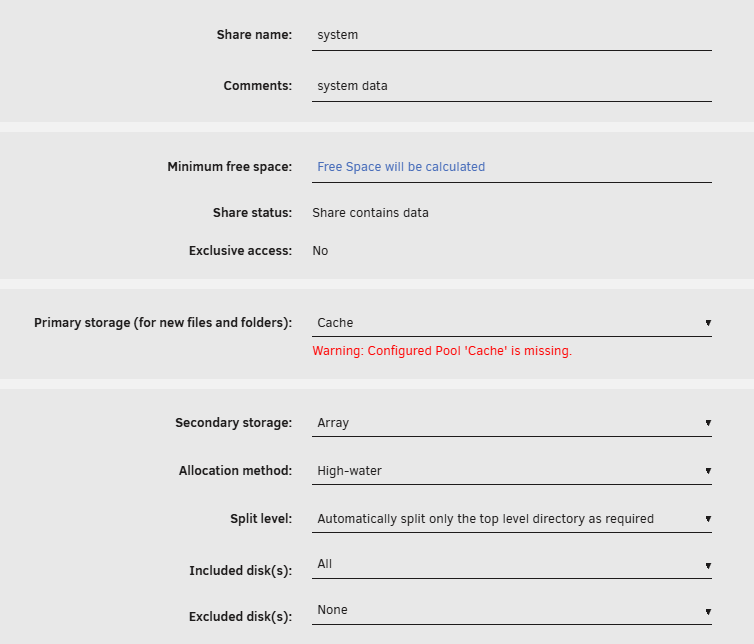
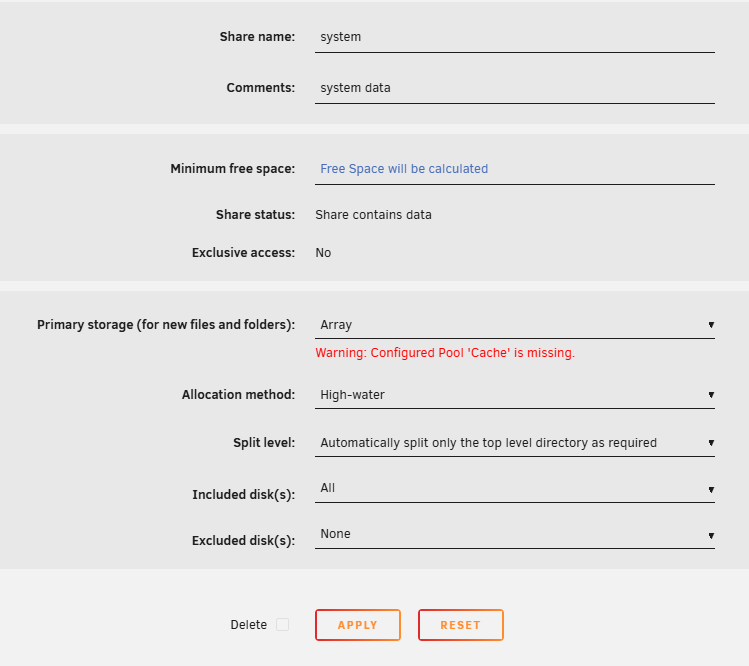
No, I use a USB flash drive as the boot, then the SAS drives. No SSD. **Okay, digging into it a bit more, looks like it shares used "Cache" as a primary but the array as a secondary. Since the primary ("Cache") is missing, couldn't I just remove it as the primary and make the array as the primary and just move on? Example: To this:

-
sorry, I should have been more detailed. The SSD on my laptop died that contained the backup config.
-
Well, I know I had a pool before the upgrade. I cannot remember if it was called "cache" However I have shares that point to it. I did perform a config backup before the upgrade, but then my SSD died, so now i'm having to just recall from my memory.
-
My apologies, meant to attach it. Here you go. Thanks. r620-diagnostics-20260402-0947.zip
-
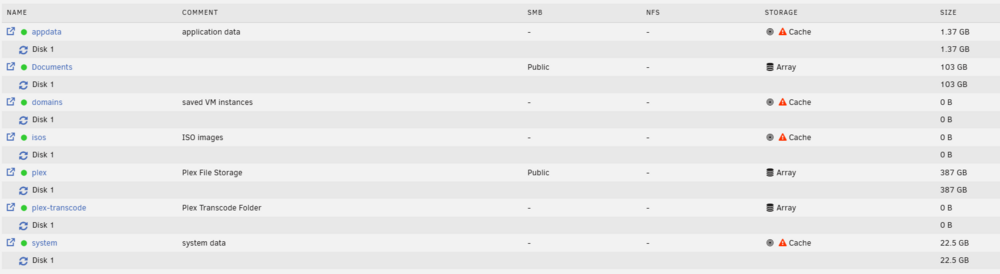
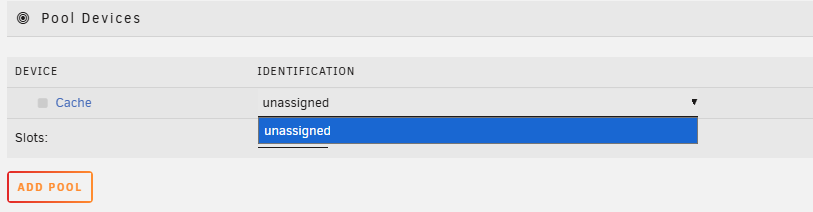
Hello all, Performed an OS upgrade to 7.2.3, and array comes online without an issue, but now shares show they're pointing to storage that doesn't exist. If I stop the array, and attempt to add cache pool, I get this: I will be the first to admit that I am a new(er) user to Unraid. I did search this topic but did not find a solution that worked in my case. Any help is appreciated. Thanks!


View in the app
A better way to browse. Learn more.


