





superRaid
Members
-
Joined
-
Last visited
Everything posted by superRaid
-
Ran 'Update all' on my plugins and it fixed the Update OS page. Thanks so much all for the quick support :)
-
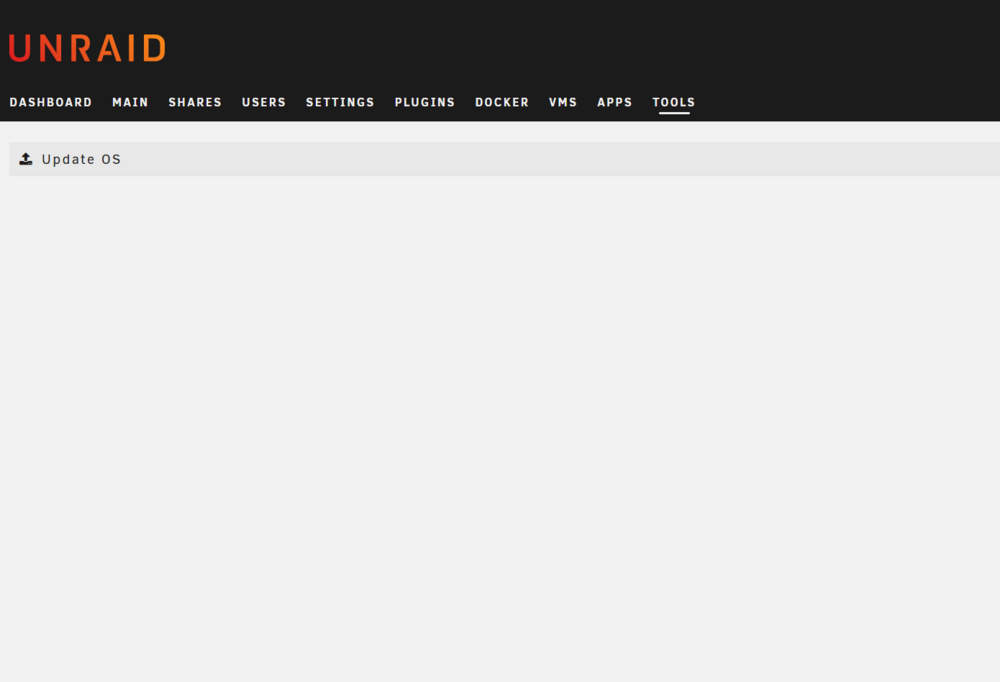
Thanks, that would explain that part. However, it seems there is something wrong with my update page in that case. It is blank.
-
Hi all, I'm trying to update to the latest version of the Tailscale plugin (I'm stuck on 2025.10.31.0431 which is missing a security patch), but I receive the following: * Your current Unraid version is out of date and * is no longer supported by this plugin. * * The last supported version of the plugin for * your Unraid version will now be installed.I just upgraded Unraid OS from 6.x.x to 7.0.1 which I believe is the latest version, thinking that would resolve the issue. The upgrade OS page shows blank. I suspect I'm missing something obvious! Any help would be much appreciated. Thanks
-
So I'd have to keep it as an array device and then reconfigure once on the new system? Once on the new system, if I change Disk 1 to be a cache drive would I lose all the data on it, or would it be transferred to the other drives in the pool? The process doesn't seem very intutive to me. I'm always scared to make changes to avoid inadvertenly losing data.
-
So I should assign it as a pool device now (on the old system)? Do you have a link for how to do this? Thanks
-
Hello, My current Unraid system is a PC with only one drive - an SSD. I'm using this on a temporary basis until I get a new system that will have 4 HDDs. I'm planning on installing the old SSD into the new system so that my data is retained, meaning it would come to a total of 5 drives. The system has a VM and a few Docker apps. Given the drive from the old system is an SSD, I'm thinking it would be best to repurpose it as a cache drive in the new system? Currently it is just assigned as a single array drive. What would be the best way to do this? Should I designate the drive as a cache drive on the old system beforehand, or would this result in data loss? (Presumably, there is no functional difference between an array and cache drive if you only have one drive) If not, at what point would I assign it as a cache drive from an array drive? Anything I should know before moving everything over to a new system? Thanks!
-
Hello, Excuse the basic question - still trying to get my head around Unraid. Currently I have a single SSD drive on Unraid containing a VM. I'm looking to connect a USB HDD enclosure. I know from experience that USB HDD enclosures can be unreliable at times, so it's essential that the VM is only running on the SSD and isn't affected by the HDDs. How would I configure it to keep the domains folder (where my VM is) on the SSD?
-
Hello, I was having issues with a VM, so I stopped it and created a new one. I assigned the same amount of memory as before (2GB). I'm getting a "Cannot get memory map" error when I try to start my new VM. Screenshot: This is an issue I can't find any other examples of online. Is anyone able to explain this error? Thanks
-
Looks like a SAS enclosure is going to cost me quite a few pennies... Unfortunately, just not possible. I think my next best option is to use the RAID system built into the DAS? What you think? Not ideal, I know... To do that, I'll need to move everything onto my internal SSD. What would the steps look like for that? Diagnostics attached. Thanks
-
Yes, I read through it but I'm a little confused. From what I can see a port multipler is like a USB hub but for SATA. So it converts one SATA port into multiple SATA ports? I'm not sure how that would work with my current setup since I have a NUC connected to a DAS - the two connect via a signal connection, either USB or eSata. It's not like I have a PC case with space to store HDDs (beyond having them in the DAS). Forgive me if I've misunderstood. I'll follow-up with the diagnostics. Thanks again.
-
Thanks! so either a USB or eSata port multipler is fine? Or would eSata still be preferable? How would I go about shifting all the data (most importantly my VM data), from the DAS to my internal drive? I don't want to lose any data when getting rid of my current array.
-
Hello, I have a USB Mediasonic 4-bay DAS. I created an array consisting of five drives (the DAS + 1 internal SSD). There is no parity drives because it kept erroring out when I added a parity drive. After some Googling, I suspect the issue is that I'm connecting HDDs to Unraid via USB. Apparently this really isn't ideal? My DAS also supports eSATA, so my plan is to connect the DAS using this instead of USB. I'm hoping this will rectify the problems I'm facing. So my questions are as follows: Am I right in thinking things will be more reliable with an eSATA connection instead of USB? How can I safely move all my data to the internal SSD away from the DAS in preperation for this operation? What's the best way to backup my entire Unraid instance somewhere else in case this goes really wrong? What would the recovery process be like? Thank you :)

