





SLAVBORG
Members
-
Joined
-
Last visited
-
Yes I meant LAN. When I connect via the IP address as opposed to the name it does work. What is strange even after connecting successfully using the IP, it still doesn't let me connect via clicking on my unRAID in the network window.
-
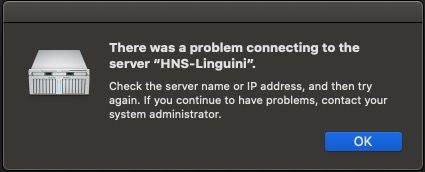
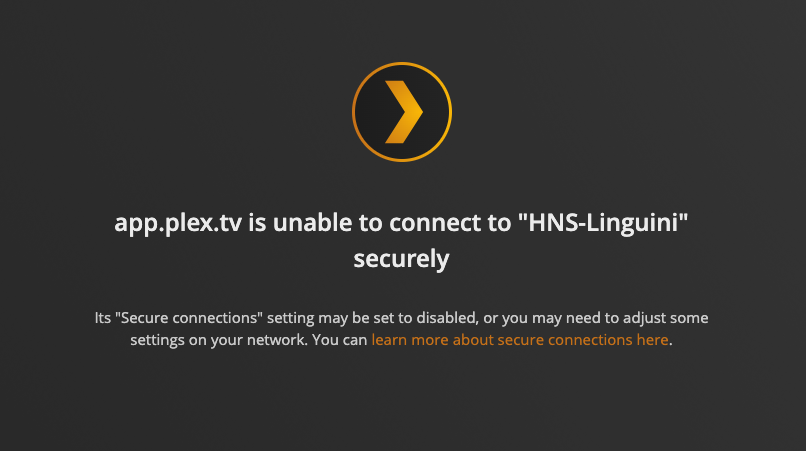
Wow... I feel really stupid right now. Neither of the shares was being exported to the internet. I fixed this and now I van see that my shares exist, but still cannot connect to any of them. I have attached screenshots of the error codes from Windows, Mac, and Plex if that helps. Nothing on the network itself has changed apart from the unRAID losing all of its settings and running off a fresh flash drive. Any idea what I should do next? Also should I re-do the array and swap disk3 for disk1, or does it make no difference? pc.pdf
-
I have attached the diagnostics zip to this post. Also I'm not sure if it helps but I mentioned that windows shows the network drive as empty. However if I ask it to refresh, it tells me there is most likely a problem with my spelling or network. hns-linguini-diagnostics-20220830-2240.zip
-
Thank you so much guys. I was able to create another flash drive, transfer the licence key, and locate the correct parity drive. However, I cannot access my server from any device. All of my information is still there and programs like Plex can still access it, but I can't actually access any of my shares from any Windows or Mac computer. I tried making my flash drive public and I can see that from a computer running Windows 11, but otherwise all of my shares remain invisible. WIndows 11 just tells me that the drive is empty, whereas MacOS BigSur gives me an error when I try to connect. I have googled around and tried to apply smb fixes listed by spaceinvaderone, but it doesn't seem to make any difference. Any ideas what could be causing the issue? I am using the same static IP as I was using before, and have disabled all the docker containers other than Plex. How can I fix this?
-
SLAVBORG joined the community
-
So long story short is that my roommate moved my UnRAID while I was gone and bent the USB key which destroyed it. What should I do? Is there any way to recover my settings, apps, etc... from my parity drive? I have a ton of data in the array that I cannot afford to lose. So far I have tried to install UnRAID onto another USB key, and boot the machine off of that. It starts, but wants a license key and doesn't have any of the drives assigned. When I try and input the license key I purchased previously, it doesn't work. More importantly, I'm worried about losing the data on my drives if I set them up into a new array. I have 6 HHDs in the machine, one of which is the parity drive. Only been using UnRAID for around a year and am not a computer wizard. Please help.
