





meks
Members
-
Joined
-
Last visited
-
There is a bug when determining CTIME/MTIME in share overrides. Like for example I have set CTIME=Yes in Global, CTIME=No in Share, and the log says: 07:44:03.824 Settings override: 07:44:03.827 ------------------ 07:44:03.835 Using share (cache:yes) moving threshold: 0 % 07:44:03.839 Using share (cache:yes) freeing threshold: 0 % 07:44:03.846 Age: 2 07:44:03.853 CTIME: yes Furthermore, this bug results in Mover not moving anything. Update: It appears Mover doesn't move anything as soon as CTIME=Yes is set in Share, regardless of what is set in Global. Files are getting moved as soon as I set CTIME=No
-
Yeah you're right, false alarm. I misinterpreted the history from before the update. Folder access is indeed gone now, thank you!
-
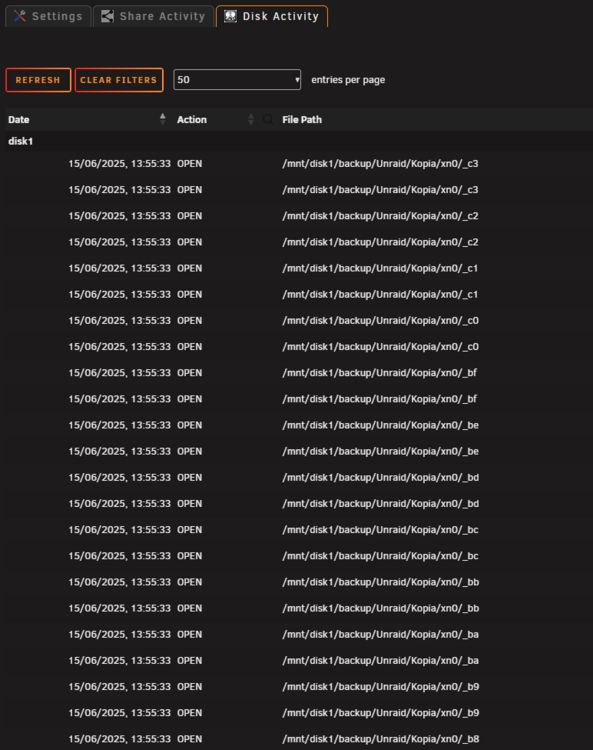
Can't confirm it's fixed :( There are still folder traversals EDIT: I'm on 2025.06.15
-
dont display access to folders please. there are a million entries because of folder caching. previously, the plugin only displayed file access. displaying folder access makes the list unnecessarily long and it's not a "file activity" either.

