





Kryce
Members
-
Joined
-
Last visited
-
Thank you for your advice! I will check this next week, because I’m currently not at home.
-
I solved the problem tonight by adding /usr/local/sbin/zenstates --c6-disable to /flash/config/go . But it's kind of weird. I had the exact problem you've described as I set up the system a year ago. According to the FAQ I completely disabled C-States in the bios an everything worked fine. About two weeks ago, this problem came up. Is this normal?
-
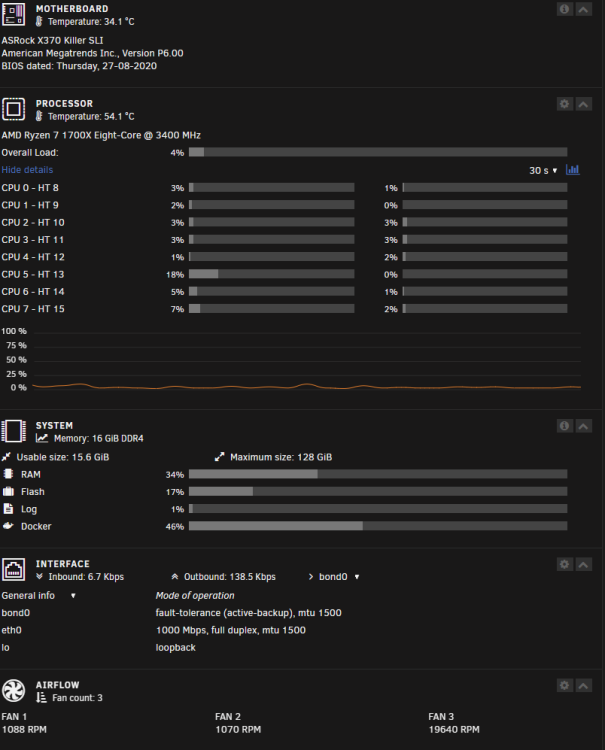
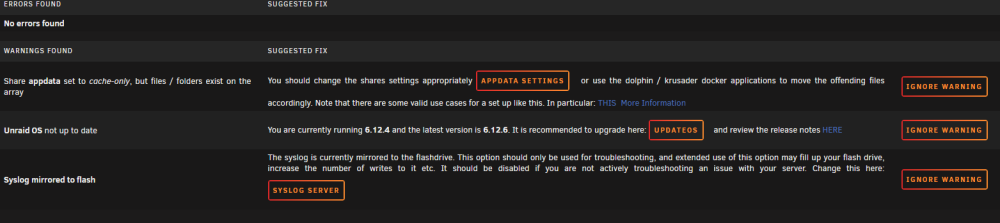
Hi, since about 2 weeks, my Unraid system is freezing after a view minutes to hours. It just stops working and i need to reset with the power cable. Before it just ran fine for months. I installed the plugin "Mover Tuning". After some errors in it, I removed it. I think, the freezes ocured after this, but I'm not sure ift it is related. What I did for troubleshooting with no success: Downgraded from 6.12.6 to 6.12.4 Updated to 6.12.6 again Started it in safe mode Switched "Docker custom network type" to ipvlan activated "Mirror syslog to flash" Fix Common Problems: My system hardware: I've attached the last syslog and diagnostics. I'm so thankfull for your help! syslog-previous (2) tower-diagnostics-20240101-1517.zip
-
That was quick! Thank you so much for your fast response! I will check this tomorrow.
-
Hi, I'm completly new to unraid. I've set up a fresh system and installed some plugins. Unraid crashes from time to time for no obvious reason. The machine is headless. I can't find any hint in the system log. When it happens, the webinterface ist not reachable and i have to reset the server. I've attached a full diagnostic report. Can anyone please help me? Thanks! tower-diagnostics-20220922-2243.zip

