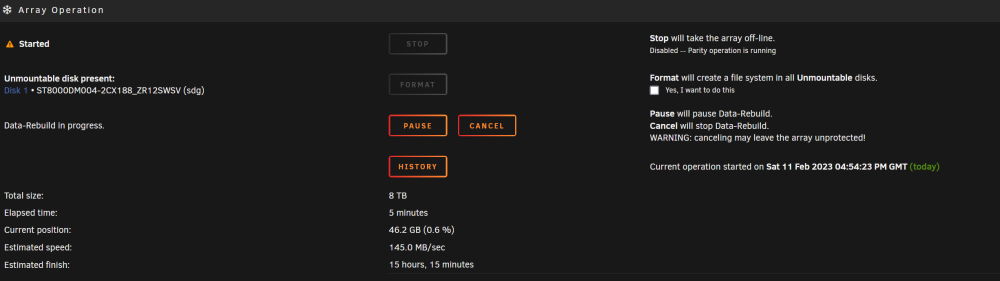
I stopped the array, started in Maintenance mode and started the test as the documentation suggests. I selected to not modify data.
Phase 1 - find and verify superblock...
- reporting progress in intervals of 15 minutes
Phase 2 - using internal log
- zero log...
ALERT: The filesystem has valuable metadata changes in a log which is being
ignored because the -n option was used. Expect spurious inconsistencies
which may be resolved by first mounting the filesystem to replay the log.
- 11:51:27: zeroing log - 30524 of 30524 blocks done
- scan filesystem freespace and inode maps...
agi unlinked bucket 23 is 12586199 in ag 6 (inode=817892567)
sb_icount 406656, counted 406528
sb_ifree 32887, counted 32851
sb_fdblocks 896025097, counted 928275006
- 11:51:27: scanning filesystem freespace - 125 of 125 allocation groups done
- found root inode chunk
Phase 3 - for each AG...
- scan (but don't clear) agi unlinked lists...
- 11:51:27: scanning agi unlinked lists - 125 of 125 allocation groups done
- process known inodes and perform inode discovery...
- agno = 0
- agno = 15
- agno = 90
- agno = 30
- agno = 60
- agno = 45
- agno = 75
- agno = 105
- agno = 120
- agno = 91
- agno = 61
- agno = 31
- agno = 46
- agno = 76
- agno = 1
- agno = 32
- agno = 62
- agno = 77
- agno = 121
- agno = 92
- agno = 2
- agno = 47
- agno = 93
- agno = 106
- agno = 63
- agno = 33
- agno = 16
- agno = 78
- agno = 122
- agno = 48
- agno = 107
- agno = 123
- agno = 64
- agno = 3
- agno = 34
- agno = 124
- agno = 79
- agno = 49
- agno = 94
- agno = 17
- agno = 18
- agno = 19
- agno = 35
- agno = 65
- agno = 36
- agno = 80
- agno = 37
- agno = 38
- agno = 20
- agno = 4
- agno = 95
- agno = 66
- agno = 81
- agno = 67
- agno = 96
- agno = 97
- agno = 50
- agno = 68
- agno = 108
- agno = 51
- agno = 82
- agno = 39
- agno = 40
- agno = 21
- agno = 69
- agno = 41
- agno = 52
- agno = 98
- agno = 53
- agno = 83
- agno = 70
- agno = 42
- agno = 54
- agno = 109
- agno = 99
- agno = 43
- agno = 5
- agno = 22
- agno = 84
- agno = 55
- agno = 110
- agno = 100
- agno = 71
- agno = 44
- agno = 72
- agno = 56
- agno = 85
- agno = 57
- agno = 86
- agno = 101
- agno = 111
- agno = 58
- agno = 73
- agno = 23
- agno = 112
- agno = 113
- agno = 87
- agno = 74
- agno = 59
- agno = 88
- agno = 89
- agno = 6
- agno = 102
- agno = 24
- agno = 114
- agno = 103
- agno = 25
- agno = 115
bad fwd (right) sibling pointer (saw 102164487 parent block says 102642459)
in inode 817892567 (data fork) bmap btree block 102236580
bad data fork in inode 817892567
would have cleared inode 817892567
- agno = 7
- agno = 26
- agno = 104
- agno = 27
- agno = 28
- agno = 8
- agno = 116
- agno = 117
- agno = 29
- agno = 9
- agno = 118
- agno = 10
- agno = 11
- agno = 119
- agno = 12
- agno = 13
- agno = 14
- 11:52:04: process known inodes and inode discovery - 406656 of 406656 inodes done
- process newly discovered inodes...
- 11:52:04: process newly discovered inodes - 125 of 125 allocation groups done
Phase 4 - check for duplicate blocks...
- setting up duplicate extent list...
- 11:52:04: setting up duplicate extent list - 125 of 125 allocation groups done
- check for inodes claiming duplicate blocks...
- agno = 0
- agno = 3
- agno = 2
- agno = 1
- agno = 4
- agno = 5
- agno = 6
- agno = 7
- agno = 8
- agno = 9
- agno = 10
- agno = 11
- agno = 12
- agno = 13
- agno = 14
- agno = 15
- agno = 16
- agno = 17
- agno = 18
- agno = 19
- agno = 20
- agno = 21
- agno = 22
- agno = 23
- agno = 24
- agno = 25
- agno = 26
- agno = 27
- agno = 28
- agno = 29
- agno = 30
- agno = 31
- agno = 32
- agno = 33
- agno = 34
- agno = 35
- agno = 36
- agno = 37
- agno = 38
- agno = 39
- agno = 40
- agno = 41
- agno = 42
- agno = 43
- agno = 44
- agno = 45
- agno = 46
- agno = 47
- agno = 48
- agno = 49
- agno = 50
- agno = 51
- agno = 52
- agno = 53
- agno = 54
- agno = 55
- agno = 56
- agno = 57
- agno = 58
- agno = 59
- agno = 60
- agno = 61
- agno = 62
- agno = 63
- agno = 64
- agno = 65
- agno = 66
- agno = 67
- agno = 68
- agno = 69
- agno = 70
- agno = 71
- agno = 72
- agno = 73
- agno = 74
- agno = 75
- agno = 76
- agno = 77
- agno = 78
- agno = 79
- agno = 80
- agno = 81
- agno = 82
- agno = 83
- agno = 84
- agno = 85
- agno = 86
- agno = 87
- agno = 88
- agno = 89
- agno = 90
- agno = 91
- agno = 92
- agno = 93
- agno = 94
- agno = 95
- agno = 96
- agno = 97
- agno = 98
- agno = 99
- agno = 100
- agno = 101
- agno = 102
- agno = 103
- agno = 104
Metadata CRC error detected at 0x451d6d, xfs_bmbt block 0x2da858f0/0x1000
btree block 6/1979162 is suspect, error -74
bad magic # 0x94b8bcbe in inode 817892567 (data fork) bmbt block 102642458
bad data fork in inode 817892567
would have cleared inode 817892567
- agno = 105
- agno = 106
- agno = 107
- agno = 108
- agno = 109
- agno = 110
- agno = 111
- agno = 112
- agno = 113
- agno = 114
- agno = 115
- agno = 116
- agno = 117
- agno = 118
- agno = 119
- agno = 120
- agno = 121
- agno = 122
- agno = 123
- agno = 124
- 11:52:04: check for inodes claiming duplicate blocks - 406656 of 406656 inodes done
No modify flag set, skipping phase 5
Phase 6 - check inode connectivity...
- traversing filesystem ...
- traversal finished ...
- moving disconnected inodes to lost+found ...
Phase 7 - verify link counts...
- 11:52:37: verify and correct link counts - 125 of 125 allocation groups done
Maximum metadata LSN (426063857:1465603830) is ahead of log (82:180372).
Would format log to cycle 426063860.
No modify flag set, skipping filesystem flush and exiting.
unraid-diagnostics-20230212-1253.zip