





Sef Sagun
Members
-
Joined
-
Last visited
-
If that's the case then I'll have to take everyone's word. Thank you for helping me! I'm not sure if I can ask it but do you guys have any recommendations for USB enclosures that work with Unraid properly?
-
I would if I could, but unfortunately I can't afford to buy something real since, I just bought this brand new and I don't have the budget to buy a good one. Hence I posted on this topic specifically cause I've seen not just from Unraid forums that usb_storage.quirks should allow checking the device IDs instead of disk names.
-
Okay, so I think I've found out why the unassigned device is not mounting. As you can see in the screenshot I sent above, it clearly says its one of the 4tb disks. But when I check the identity of the device, its the 2tb disk. So this goes back to the issue of the disk ids changing. The JBOD also disconnected, I think, since the mount location changed from sde, sdb, sdd to sdf, sdg, sdh. I do have the usb_storage.quirks= set in the syslinux as seen below, but yeah. I dunno why it keeps disconnecting or what.

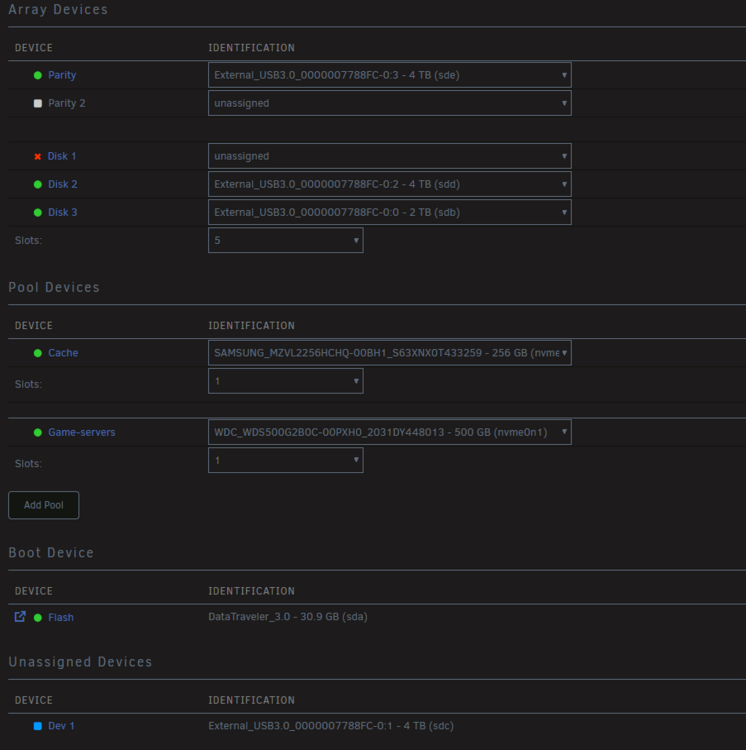
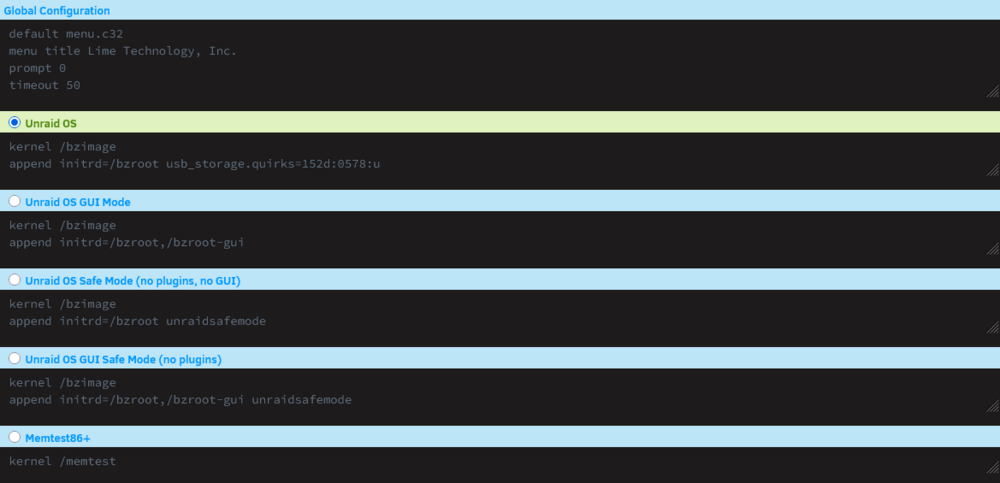
-
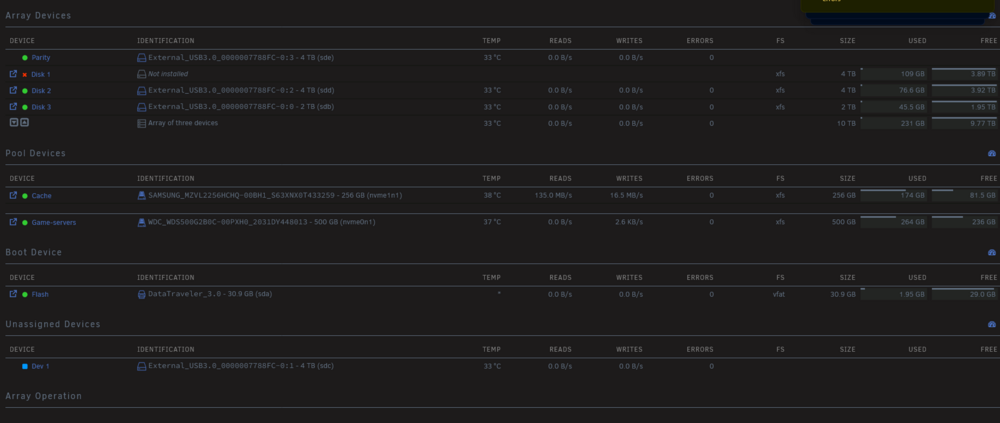
This is what it looks like after unassigning the device and starting the array. Also attached are the new diags. I've stopped the array since and tried reassigning the drive but it wont mount, so let me know what should I do next. sefserver-diagnostics-20251226-1640.zip
-
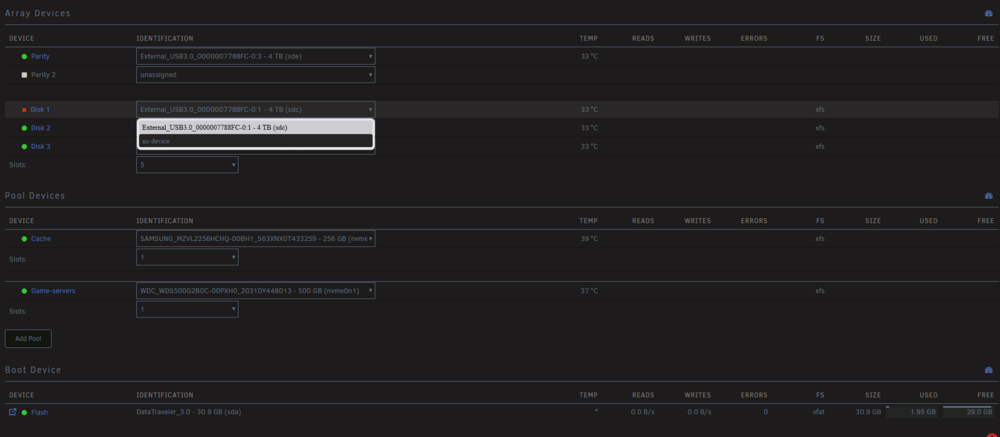
It looks like this First, it will report that disk 1 is disabled, but in reality the whole JBOD would be disconnected, resulting in all of the devices to be missing. So when I turn the JBOD on and off, the disks will be back like what the screenshot shows with the disabled device recognizable. EDIT: To add context, I look at System Devices to confirm that the whole JBOD is disconnected. So do you reckon I have to rebuild the disk by unassigning and reassigning it back? I'm quite terrified to do that actually cause it might ruin the disk/s if it again disconnects the JBOD if I start the array.
-
Hello @JorgeB, Would it be fine if I also ask for your help? I'm fairly new to the forums and consider myself to only have surface knowledge in Unraid so please bear with me. In a way I'm kinda running in the same situation with OP and I've been trying to fix this situation for almost 2 days now. For context, I have my setup with an HP Elite mini 600 and a 2-bay enclosure with a total of 3 drives and 2 NVMes. A couple of weeks ago, the enclosure crashed/gave up causing one of the drives connected to the 2-bay to become emulated. I found that it was the main reason cause connecting any one of the two would cause the drives to run, but connecting them both would not even let the server recognize any. So I had to buy a new enclosure which is Yottamaster DF4RU3, I can't remember the exact model but it has the no-raid configuration. In addition to that, I also bought a new drive to be my parity cause, although the current drives I had are really old(more than 4years now), I'm quite sure they are still fine, well, at least until before the 2-bay gave up. Now I was able to make it work for at least a day by adding the usb_storage.quirks= flag to the syslinux with the correct device, but I still had my doubts since the name of the disks are still External_USB3.0_0000007788FC-0:1 and such. I ignored it at first since I tried rebooting the server and the disks did not change locations so I thought it was fine. After a day or less, all of the disks would continuously report SMART errors uncorrect 40, I know its a failing disk error, but it fixes itself after just a few seconds and even the new drive would also report the same thing so I thought it was just the JBOD acting up. Last night, I had to install a Home Assistant VM and I tried to pass the sound device to the VM via iommu, rebooted the server and then the problem started. The whole JBOD would now disconnect a few seconds after starting the server, it would report that only one of the drives(one of the old drives) is disabled and emulated, but the whole JBOD is disconnected as I see from the system device. Stopping the array, and turning the JBOD on and off would fix the situation with the reported drive disabled. I'd have to create a new configuration, see that the drives are fine with their contents right, and then situation would loop all over again if I start the array. I'm just frustrated now since I don't know if its the old drives or the JBOD that's the issue so I'm kinda desperate now. The logs and diagnostics are attached below. Thank you! sefserver-syslog-20251225-2045.zip sefserver-diagnostics-20251226-0500.zip


