Adenine
Members
-
Joined
-
Last visited
-
Hi friend, I am running your Portfolio-Performance container and this week I started getting "an error has occured" messages when accessing the WebUI. I updated the container and the error persists. Not sure what do to next. This is the log file : !SESSION Fri Mar 13 14:08:53 EDT 2026 ------------------------------------------ !ENTRY org.eclipse.equinox.launcher 4 0 2026-03-13 14:08:53.238 !MESSAGE Could not find extension: reference:file:org.eclipse.osgi.compatibility.state_1.2.1000.v20240213-1057.jar !ENTRY org.eclipse.equinox.launcher 4 0 2026-03-13 14:08:53.349 !MESSAGE Exception launching the Eclipse Platform: !STACK java.lang.ClassNotFoundException: org.eclipse.core.runtime.adaptor.EclipseStarter at java.base/java.net.URLClassLoader.findClass(URLClassLoader.java:445) at java.base/java.lang.ClassLoader.loadClass(ClassLoader.java:593) at java.base/java.lang.ClassLoader.loadClass(ClassLoader.java:526) at org.eclipse.equinox.launcher.Main.invokeFramework(Main.java:612) at org.eclipse.equinox.launcher.Main.basicRun(Main.java:563) at org.eclipse.equinox.launcher.Main.run(Main.java:1415) at org.eclipse.equinox.launcher.Main.main(Main.java:1387) ------------------------------------------ Thanks for your help! 1773425333215.log
-
Aha, that did it! Thanks a lot.
-
Hi friend, I'm trying to install the Portfolio-Performance template from the community apps and I'm getting this error message for authentication requirements to pull the image. Any idea how I can solve this?
-
Thanks for the suggestion. I'll try that and revert back
-
gervais-diagnostics-20240817-2336.zip Here is the .zip file.
-
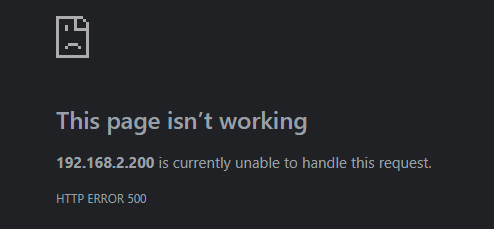
Hi there, My unraid install recently stopped working correctly. It was working fine for over 2 years and suddenly the dashboard stopped being accessible, both remotely and directly through the Unraid GUI on my server. The docker containers and disk array remain accessible as before. I can't think of anything I would have done that would have caused this. I hadn't updated anything in at least 30 days prior to the malfunction. When accessing remotely, here's the message. And when interacting directly with Unraid through the GUI, the http://localhost/Main is just a blank page. Same situation in Safe Mode. I did a fresh Unraid install, copied over the config folder, and the same situation happens. Does anyone have an idea of what could be the issue? I want to avoid starting with a new config as much as possible.