




Skip to content
View in the app

A better way to browse. Learn more.

Unraid

A full-screen app on your home screen with push notifications, badges and more.

To install this app on iOS and iPadOS
  1. Tap the Share icon in Safari
  2. Scroll the menu and tap Add to Home Screen.
  3. Tap Add in the top-right corner.
To install this app on Android
  1. Tap the 3-dot menu (⋮) in the top-right corner of the browser.
  2. Tap Add to Home screen or Install app.
  3. Confirm by tapping Install.

Cramoly

Members
  • Joined

  • Last visited

Everything posted by Cramoly

  1. Yeah, I only pressed the enter key with it blank, and that's still the result I got. Well no wonder that method wasn't working for me. I have deleted the files at this point, but I may have to put them back and go with this method now that I know why it wasn't working.
  2. Tried that, It still tells me the PW is required
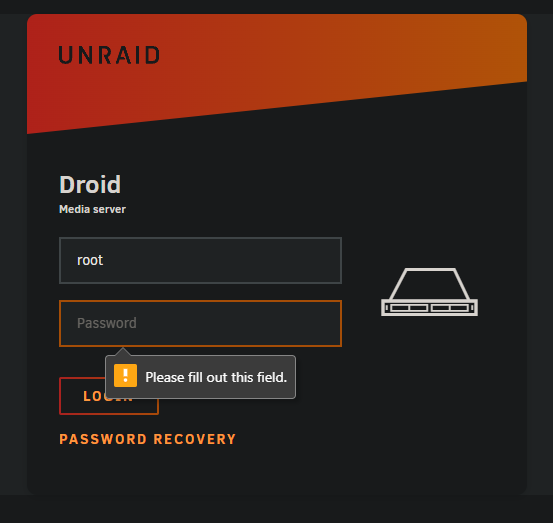
  3. It's not prompting to set a password. It's asking for a username and PW to log in.
  4. I lost my root password and I've followed what I've found in the forums to delete the passwd, shadow, and smbpasswd files. But when I boot the server, it still requires a password for the root account. What am I missing?
Account

Navigation

Search

Search

Configure browser push notifications

Chrome (Android)
  1. Tap the lock icon next to the address bar.
  2. Tap Permissions → Notifications.
  3. Adjust your preference.
Chrome (Desktop)
  1. Click the padlock icon in the address bar.
  2. Select Site settings.
  3. Find Notifications and adjust your preference.