Knowix
Members
-
Joined
-
Last visited
Everything posted by Knowix
-
Here is the diagnostics. I probably ducked something up with all the struggles. knowix-media-diagnostics-20250109-1748.zip
-
Thanks a lot! Now I managed to add all the drives to the Array! However all my containers and even my local internal network is gone. How can I add these back easily?
-
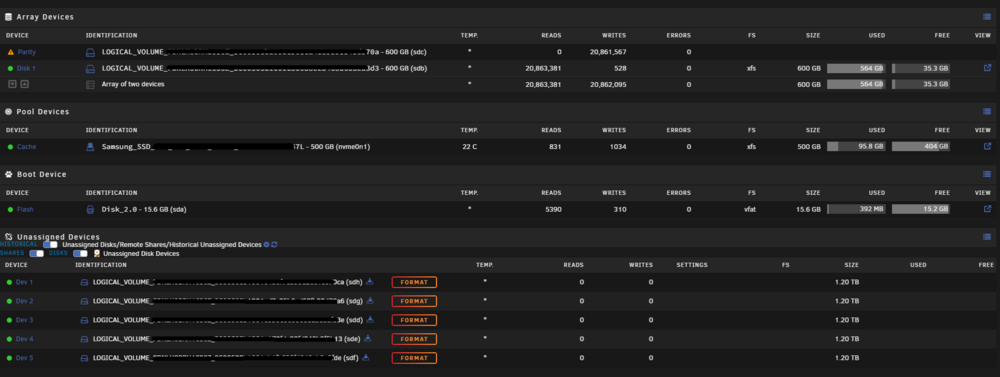
I never added any storage to the server so can you give me a little more details about what's standard procedure for adding new data drives to the array. So what I'm doing now is Removed the old parity drive and added the new on in and started the Pairty sync / build. This means that the previously used parity drive is not in the array, next step once the sync is over is to put it back into the array? Also how the data will be erased from it? Should I do it manually?
-
Hey guys, I'd appreciate if someone could assist me with the parity swap procedure since I can't make it work for the last 2 days. I'm trying to follow the guide that is shared by unraid but somehow I'm not doing something correctly. I attached a screenshot where you can see what's up in my system. I have two 600 GB drives added to the Array, and I have five new drives each 1.2 TB. The new drives are added to the server and I pre-cleared them. I want to add these 5 new ones to the array and I want to still use the 600GB drives also since they're completely fine drives just small I'd be glad if someone would write me a step by step guide on what to do using the last 3 numbers of each drive. Thank you for the help!🙏