





Ariloum
Members
-
Joined
-
Last visited
Everything posted by Ariloum
-
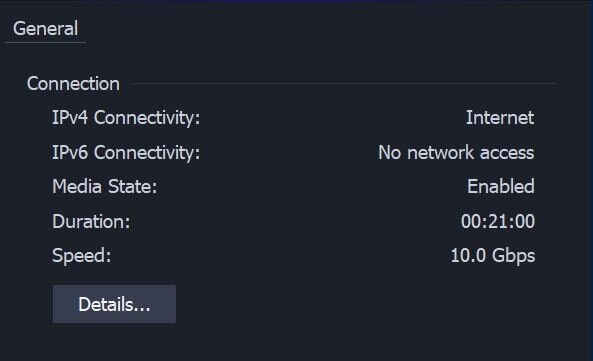
at my side iperf3 shows same speed no matter who is client and who is the server - I though that it should work like that by it's nature? I tried turning on the negotiation on the Mikrotik switch and restarted both - switch and unraid server, but it still saying there is no negotiation and connects 10gbit full duplex.
on.thumb.jpg.cbc3cff9210c17b1776b471d4f7edce3.jpg)
.jpg.d1318368aedcfe2c1bd5e958cf5d767d.jpg)
-
yeah it's default setting for bios but I'm using it as "return to last state" setting for like ~20+ years with no issues (some of setups were included surge protection and APC's). but I know that your hardware could burn even turned off with such power instabilities because you won't get fully depowered until you physically plug off the wires..
-
iperf is just standalone piece of software that I expect could have many bugs. Did you mean that I need to post bugreport to the iperf github first and wait for resolution before accepting the proof of work with direct files copying on windows and debian? Actually I was thinking about posting a bugreport to them but I got deleted Windows already so I will be unable to do some additional tests they will require for sure.
-
afaik that is typical setting in bios for most of motherboards - to return last state after power loss, so when power is down and then up server is starting automatically.
-
same network card works also fine on debian: root@ISP001:~# ethtool -i enp1s0f0 driver: ixgbe version: 6.5.11-8-pve firmware-version: 0x80000868 expansion-rom-version: bus-info: 0000:01:00.0 supports-statistics: yes supports-test: yes supports-eeprom-access: yes supports-register-dump: yes supports-priv-flags: yes
-
root@Tower:~# lspci | grep -i 'net' 03:00.0 Ethernet controller: Intel Corporation 82599ES 10-Gigabit SFI/SFP+ Network Connection (rev 01) 03:00.1 Ethernet controller: Intel Corporation 82599ES 10-Gigabit SFI/SFP+ Network Connection (rev 01) root@Tower:~# ethtool -i eth0 driver: ixgbe version: 6.1.79-Unraid firmware-version: 0x800003df expansion-rom-version: bus-info: 0000:03:00.0 supports-statistics: yes supports-test: yes supports-eeprom-access: yes supports-register-dump: yes supports-priv-flags: yes
-
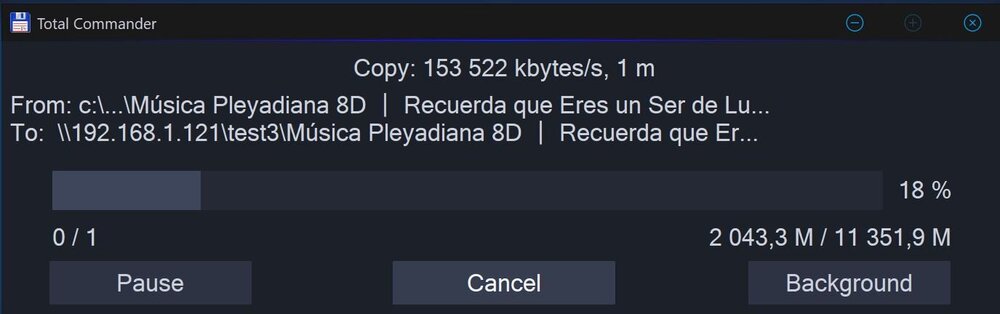
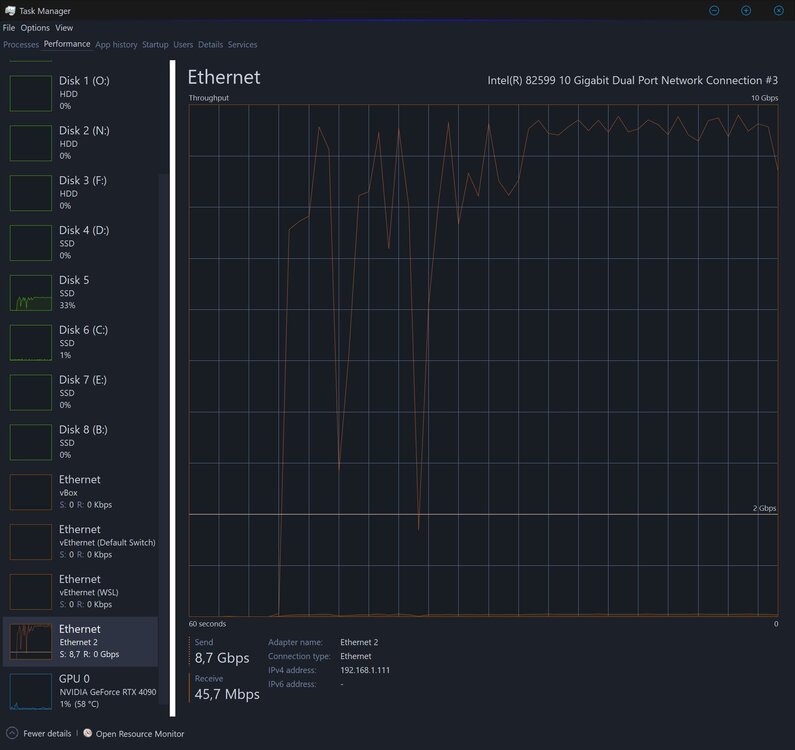
Hello, I have moved my unRAID server to the new hardware but got strange issue with 10gbit LAN: - iperf3 shows only ~2.66gbits/sec on the test; - copying files over lan to nvme share also slow as ~170-210mb/second. At first - before moving the HDD's - I have installed on that new server hardware Windows 10 pro - on internal m2 nvme SSD (Samsung 990 pro 2tb) - and checked everything including my network and ssd speed - and it worked just fine: - I had copy files speed ~1+gb/sec (10gbit) - somewhy iperf3 showed half of my connection speed - no idea why (mb bugs?), copying files over the lan were fine After these tests I plugged in my unRAID HDD drives and booted from the unRAID flash, network still connects 10ggbit full duplex but performing speed is low. So by these tests I'm assuming that hardware is fine and there is some unRAID miss-configuration, Is there anything I can do to find the root of the issue? Hardware: it's some custom server in the Supermicro 846 4U case: lan: Intel X520-DA2 10G (Intel 82599 10 Gigabit Dual Port) switch: Mikrotik CRS309-1G-8S IN (hardcoded to force connection as 10gb full duplex) mobo: Asus Proart B650-Creator (supports 2x8 pci) cpu: Ryzen 9 7900 ssd: Samsung 990 pro 2tb, 1tb, 1tb ... I got multimode optic wires.
.thumb.jpg.94d074d1fe4eebb5e88e4ea64b930b4d.jpg)
.thumb.jpg.f16017255764d4b28e40eb94f6359d20.jpg)
-
I tried connecting display cable to unraid server and check it when that happened but unraid didn't shows anything on display - no signal.
-
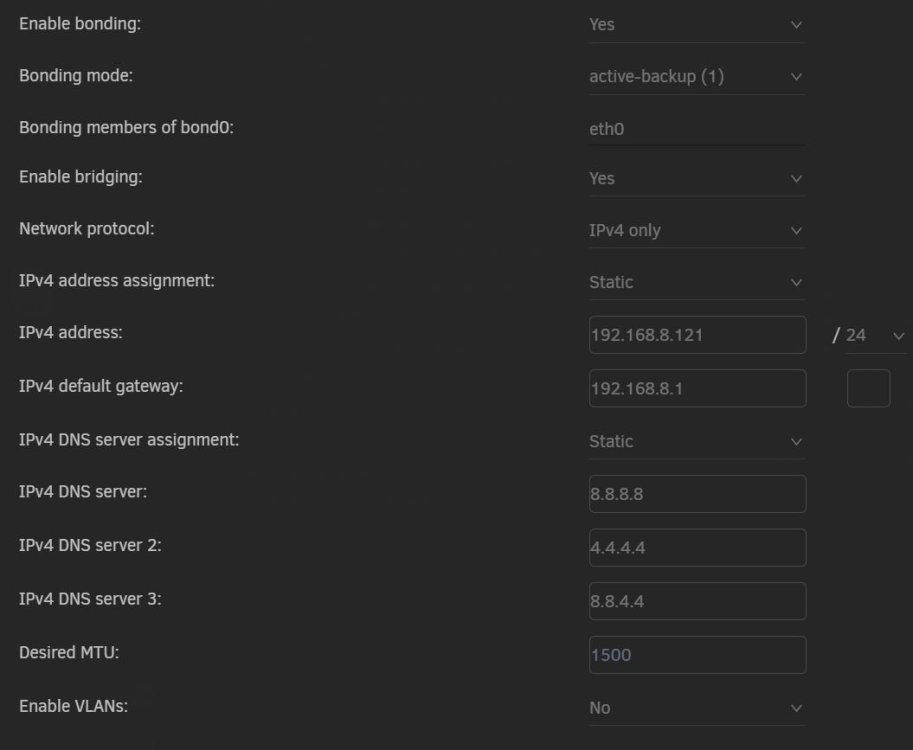
Hello, I got some issue on static IP address with the Unraid: as you can see on the screenshot attached my Unraid network settings is set to static IP/DNS, but when my house electricity goes down and comes back all devices starts loading and everything is working except the Unraid - I can't access it by given static IP so I have to restart it again to get it working. Unraid server lan cable is plugged into network switch with another ~8 devices (starting from another NAS server ending with PC's, lan sound card and routers), all of them are settled with static IP's too and has no any issues. Did I miss something?
-
I got this error again today, looks like at some point something happens/got broken and some files going to state when it's unable to write them to the share. I checked log, there is only 1 record in the log: Fatal error: Allowed memory size of 134217728 bytes exhausted (tried to allocate 4096 bytes) in /usr/local/emhttp/plugins/dynamix/include/Syslog.php on line 18 why there is no timestamp for errors in the log? have no idea when it happened
-
this seems to be resolved itself after rebooting the unraid NAS, have no clue what was happening.
-
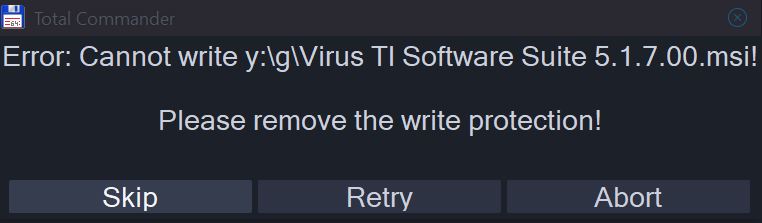
Hello, I'm experiencing strange issue with copying some files to the unraid SMB share. I'm using unraid v6.11.1 since v6.11.2 is bugged with the unallocated disks formatting. For example, I got a file named "Virus TI Software Suite 5.1.7.00.msi" on the windows PC, when I copy it to anywhere it works fine, but if I do so to the unraid share - in the middle of the copying process I'm getting error "can't write blahblah please remove the write protection". I still able to copy any other files to the share (like huge videofiles), but not that file even if I rename it. I can successfully copy that file only if I put it to the password protected archieve. Is there any settings causes such strange behave?
on.jpg.442570e4d4a4616663c0ec0c1c14f0f5.jpg)

.jpg.d1318368aedcfe2c1bd5e958cf5d767d.jpg)

.jpg.2036059442acb031be51267088d3c1e7.jpg)
.jpg.4794ae1f519a6b8ad94cd4c59e1bf966.jpg)

