





Ariloum
Members
-
Joined
-
Last visited
-
I got 2 VM's installed: 1. Windows 10, runs at 12 cores, 16Gb memory. 2. Debian 12.6, runs at 4 cores, 4Gb memory. Both installed on fast cache SSD, both has selected it's own logical CPU cores. If started alone they both runs smooth and fast. But If I got Windows VM running, starting Debian takes almost endless amounts of time (15-20+ mins) and everything goes very slow with it, I'm getting error messages in console while it's loading about locking cpu by timeout and so on. If I turn down Windows VM then Debian start working normally, but if I launch Windows VM after that - Debian goes laggy again - if I start some application like Firefox then Debian loads 2-4 of it's cores to 100% and it takes a few minutes to launch it. After some tests I have installed 2 more linux VM's: Ubuntu 22 and 24 - both stucks like Debian12 if Windows VM is running. But if I turn off Windows VM Hyper-V (in the container settings) then Ubuntu v22.04 LTS works ok in parallel, but Ubuntu 24.04 and Debian12 still not. Windows 10 VM installed from the official Microsoft ISO, close to latest version: en-us_windows_10_consumer_editions_version_22h2_updated_june_2024_x64_dvd_a8751094.iso I've attached all the VM's xml configs. debian.txt windows.txt tower-diagnostics-20240811-0021.zip ubuntu22.txt ubuntu24.txt
-
I got single cpu system, there is only 1 numa node
.jpg.37c1f6496d79924a73ee12bac1007083.jpg)
-
I found that if I turn off virtualization support on Windows VM then Ubuntu22 VM getting to work fine in parallel, while Debian12 is still stucked. Idk what to think, is it a kind of Unraid bugs? If so should I report it somehow else than here?
-
Same stucking happens with Ubuntu 22.04 LTS. Meanwhile Ubuntu 24 works fine, but it has too high python version - 3.12 - I need 3.10 for some project that runs in docker. Why did I have to bruteforce linux distros with the Unraid? I though that VM is basic function that must work out of the box.
-
Here is both VM's xml configurations attached debian.txt windows.txt
-
Hello fellow unraiders, looks like I need some help discovering one strange behave. I got 2 VM's installed: 1. Windows 10, runs at 12 cores, 16Gb memory. 2. Debian 12.6, runs at 4 cores, 4Gb memory. Both installed on fast cache SSD, both has selected it's own logical CPU cores. If started alone they both runs smooth and fast. But If I got Windows VM running, starting Debian takes almost endless amounts of time (15-20+ mins) and everything goes very slow with it, I'm getting error messages in console while it loading about locking cpu by timeout and so on. If I turn down Windows VM then Debian start working normally, but if I launch Windows VM after that - Debian goes laggy again - if I start some application like Firefox Debian start using 2-4 of it's cores at 100% and it takes a few minutes to launch it. I have another Debian12 in docker and it runs fine in parallel (I got it turned off while encountering this issue). What could be source of this? I though I could run VM's normally even on same cores..
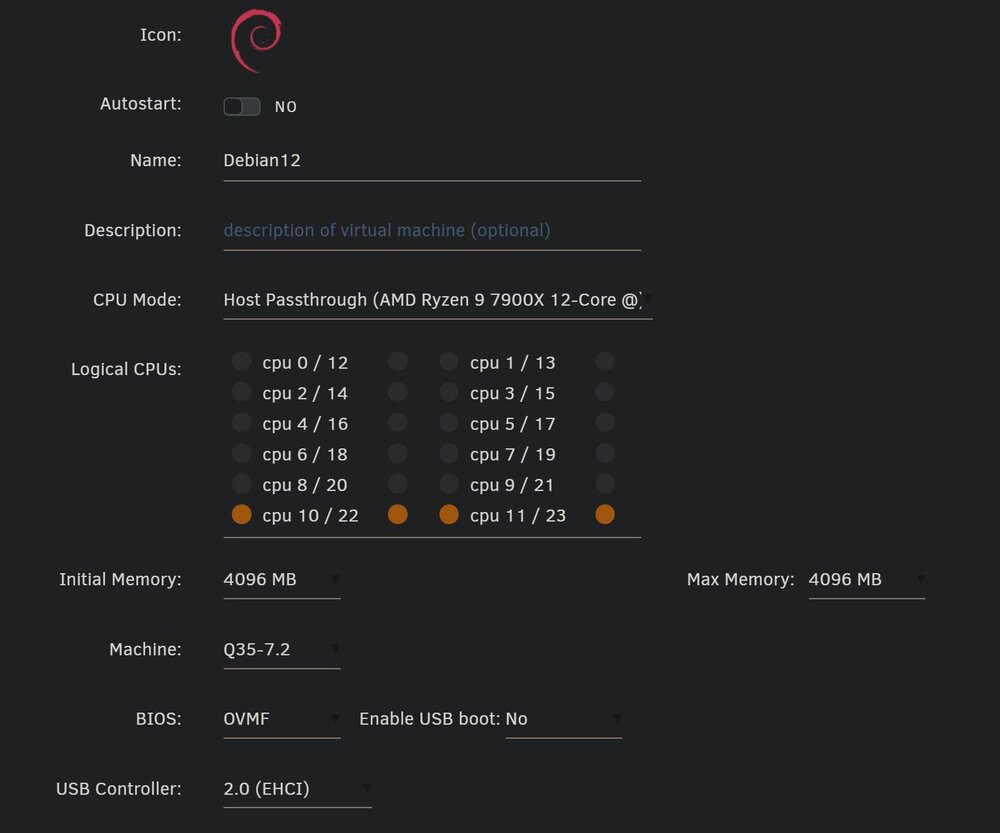
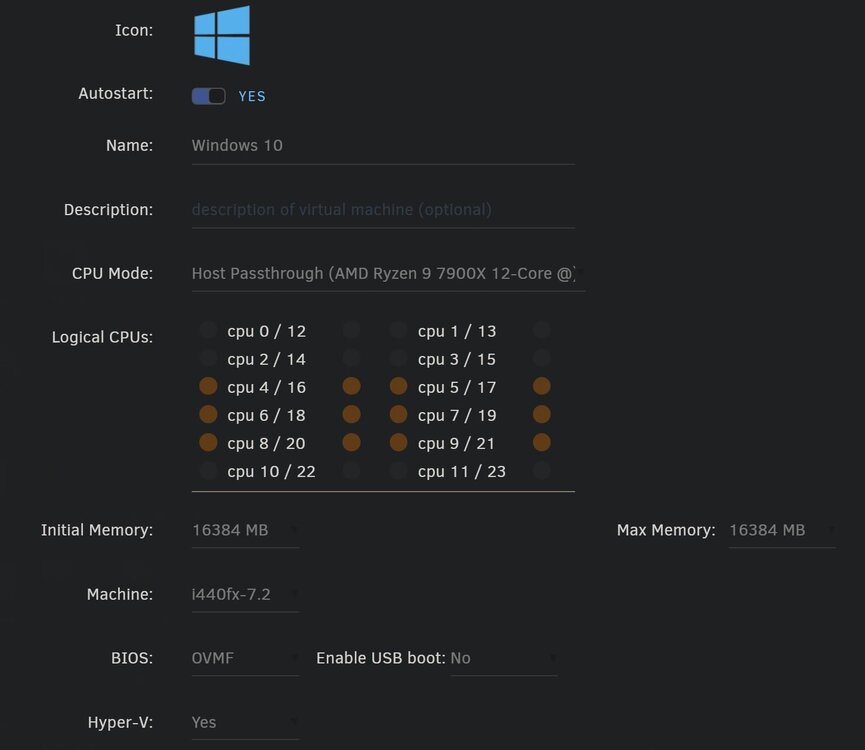
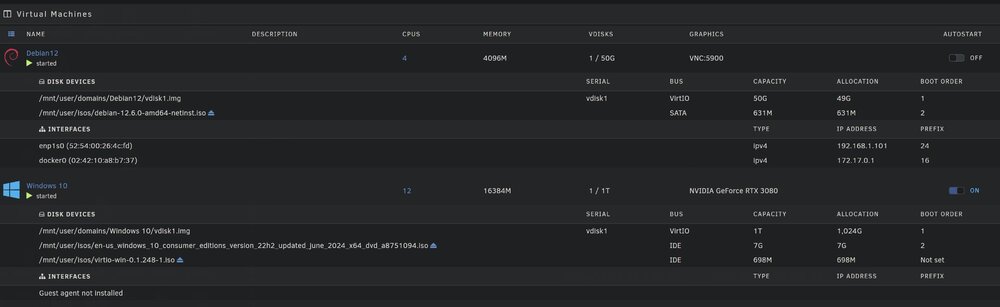
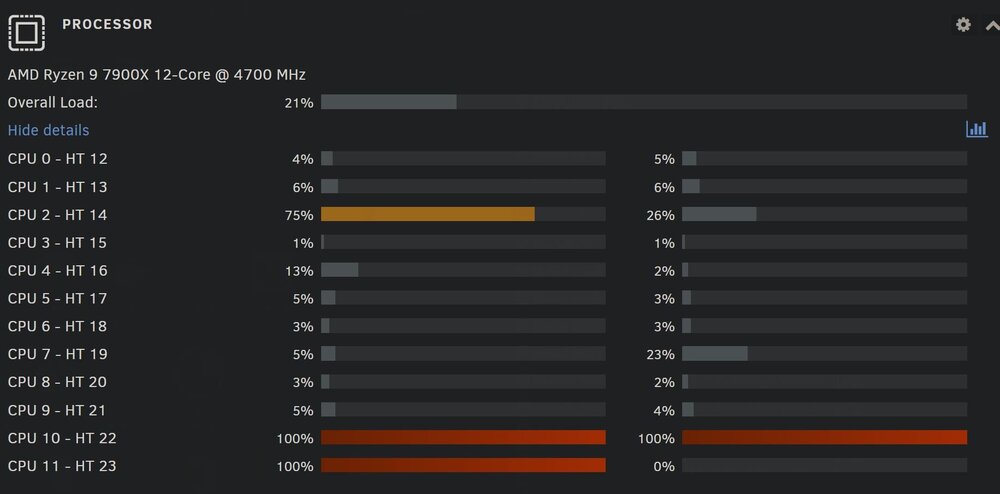
-
Yeah I can confirm taht two mellanox cards gives 9+ gbps singlethreaded with iperf...
.thumb.jpg.c4baa301f3ffce9f3da347b7f21b6e05.jpg)
-
Today I got my Mellanox ConnectX-3 Pro MCX312b-X adapters (detects as MT27520 in the unraid's lspci), looks like it's drivers works better than Intel X520 ones - reaching ~5gbps singlethread with the iperf3 tests and ~9.5gbps multithreaded. Going to try swapping my pc's Intel x520 to Mellanox, maybe it will reach 9.5gbps singlethreaded like that? Thanks for the help, guys.
.jpg.8e4732891e205f8f014281eb4f14a01a.jpg)
.jpg.026f1adaac07be43a236cf2e3e348ec8.jpg)
10.52-NOTREGISTERED.thumb.jpg.5852301753e4cc7f102f317a089682ad.jpg)
-
actually I have 2xRJ45 transceivers and used them a few days on small speeds in 2 different cases 1. 2.5gbit ethernet was plugged into 10gbit rj45 sfp switch 2. x520 to sfp switch I've had no any issues but I didn't tried to test it on heavy load for long time.
-
Actually I heard that for the Intel x520 and many other sfp adapters Windows is most capricious system. Usually all these adapters is working good on *nix systems. But for now most capricious system leadership, in my eyes, is overtaking by unraid. I've ordered some cheap Mellanox adapter. Guess I'm going to bruteforce these hardware adapters until the unraid finally deigns to work. If it won't run within 3 adapters I'm going to switch to Debian with SnapRAID (same parity disks system).
-
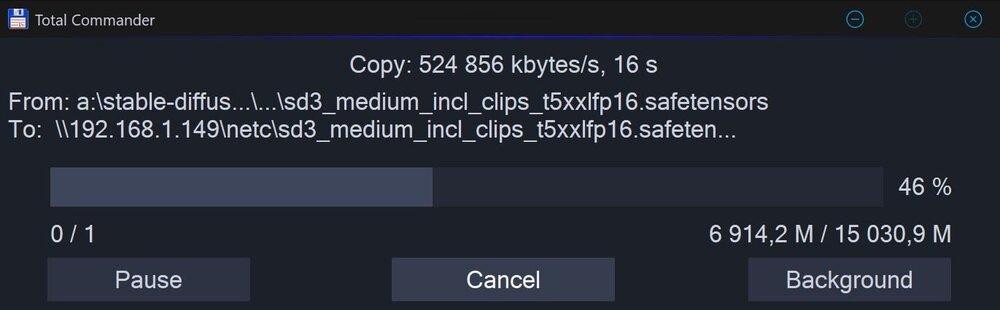
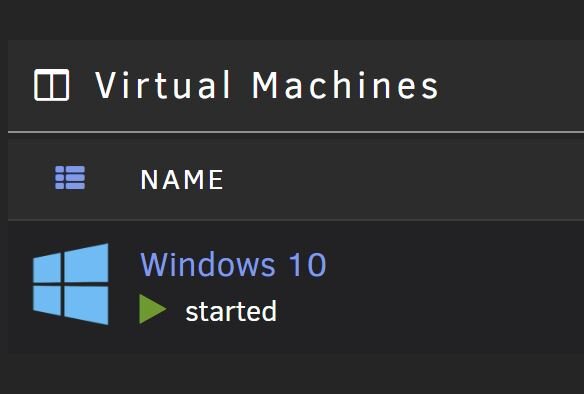
That is curious that smb network copying speed to unraid win10 VM is reaching that 500Mb/sec (one thread of iperf3):
-
definitely that is only your exp and related to overheating of RJ45 transceivers, I have a data-center friend who is using tons of these Intel X520 in many cases (mostly on server-racks), but these cards just works everywhere (except unraid) and well supported even by Synology.
-
Well, looks like these cards has many revisions too, like Intel? How do I know which revisions are supported by unraid? For example: Mellanox Oracle MHQH29B-XSR ConnectX-2 There is lots of them: Mellanox CX-3 EN PRO 10/20 Gb MCX312B-XCCT Mellanox CX-4 Lx 10/20Gb 25/50 Gb Eth MCX4121A-ACAT Mellanox ConnectX-3 VPI MCX354A-FCBT Mellanox ConnectX-3 Pro VPI MCX354A-FCCT Mellanox ConnectX-3 Pro EN MCX314A-BCCT Mellanox CX-4 Lx 10/20/40/50Gb Gb Eth MCX4131A-GCAT Mellanox CX-4 EN 10/20/40/50Gb 56Gb Eth MCX413A-GCAT / MCX413A-BCAT Mellanox ConnectX-4 VPI MCX455A-ECAT
-
I'm curious what 10gbit adapters are you using with unraid and what transceivers? Looks like I have close to zero chances to get full drivers support for my net adapters from the unraid team thus I will have to replace my hardware. I know Intel got like 3 or more revisions of their X520 adapters - 82599, 82599es, 82599eb, and probably unraid doesn't supports some of them.
-
Is there any way to find the bottleneck? I'm not a developer thus my possibilities of analyzing is very limited.
.jpg.37c1f6496d79924a73ee12bac1007083.jpg)


.jpg.10d28c56da1beba6b474392b8d3cc13c.jpg)

.jpg.8e4732891e205f8f014281eb4f14a01a.jpg)
.jpg.026f1adaac07be43a236cf2e3e348ec8.jpg)
10.52-NOTREGISTERED.jpg.a6d9ada8751c927e14ab14398ce08789.jpg)

