CrypticGuide
Members
-
Joined
-
Last visited
Everything posted by CrypticGuide
-
Well its certainly something with docker and not a plugin issue. Guess it will be interesting what docker container it is it seems to be one that Ive been using for a while. It's gonna take some time starting by disabling half of all containers until I narrow it down to a smaller pool and unfortunately causes a unclean shutdown parity check each time it fails.
-
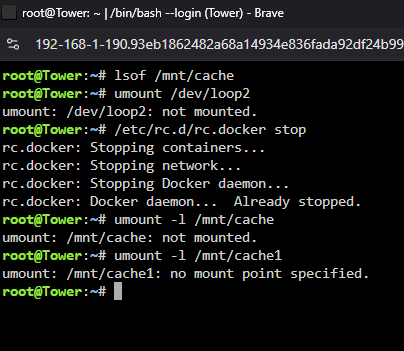
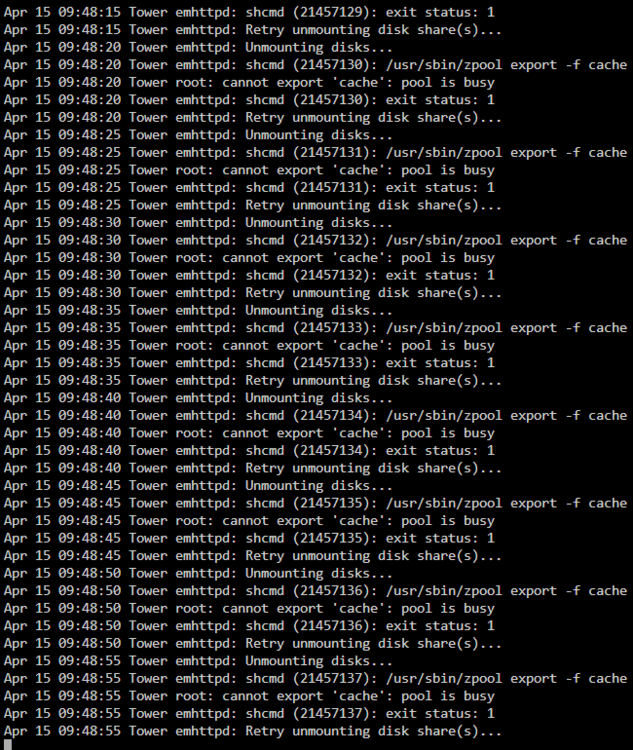
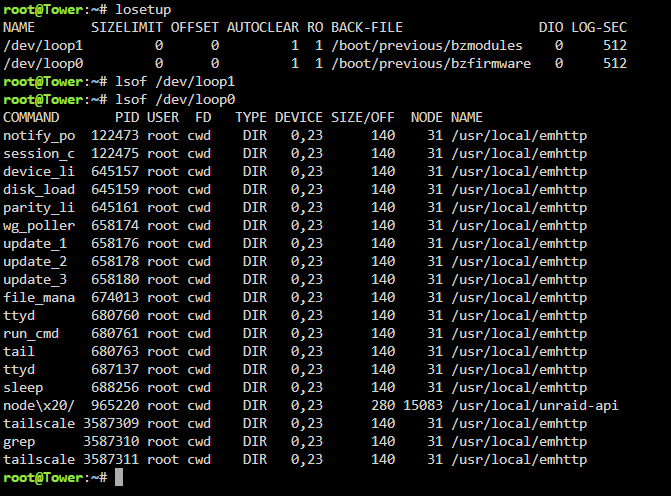
I wonder if I'm missing something critical but I've had a issue for around 6 months with restarting my Unraid server. Haven't worried about it much since I typically do not restart it very often but I'm having difficulty determining the culprit. When unmounting and stopping docker it seems the cache is not mounted. Tried following other guides where unmounting disk shares was stuck on retrying but I believe my situation is a little different. Tried lsof /mnt/cache and unmounting /dev/loop2 first as these seemed to be problematic in other posts with this issue. Docker is already stopped as shown and VM's are disabled on my Unraid server. In the logs though it clearly shows that it is the cache holding it up though which makes no sense to me? I'm only seeing directories from the flash memory storage mounted from my understanding running losetup should show everything mounted. Attached diagnostic logs. Thank you in advance for any assistance and apologies if I'm missing something basic. tower-diagnostics-20250415-0942.zip