




Skip to content
View in the app

A better way to browse. Learn more.

Unraid

A full-screen app on your home screen with push notifications, badges and more.

To install this app on iOS and iPadOS
  1. Tap the Share icon in Safari
  2. Scroll the menu and tap Add to Home Screen.
  3. Tap Add in the top-right corner.
To install this app on Android
  1. Tap the 3-dot menu (⋮) in the top-right corner of the browser.
  2. Tap Add to Home screen or Install app.
  3. Confirm by tapping Install.

Plex Media Ultra

Members
  • Joined

  • Last visited

  1. How to I claim this as a new server on my existing Plex account? On the official release, there is a field for the claim server perameter
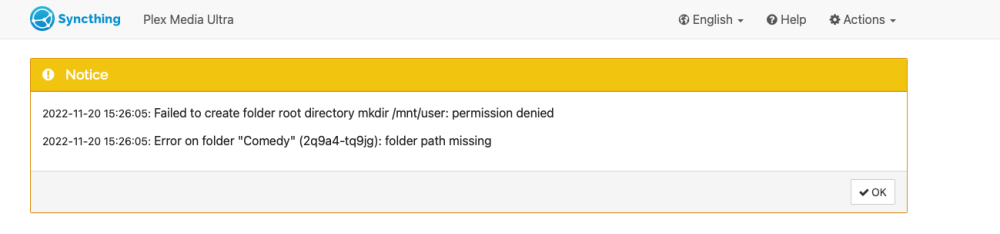
  2. Hi guys... just starting out with Unraid and having a few issues with some docker apps. I am trying to use Syncthing and SABnzb as examples, and neither of them can access the share folders I have setup. Is there a setting I am missing to allow them to R/W into the share directories I have created. Example of the Syncthing issue is attached.
Account

Navigation

Search

Search

Configure browser push notifications

Chrome (Android)
  1. Tap the lock icon next to the address bar.
  2. Tap Permissions → Notifications.
  3. Adjust your preference.
Chrome (Desktop)
  1. Click the padlock icon in the address bar.
  2. Select Site settings.
  3. Find Notifications and adjust your preference.