iamdooser
Members
-
Joined
-
Last visited
Everything posted by iamdooser
-
I'm sorry, I meant a guide on formatting that disc only. I did run a file system check directly on the disc with the same results.
-
I'm fine with doing that, if I get no where with the xfs_repair mailing list. Is there a guide on doing that?
-
Aside from that, am I looking at completely rebuilding the array?
-
That is correct, thanks for catching my error. I've rebooted and retried, same issue. Should I try to replace/rebuild the disc using the instructions here?
-
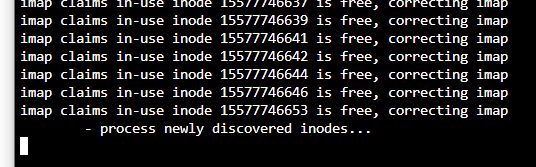
When I ran it from the GUI I got the out of memory fatal error code. When I ran xfs_repair -nv /dev/md5 in the console, it finished. When I ran xfs_repair -v /dev/md5 in the console, it hangs at process newly discovered inodes... dunraid-diagnostics-20221117-0822.zip
-
I had a disc go unmountable after an unclear power cycle. I attempted running a filesystem check via the GUI; and both using -n or not resulted in a "FATAL ERROR: ALLOWED MEMORY SIZE OF XXXXXX BYTES EXHAUSTED". Running one via console; xfs_repair -nv completed so I ran xfs_repair -v and things stalled at process newly discovered inodes... I quit the process and retried it. This time I let it go for a long time in case it was just taking a while, still stalling in the same spot. So when that failed, I decided to try pulling the drive and replacing it with a new precleared disc to rebuild the array disc. Of course, it seemed to work until reboot when again this new disc is unmountable. I realize I skipped a few steps described here, but wanted to ask for help before I tried it since I did see some other posts stating rebuilding an unmountable disc will just end with another unmountable disc....