





qs0618
Members
-
Joined
-
Last visited
-
-
前一段时间升级过一次,失联,搞的有点崩溃,最后又还原到老版本,最近坛子里有说可以升级,就升级了,结果还是老样子,有知道怎么解决吗? 有说:把etho网络桥接关掉就可以了,怎么关掉? 还有说把中文语言包卸载掉,这还没给机会就失联了 到底怎么解决?谢谢 在线等 本人用的正版pro 发现一个问题:经过强制关机,然后再启动,可以短暂的近入webui,过一会就失联
-
-
同样的问题,我更惨,前段时间用着用着就断了,最后实在没办法,重新装了一遍,这次升级有出现了这种老问题
-
重装Unraid后,磁盘里的校验盘、数据盘等里面的数据都是正常,怎么再重新设置阵列而不损坏磁盘里现有的数据?谢谢
-
说是断网,倒不如说是系统崩溃,我看网口那的闪光灯是正常的,只是通过IP登陆不了unraid,在显示器上的显示界面也处在死机状态
-
10.10.10.6是我的unraid的地址,192.168.122.1不知道是什么?家里没有用这地址段啊,dnsmasq我没有单独安装,其他的插件有没有带不好说,Turbo ACC 有使用dns缓存
-
这个是问题出现之前的日志,因为问题出现之后都连不上了,进不了Unraid了,所以下载不到出问题之后的日志 syslog.txt
-
最近在使用Unraid 的过程中遇到网络连不上掉线的问题,重启Unraid后短暂的可以连上,过很短的时间就断网了 首先排除家里网络问题,因为其它设备都在正常使用,换了网线连接问题依然存在,也排除了网线问题,主板也做测试了,也不是主板网卡问题,那只能是Unraid的问题了,怎么解决啊?哪位大佬帮忙指点一下迷津,谢谢
-
在调整为中文语言包后,每次关掉重新启动就变为英文版的了,还要重新上传,不知怎么解决?谢谢
-
在应用官方提供的插件链接“ https://raw.githubusercontent.com/Squidly271/community.applications/master/plugins/community.applications.plg ” 安装插件时,提示如下,怎么解决?谢谢 plugin: installing: community.applications.plg Executing hook script: pre_plugin_checks plugin: downloading: community.applications.plg ... plugin: community.applications.plg download failure: SSL verification failure Executing hook script: post_plugin_checks
-
我用的是闪迪酷豆usb3.1 32G,有GUID啊,而且有推荐用这个U盘啊,只是说usb creator win版的识别有问题,MAC我又没有,所以选择这个直接下载系统包的方法安装的
-
qs0618 joined the community
-
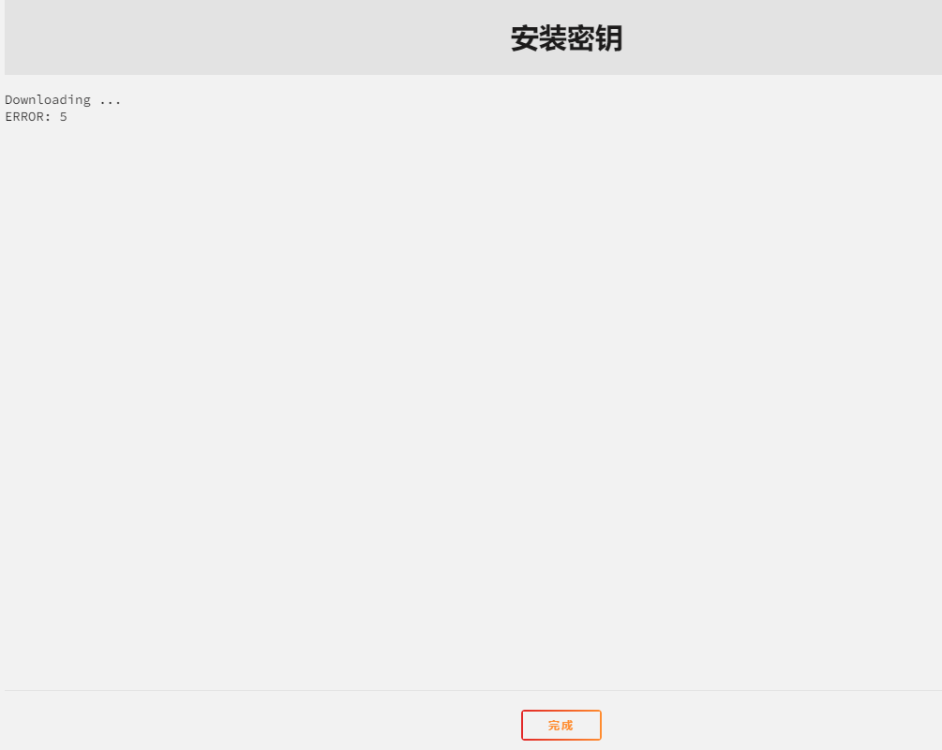
我的u盘使用usb creator识别不了,所以直接下载的unraid的系统包,但是装好系统启动后,利用发给我的注册链接注册不了,怎么解决?谢谢

