Rashiga
Members
-
Joined
-
Last visited
-
Hello UnRaid'ers, I use a ThinkStation E32 with onboard graphics for my Unraid setup. I installed an NVdia P4 GPU for encoding, but the PC does not output any display. However, I can connect through the network to the Unraid UI. Has anyone experienced this? Thanks, Rashiga
-
You are absolutely right! Thank you all for your help on this! Cheers and Happy holidays!
-
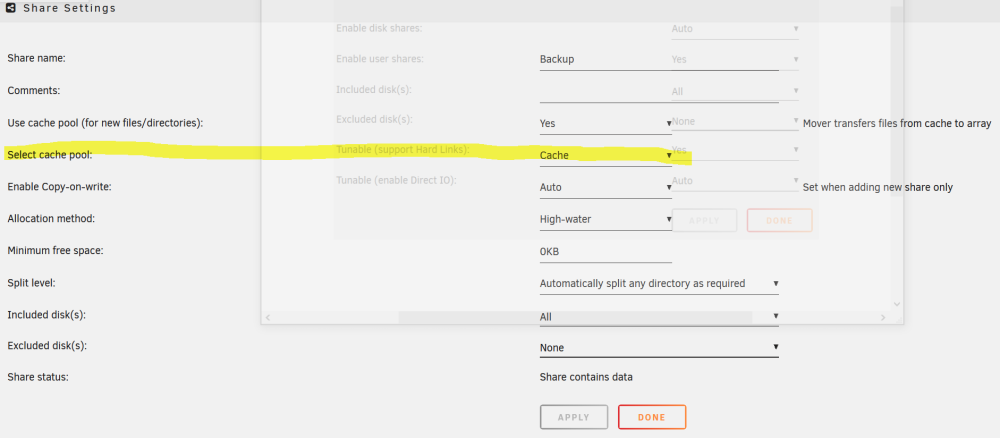
@JorgeB I have set the cache drive for my shared folder in share settings. But when I copy files it straight away get copied to the hdd not the cache (ssd). Previously (before I followed the steps to configure 10 gig card according to the above video) it worked properly.
-
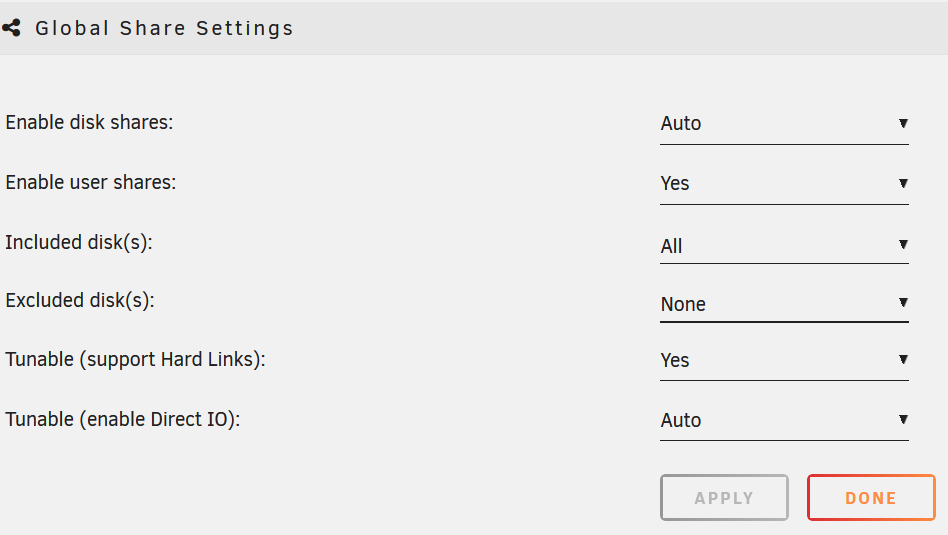
@KingfisherUK thank you for this video! I followed the steps and it worked! @JorgeB thank you, for the suggestion However, when I mapped my drive using the IP address of the 10 gig card, the data get by passed the cache drive. When I searched about it, it was mentioned to change global share settings. But I cannot see any option for cache drive in the global settings.
-
Hello @MAM59, I tried your method and it worked. The desktop was able to connect to the internet through the unraid server. However the connection was in 1gig. @JorgeB, when I try to connect only using 10 gig ip I cannot connect to the unraid server. But it only connects via the router. I think I'm doing something wrong here.
-
@MAM59 thank you for your reply. I will try to learn how to do this and try will out. Yep you are right! To reduce the costs I went with a rj45 10G adapter. I will give this try and switch to spf later. Thank you for the suggestion. @JorgeB thank you for your suggestion as well. I will try it out and let you know how it goes.
-
Hello all, I'm setting up my first unraid server and I also wanted get experience with 10G data transfer for the first time. I've got a used a pc for my unraid server and got two used 10G Ethernet adapters. My current setup is illustrated on the image below. The problem is when I try to transfer data from my PC to the unraid server it goes through the wifi router which slows down the file transfer. Is there a possibility by-passing the router for data transfer between the pc and the unraid server with unraid server still connected to the wifi router. So I can access the files via internet? Is my only option is to get a 10G router to make this possible? Any help on this issue is highly appreciated. Cheers, Rashiga